How to Build a WordPress Website From Scratch (2026)

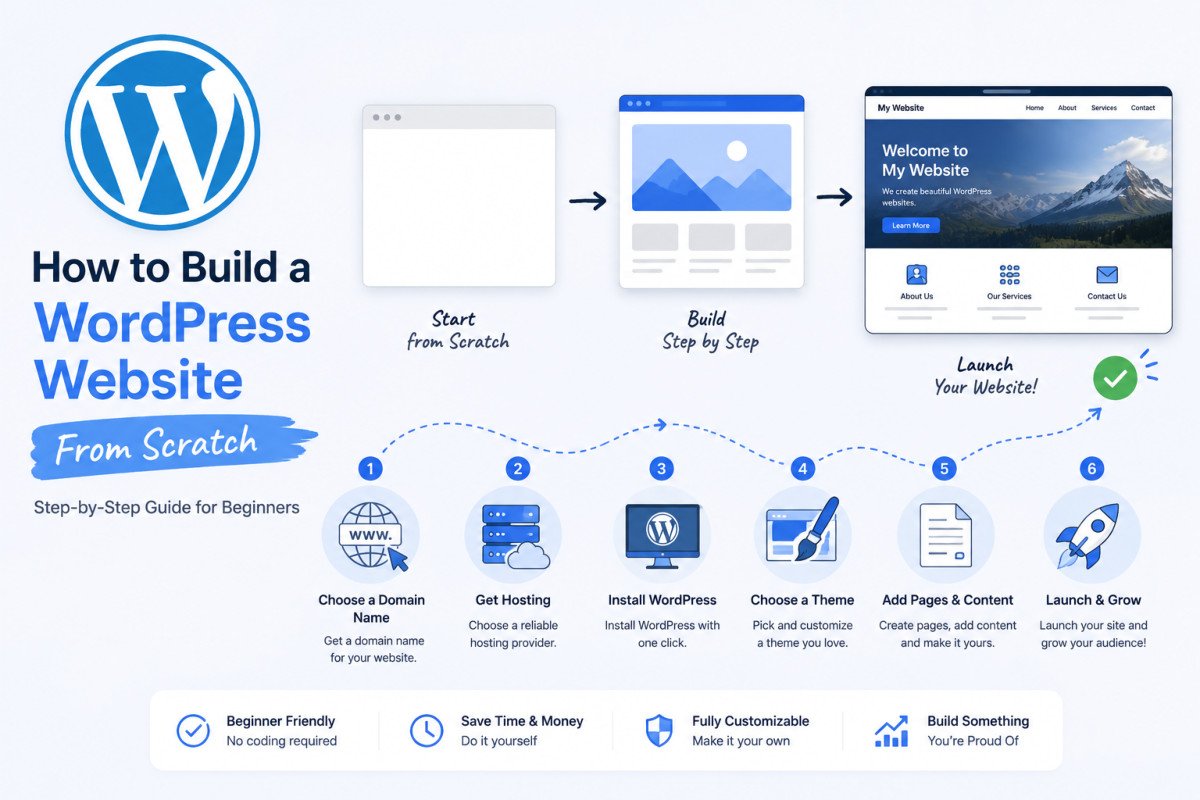
Building a WordPress website from scratch follows a clear sequence: define your site’s purpose, register a domain, choose hosting, install WordPress, pick a lightweight theme, secure it with SSL, create your essential pages, set up navigation, and install a handful of core plugins. Most beginners can have a genuinely functional, professional-looking site live within a single afternoon of focused work, the cost typically runs $100-300 for the first year using free themes and plugins. This guide walks through the full path, with a deeper, dedicated guide linked at every step for when you’re ready to go further.
Before You Start
Set aside a few uninterrupted hours for your first session, roughly 15-20 minutes for hosting and installation, and the rest for setting up pages, theme, and plugins at a comfortable pace.
Somewhere between “I should build a website” and an actual live site sits a genuinely intimidating pile of decisions, domain names, hosting plans, themes, plugins, all sounding like separate specialties you’d need a developer for. They’re not. WordPress was specifically built to let one person handle all of it, and this guide is the exact order to do it in.
What You’ll Learn
- The full sequence for building a WordPress site, start to finish
- What each step actually requires, with a deeper guide linked for every one
- An honest take on AI website builders, and when they’re actually worth using
- What this realistically costs, and what to do once your site is live
Step 1: Define Your Site’s Purpose First
Before touching any settings, get clear on what you’re actually building, a personal blog, a business site, a portfolio, or a store. This single decision shapes which pages you’ll need, which theme fits best, and which plugins are actually relevant, skipping it is why many beginners end up rebuilding their site structure a few months in.
Step 2: Register a Domain Name
Your domain is your site’s address. Keep it short, easy to spell, and free of hyphens or numbers where possible. See our complete domain name guide for the full decision framework.
Step 3: Choose Hosting
Your host stores your site’s files and makes it accessible online, arguably the single most consequential choice in this whole process, it affects your speed, reliability, and support quality for years. See our hosting guide for what actually matters when comparing providers, and our dedicated reviews of Bluehost, SiteGround, and Cloudways, plus direct comparisons of Bluehost vs SiteGround and Cloudways vs SiteGround, if you’re deciding between specific providers.
Step 4: Install WordPress
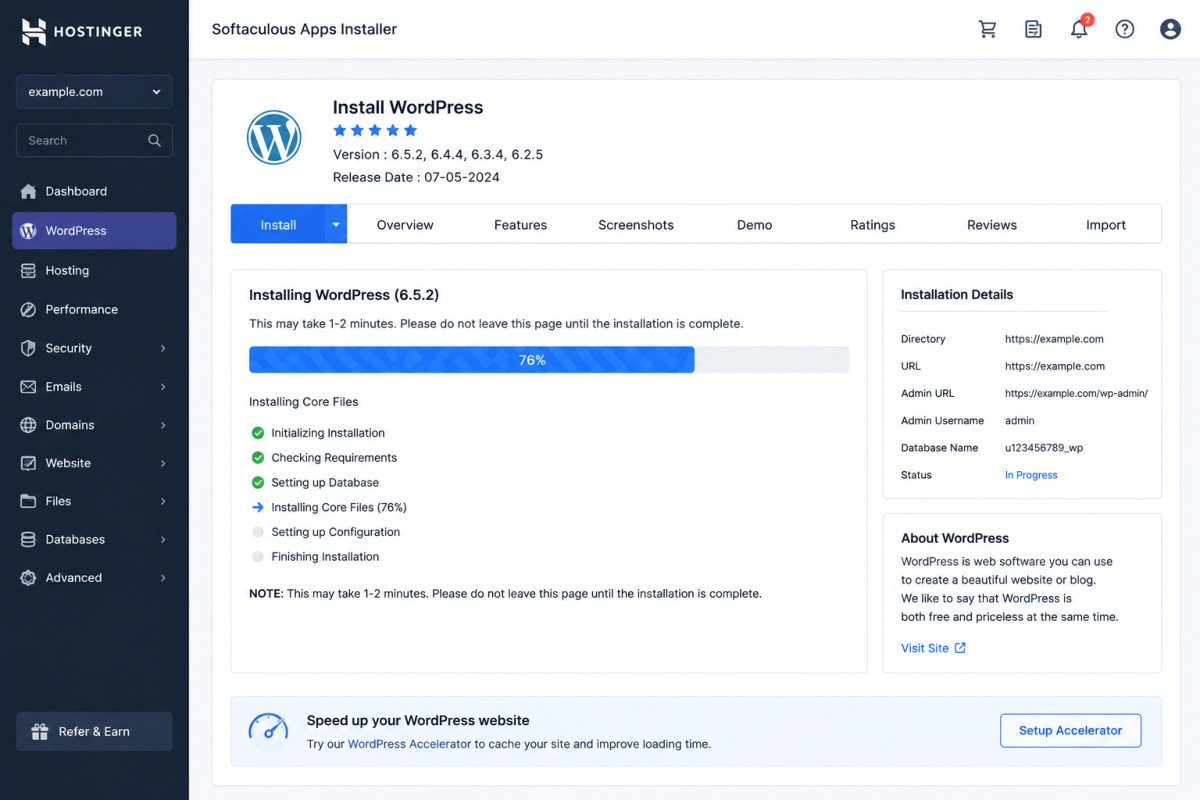
Most hosts include a one-click WordPress installer, genuinely a few minutes of work. See our complete installation guide for the full walkthrough, including the manual method and a local-testing option if you’d rather experiment before going live.
Step 5: Choose a Lightweight Theme
Your theme controls your site’s design. Astra, Kadence, and GeneratePress are consistently among the most recommended free, lightweight options across the WordPress ecosystem. See our theme selection guide for the full framework, speed and support matter more than how a demo screenshot looks.
Step 6: Secure Your Site with SSL
Every WordPress site needs an active SSL certificate, most hosts include this free through Let’s Encrypt. See our SSL setup guide to confirm yours is active and correctly configured.
Step 7: Create Your Essential Pages
Every site needs a core set of pages, Home, About, Contact, and a Privacy Policy at minimum. See our essential pages guide for what each one should actually include.
Step 8: Set Up Navigation Menus
Once your core pages exist, connect them through clear, logical navigation. See our menus and navigation guide for the full walkthrough.
Step 9: Add a Blog, If You Need One
Not every site needs a blog, but if content marketing or SEO growth is part of your plan, it’s worth setting up early. See our guide to adding a blog for the full process, including categories and tags.
Step 10: Install Your Core Plugins
A handful of essential plugins cover SEO, security, and backups, no need for dozens from day one. See our plugins guide for exactly which ones matter most starting out.
An Honest Take on AI Website Builders
AI-powered site builders promising a working WordPress site in minutes are genuinely fast and reasonable for quick tests or hobby projects. For a business site meant to actually convert visitors, they’re best treated as a starting draft, not a finished product, strategic decisions, brand voice, and genuine SEO still benefit from real human judgment. Sites built entirely end-to-end by AI tools are disproportionately the ones that need a real rebuild within a year.
Building for a Specific Purpose
If you already know your site’s specific direction, two of our guides go deeper on common paths: building a professional portfolio, or setting up a service business website designed to generate real leads.
WebGomu Tip: Resist the urge to perfect every page before launching. A genuinely functional site live today, with a plan to improve it over the following weeks, beats a “perfect” site still sitting unpublished a month from now.
What This Actually Costs
For a genuine first-year budget breakdown, hosting, domain, optional premium theme or plugins, see our complete cost guide. Most beginners can realistically launch for $100-300 in the first year using free themes and plugins.
If You Ever Need to Move Your Site
Once your site is live, if you ever switch hosts or domains later, see our website migration guide for how to do it without losing your SEO rankings.
Common Mistakes
- Skipping the purpose-definition step and rebuilding site structure a few months in.
- Choosing hosting based on the lowest advertised price without checking renewal cost or reliability.
- Trying to perfect every page before launching anything at all.
- Installing a heavy, feature-loaded theme before understanding what your site actually needs.
Key Takeaways
- Building a WordPress site follows a clear, learnable sequence, no developer required.
- Most beginners can launch a genuinely functional site within a single focused afternoon.
- AI website builders are useful for speed, but real strategy and SEO still benefit from human judgment.
- A realistic first-year budget is $100-300 using free themes and plugins.
Frequently Asked Questions
How long does it take to build a WordPress website from scratch?
Most beginners can have a functional, professional-looking site live within a single afternoon of focused work, roughly 15-20 minutes for hosting and installation, with the remaining time spent on pages, theme, and plugins.
How much does it cost to build a WordPress website?
A realistic first-year budget is $100-300 using free themes and plugins, covering hosting and a domain name. Costs can scale up significantly with premium themes, plugins, or professional design help.
Do I need coding skills to build a WordPress website?
No, WordPress is specifically designed to let one person handle the entire process, domain, hosting, design, and content, without writing code.
Should I use an AI website builder instead of building manually?
AI builders are genuinely useful for speed on hobby projects or quick tests. For a business site meant to convert visitors, treating AI output as a starting draft rather than a finished product tends to produce better long-term results.
What’s the first thing I should do before building my site?
Define your site’s specific purpose, blog, business, portfolio, or store, before making any other decisions. This single step shapes which pages, theme, and plugins actually make sense for your situation.
Resources Links
Author:

Christoper Enolpe
Founder of WebGomu • WordPress Freelancer with 10+ Years of Experience
Christoper is the founder of WebGomu and a WordPress freelancer with over 10 years of hands-on experience building, optimizing, and maintaining WordPress websites. He writes practical, beginner-friendly guides based on real-world experience, covering WordPress, SEO, website performance, and AI tools to help readers build better websites with confidence.
Learn more: https://webgomu.com/about/
Get one WordPress tip every week
Start Here

The Ultimate Beginner’s Guide to WordPress (2026): Build Your First Website Without Coding
Popular Guides
Our Partner

More from the blog

WPCode Review 2026: The Safe Way to Add Custom Code
WordPress REST API Explained: A Beginner’s Guide (2026)