Cloudways Review 2026: What You’re Really Paying For

Cloudways delivers genuinely strong, independently verified performance, 99.98-99.99% uptime in third-party monitoring, well above its own advertised SLA, with an intuitive dashboard and no command-line work required. The honest cost picture: you’re paying roughly double the raw underlying cloud provider’s price for that convenience, a $6/month DigitalOcean server costs about $11/month through Cloudways. One thing to know before you sign up, not just a minor inconvenience: account deletion is immediate and irreversible, with no grace period, verified users report losing everything within an hour of a mistaken cancellation, with no recovery possible.
Before You Start
If you’re comparing Cloudways specifically against SiteGround, see our head-to-head comparison, this review focuses on Cloudways specifically.
Cloudways markets itself as managed cloud hosting without the complexity, and independent testing genuinely backs that up on performance. But there’s a real cost structure and at least one serious operational risk worth understanding clearly before you commit, not discovering after the fact.
What You’ll Learn
- What independently verified performance data actually shows
- The real markup you’re paying over the underlying cloud provider’s raw cost
- A critical account deletion risk you need to know before signing up
- What real users report about support quality since Cloudways’ 2022 acquisition
What’s Genuinely Excellent
- Independently verified performance. Third-party 30-day uptime monitoring commonly records 99.98-99.99%, above Cloudways’ own advertised 99.9% SLA and well above typical shared hosting.
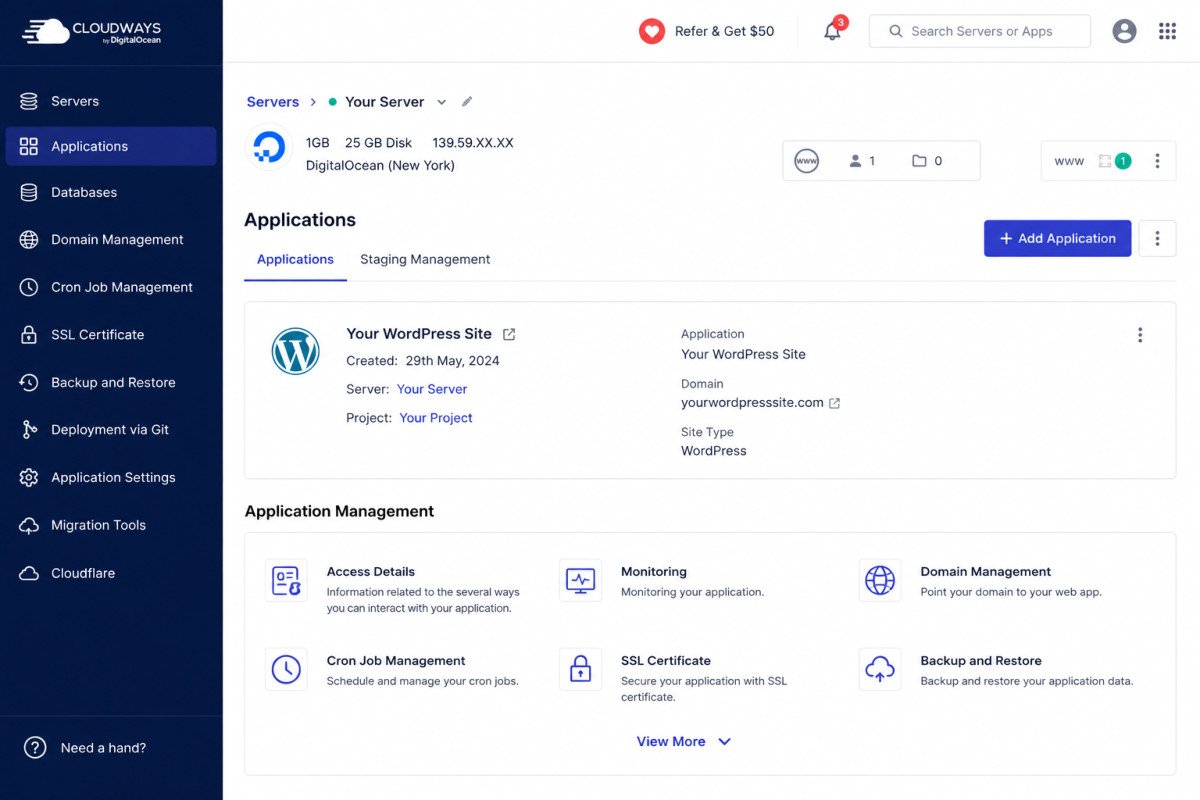
- Genuinely intuitive dashboard. Server management happens through a clean GUI, no command-line work required, even though the underlying infrastructure is genuine cloud servers (DigitalOcean, Vultr, AWS, Google Cloud, and others).
- Built-in Cloudflare Enterprise CDN and advanced caching, included, not sold separately.
- 25+ global data center location choices, letting you place your server close to your actual audience.
- 3-day free trial, no credit card required.
- Strong cloning, staging, and backup tools, specifically praised in verified Capterra reviews.
The Real Cost: You’re Paying Roughly Double the Raw Cloud Price
This is the honest math worth understanding: Cloudways doesn’t own its own infrastructure, it resells and manages servers from providers like DigitalOcean, Vultr, AWS, and Google Cloud, adding its management layer on top. A DigitalOcean 1GB droplet costs roughly $6/month rented directly, the equivalent managed plan through Cloudways runs closer to $11/month. That’s not hidden or dishonest, it’s the price of the management convenience, but it’s worth knowing explicitly rather than assuming Cloudways’ pricing reflects raw server cost.
On top of the base price, extra usage costs apply: roughly $1 per 10GB of additional bandwidth, $1 per 1,000 additional visits, and $2 per 1GB of additional disk space. Combined with a pay-as-you-go, billed-in-arrears model that’s genuinely unfamiliar if you’re used to flat monthly hosting bills, billing confusion is a recurring theme in user reviews.
A Critical Warning Before You Sign Up
This deserves its own section, not just a bullet point: account deletion on Cloudways is immediate and irreversible, with no grace period. At least one verified Capterra reviewer reported mistakenly cancelling their account and contacting support within one hour, too late, everything was already permanently gone with no recovery possible. If you ever consider closing a Cloudways account, treat that button with the same caution you’d apply to permanently deleting a file with no backup, because that’s functionally what it is.
WebGomu Tip: Before doing anything in your Cloudways account settings related to cancellation or deletion, export or back up everything independently first (see our UpdraftPlus review for a genuinely portable backup option), regardless of how confident you feel about the action you’re about to take.
Support Quality: A Mixed, Possibly Declining Picture
Reports here genuinely vary, and it’s worth being honest about both sides. Cloudways is generally praised for a robust support system in aggregate review platforms. But at least one detailed long-term user account describes support quality declining in recent months specifically, and paying extra for better support tiers, that hadn’t previously been the case. A separate reviewer described support as feeling automated with little tolerance for user mistakes. Cloudways was acquired by DigitalOcean in 2022 for a reported $350 million, and pricing has reportedly increased on entry and mid-tier plans since, worth being aware of as broader context for these support concerns.
Who Should Use Cloudways
Developers, agencies, and businesses genuinely needing dedicated cloud performance and willing to pay a real premium for a managed, no-command-line experience on top of raw cloud infrastructure.
Who Might Want to Look Elsewhere
- Absolute beginners with modest traffic are usually better served by simpler shared hosting, covered in our Cloudways vs SiteGround comparison.
- Anyone specifically wanting LiteSpeed Cache, Cloudways doesn’t offer a LiteSpeed hosting option.
- Anyone uncomfortable with pay-as-you-go, billed-in-arrears pricing, which multiple reviewers describe as having a real learning curve.
Common Mistakes
- Assuming Cloudways’ price reflects the raw underlying cloud provider’s cost, it’s roughly double, for the management layer.
- Clicking account deletion without fully understanding it’s immediate and irreversible with no grace period.
- Not budgeting for extra usage costs (bandwidth, visits, disk space) beyond the base plan price.
- Choosing Cloudways specifically for LiteSpeed compatibility, it isn’t offered.
Key Takeaways
- Independently verified uptime and performance genuinely exceed Cloudways’ own advertised SLA.
- You’re paying roughly double the raw cloud provider’s cost for the managed convenience layer.
- Account deletion is immediate and irreversible, with no grace period, treat it with real caution.
- Support quality reports are mixed, with at least one account describing a decline since the 2022 acquisition.
Frequently Asked Questions
Is Cloudways more expensive than renting a server directly?
Yes, roughly double. A DigitalOcean droplet costing about $6/month directly runs closer to $11/month through Cloudways, the difference reflects the managed convenience layer.
Can I recover my account if I accidentally cancel it on Cloudways?
No, account deletion is immediate and irreversible with no grace period. At least one verified user reported losing everything despite contacting support within an hour.
Does Cloudways offer LiteSpeed hosting?
No, Cloudways does not offer a LiteSpeed option, worth knowing if that’s a specific requirement.
Is Cloudways’ performance actually good?
Yes, independently verified third-party monitoring commonly records 99.98-99.99% uptime, exceeding Cloudways’ own advertised 99.9% SLA.
Has Cloudways’ support quality changed recently?
Reports vary. Some users describe robust support, while at least one detailed long-term account reports a decline in recent months, with better support now requiring an additional cost.
Resources Links
- The Ultimate Beginner’s Guide to WordPress (2026)
- Cloudways vs SiteGround: Is Managed Hosting Worth the Extra $20?
- SiteGround Review 2026: Is the Renewal Price Worth It?
- UpdraftPlus Review 2026: Do You Even Need It?
Learn more directly from the source: Visit Cloudways’ official website for current pricing and full feature details.
Author:

Christoper Enolpe
Founder of WebGomu • WordPress Freelancer with 10+ Years of Experience
Christoper is the founder of WebGomu and a WordPress freelancer with over 10 years of hands-on experience building, optimizing, and maintaining WordPress websites. He writes practical, beginner-friendly guides based on real-world experience, covering WordPress, SEO, website performance, and AI tools to help readers build better websites with confidence.
Learn more: https://webgomu.com/about/
Get one WordPress tip every week
Start Here

The Ultimate Beginner’s Guide to WordPress (2026): Build Your First Website Without Coding
Popular Guides
Our Partner

More from the blog

WPCode Review 2026: The Safe Way to Add Custom Code

AI Photo Editing Tools for WooCommerce Product Photos (2026)