How to Choose the Best WordPress Hosting for Beginners (2026)

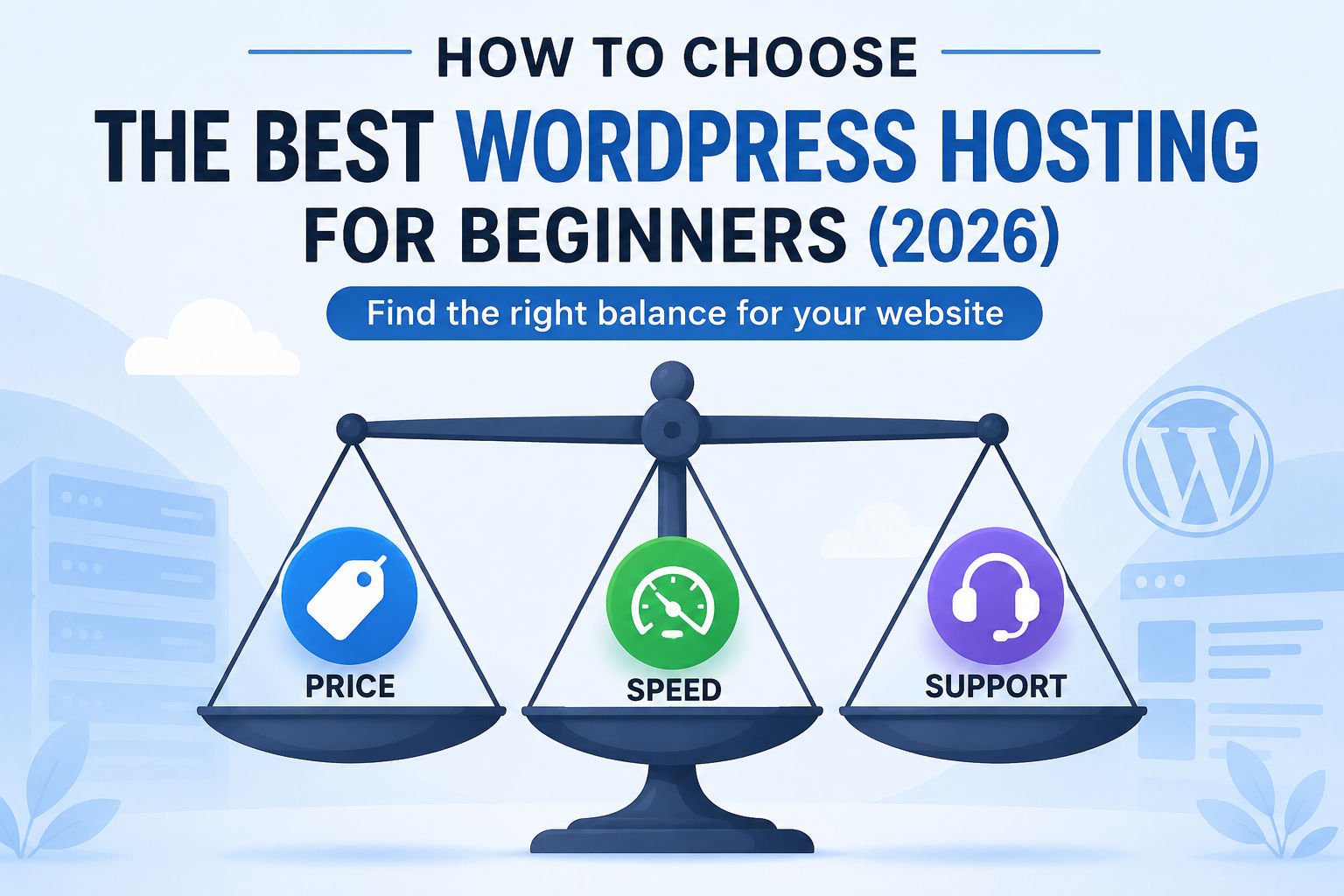
Every hosting review site claims to have found “the best” WordPress host — and most of them are getting paid a commission to say so. That doesn’t mean their picks are wrong, but it does mean you need a framework of your own before you start comparing options, so you’re not just trusting whichever page ranks #1 on Google.
This guide gives you that framework, then walks through honest, practical picks for different beginner situations.
What You’ll Learn
- What actually matters when choosing hosting as a beginner (and what doesn’t)
- The pricing trap almost every beginner falls into
- Honest picks for different budgets and goals
- Questions to ask before you buy
- Common mistakes that cost beginners time and money
Why Hosting Choice Matters More Than Beginners Expect
Your host affects your site’s speed, uptime, security baseline, and how easy WordPress is to set up and manage — all of which directly affect visitor trust and your search rankings.
A slow, unreliable host can undo a lot of good work elsewhere on your site. Site speed affects both user experience and SEO, and frequent downtime means visitors (and search engines) sometimes can’t reach your site at all. That said, beginners often over-index on hosting and under-index on content — a mid-tier host with excellent content will usually outperform a premium host with thin content. Get hosting right, then focus most of your energy on what you publish.
What to Actually Look For
Atomic Answer: For beginners, the five things that matter most are uptime reliability, real-world speed, one-click WordPress installation, responsive support, and transparent renewal pricing — in roughly that order.
1. Uptime Reliability
Look for hosts advertising 99.9% uptime or better, and where possible, check independent monitoring reports rather than the host’s own marketing page. A site that’s frequently down loses visitors and hurts your credibility.
2. Real-World Speed
Fast intro pricing means nothing if pages load slowly. Shared hosting is generally slower than managed WordPress hosting, but for a new beginner site with modest traffic, good shared hosting is usually fast enough.
3. One-Click WordPress Installation
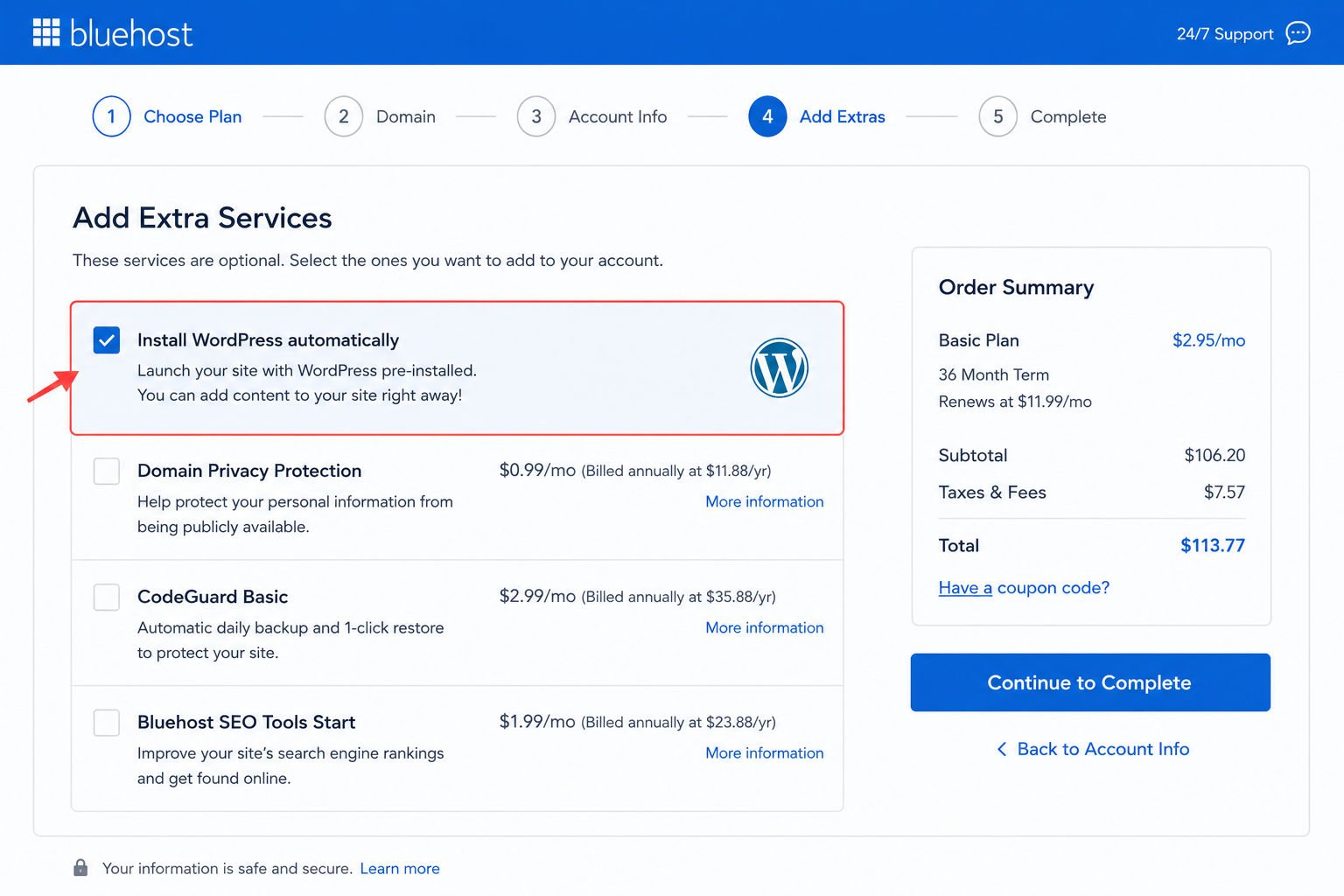
Every host worth considering in 2026 should offer a one-click or automated WordPress installer. See our WordPress installation guide for what this looks like in practice. If you are still choosing a domain, see our guide on how to choose a domain name.
4. Support Quality
As a beginner, you will have questions. Look for hosts offering 24/7 live chat, and check recent user reviews specifically about support response time and helpfulness — not just star ratings.
5. Transparent Renewal Pricing
This is the single biggest trap for beginners. Many hosts advertise a low introductory price that only applies to your first term, then renew at two to four times that rate. Always check the renewal price before you buy, not just the flashy intro number.
WebGomu Tip: Before purchasing any hosting plan, search “[host name] renewal price” separately from their main pricing page. This single habit will save you from the most common beginner hosting regret.
What Doesn’t Matter as Much (For Beginners Specifically)
Advanced features like unlimited websites, developer tools, or enterprise-grade infrastructure rarely matter for someone launching their first site — prioritize ease of use and support over raw specs.
- “Unlimited” everything — most beginners never come close to hitting realistic resource limits on a basic plan.
- Managed WordPress hosting features like staging environments and advanced caching — useful later, but overkill (and often overpriced) for a first site.
- Data center location bragging rights — as long as your host has a data center reasonably close to your target audience, this is a minor factor for a beginner site.
Honest Picks for Beginners in 2026
Atomic Answer: There is no single “best” host for every beginner — the right pick depends on budget, whether you’re launching one site or several, and how much hand-holding you want from support.
We’re not naming a single winner, because the honest answer depends on your situation. Here’s how the reasonable beginner-friendly options tend to differ:
If you want the simplest possible setup: Hostinger
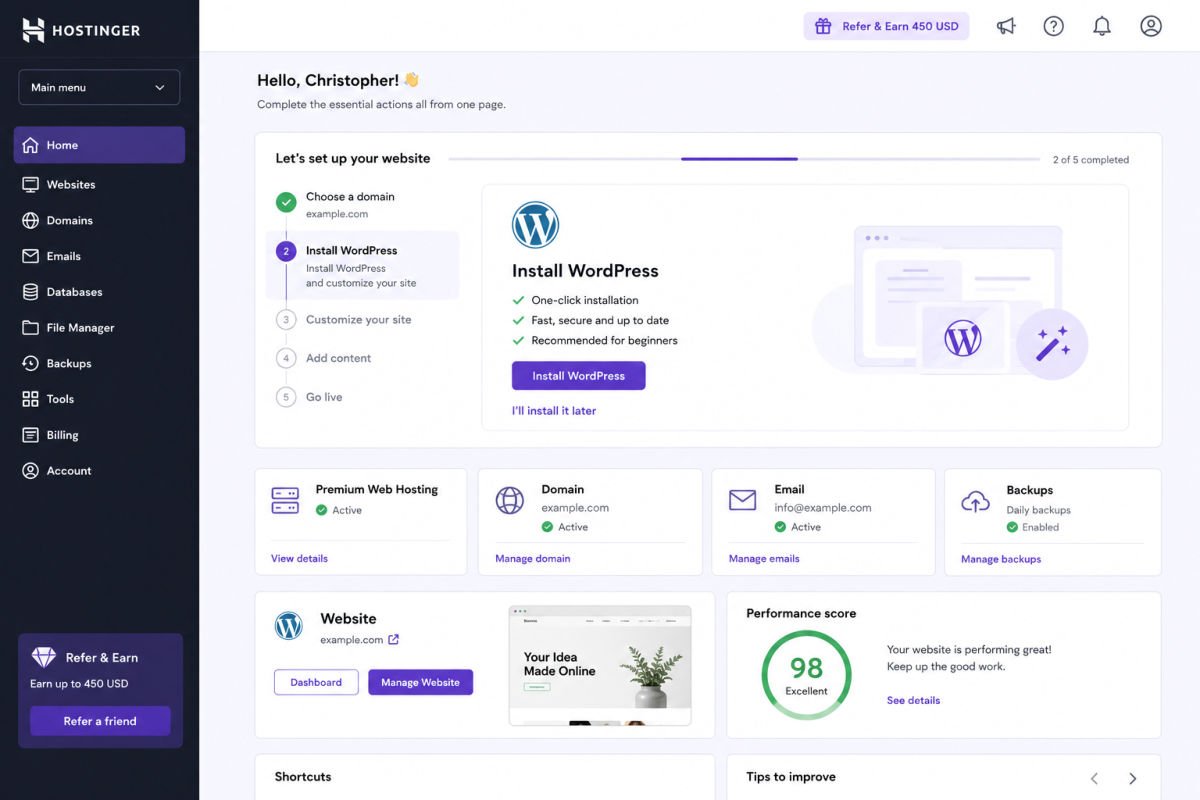
Hostinger has become a popular beginner pick thanks to a straightforward onboarding flow and AI-assisted site-building tools that walk you through setup. Pricing is generally budget-friendly at the intro tier. As always, check the renewal price before committing.
If you want an official, long-standing WordPress recommendation: Bluehost
Bluehost has been recommended by WordPress.org for years and includes a free domain, one-click install, and a dedicated onboarding academy for new users. Some users report frustration with add-on pricing (like SSL on certain plans) and renewal costs, so read the fine print.
If you want strong beginner support tools: SiteGround
SiteGround offers proprietary tools that simplify common WordPress tasks and is frequently praised for responsive support — a meaningful factor if you expect to need help in your first few months.
If eco-friendly hosting matters to you: GreenGeeks
GreenGeeks positions itself as an environmentally conscious host with competitive beginner pricing. Some independent testing has noted more frequent short outages compared to top competitors, so weigh this against your priorities if uptime is your top concern.
If you outgrow shared hosting later
As your site grows, managed WordPress hosts like Kinsta or WP Engine offer significantly more performance and built-in tools — but they cost more and are generally unnecessary for a brand-new beginner site. Keep this in your back pocket for later, not your starting point.
WebGomu Tip: You are not locked into your first host forever. Most sites can migrate to a different host later, often with free migration assistance. Don’t let “picking the perfect host” become a reason to delay launching.
How to Compare Plans Side-by-Side
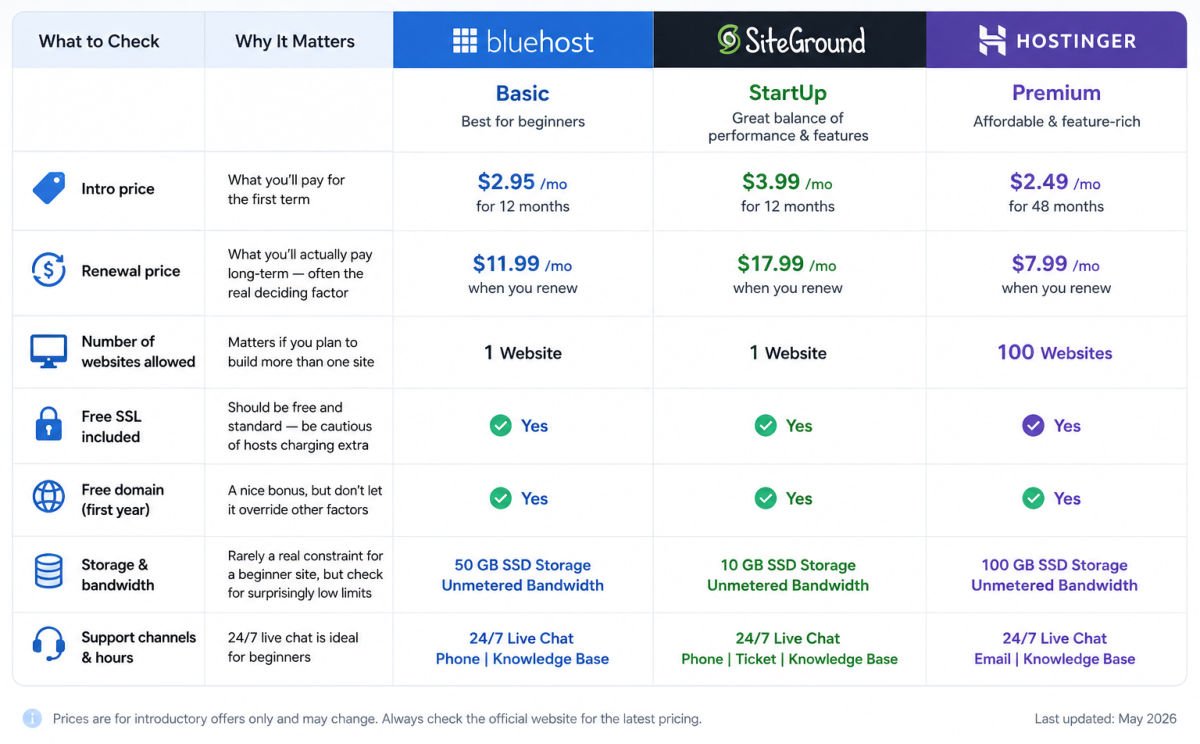
Atomic Answer: Before purchasing, open each host’s pricing page in a separate tab and compare intro price, renewal price, number of sites allowed, included SSL, included domain, and storage — using the same checklist for every option.
| What to Check | Why It Matters |
|---|---|
| Intro price | What you’ll pay for the first term |
| Renewal price | What you’ll actually pay long-term — often the real deciding factor |
| Number of websites allowed | Matters if you plan to build more than one site |
| Free SSL included | Should be free and standard — be cautious of hosts charging extra |
| Free domain (first year) | A nice bonus, but don’t let it override other factors |
| Storage & bandwidth | Rarely a real constraint for a beginner site, but check for surprisingly low limits |
| Support channels & hours | 24/7 live chat is ideal for beginners |
Common Mistakes
- Choosing based on intro price alone, then being surprised by a much higher renewal rate.
- Buying way more hosting than needed (e.g., high-tier managed hosting) for a first site with little traffic.
- Ignoring support quality until something breaks and help is slow to arrive.
- Assuming all hosts are functionally the same — the setup experience and support quality vary meaningfully.
- Not checking migration policies in case you want to switch hosts later.
Recommended Tools
- Hostinger — good starting point if simplicity and low intro cost matter most
- Bluehost — solid if you want the long-standing official WordPress recommendation and free domain bundling
- SiteGround — worth the slightly higher price if support responsiveness is your top priority
We’re naming these because they consistently show up as reasonable beginner options across independent reviews — not because any of them paid for placement here. Whichever you choose, verify current pricing and renewal terms directly on their site before buying, since hosting pricing changes frequently.
Key Takeaways
- Prioritize uptime, real-world speed, ease of setup, support, and transparent renewal pricing — in that order.
- Always check renewal pricing separately from the advertised intro price.
- Don’t over-buy advanced features you don’t need yet as a beginner.
- No single host is universally “best” — the right pick depends on your specific situation.
- You can migrate to a different host later, so don’t let the decision stall your launch.
Frequently Asked Questions
How much should a beginner expect to pay for WordPress hosting? Typically $2–$10/month at the introductory rate for shared hosting, though renewal pricing is often higher. Always check both numbers.
Is free WordPress hosting a good option for beginners? Generally not recommended for a serious site, since free hosting often comes with ads, limited support, and performance restrictions. It can be fine for pure experimentation.
Do I need managed WordPress hosting as a beginner? Usually not right away. Managed hosting offers performance and convenience benefits, but at a higher cost that’s often unnecessary until your site grows.
Can I switch hosts later if I choose wrong? Yes. Most hosts offer migration assistance, and many even offer free migration to attract new customers. It’s inconvenient but very doable.
What’s the biggest mistake beginners make when choosing hosting? Focusing only on the lowest advertised intro price and not checking the renewal price, which is often two to four times higher.
Resources Links
Author:

Christoper Enolpe
Founder of WebGomu • WordPress Freelancer with 10+ Years of Experience
Christoper is the founder of WebGomu and a WordPress freelancer with over 10 years of hands-on experience building, optimizing, and maintaining WordPress websites. He writes practical, beginner-friendly guides based on real-world experience, covering WordPress, SEO, website performance, and AI tools to help readers build better websites with confidence.
Learn more: https://webgomu.com/about/
Get one WordPress tip every week
Start Here

The Ultimate Beginner’s Guide to WordPress (2026): Build Your First Website Without Coding
Popular Guides
Our Partner

More from the blog

WPCode Review 2026: The Safe Way to Add Custom Code
WordPress REST API Explained: A Beginner’s Guide (2026)