Affiliate Marketing on WordPress: A Beginner’s Guide (2026)

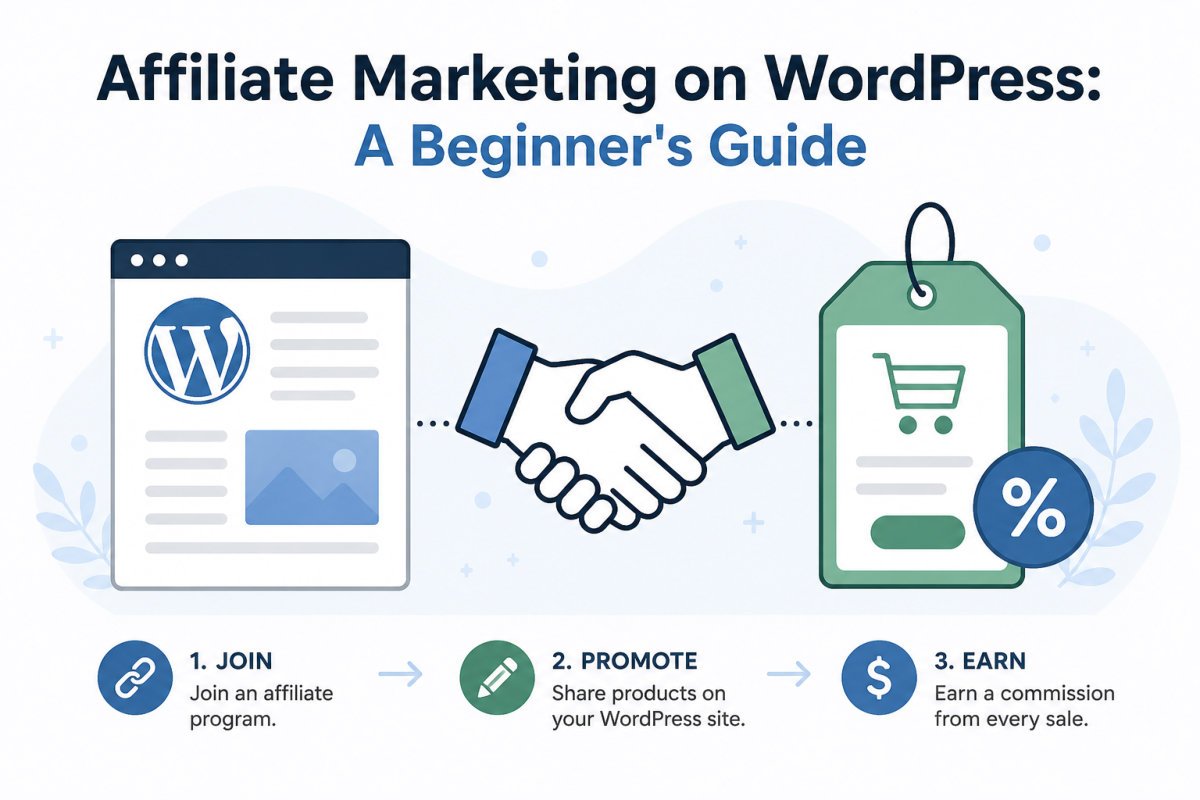
Affiliate marketing means recommending products or tools you genuinely use, earning a commission when readers purchase through your unique link. On WordPress, this involves applying to relevant affiliate programs, adding your links using a link management plugin rather than pasting raw URLs everywhere, and disclosing the relationship clearly near every affiliate link, a legal requirement, not just a courtesy. Done honestly, it can produce real income even with a smaller, engaged audience.
Before You Start
Make sure you have the following in place first:
- Published content genuinely relevant to the products you’d recommend
- A Privacy Policy page (see our essential pages guide), often required by affiliate programs during application
- A realistic understanding that this isn’t a legal advice source, disclosure requirements are covered factually below, but consult FTC.gov or a legal professional for anything specific to your situation
Affiliate marketing has a real advantage over display ads for smaller sites: it doesn’t need massive traffic volume to produce meaningful income, a smaller, genuinely trusting audience can outperform a much larger, less engaged one. The tradeoff is that it demands real honesty, readers can tell when a recommendation is genuine versus purely commission-driven, and that difference directly affects whether they click, and whether they come back.
What You’ll Learn
- How affiliate marketing actually works, mechanically
- How to choose programs and products that genuinely fit your content
- How to add and manage links in WordPress properly
- What FTC disclosure actually requires, and how to implement it correctly
How Affiliate Marketing Works
You join an affiliate program (a specific company) or an affiliate network (which represents many companies at once). You get a unique tracking link for a product or service. When a reader clicks that link and makes a purchase, usually within a set tracking window, you earn a commission, a percentage of the sale or a flat fee, depending on the program.
Step 1: Choose Programs That Genuinely Fit
Start with tools and products you’d recommend even without a commission attached, things you’ve actually used yourself, or would confidently suggest based on real understanding of how they work. This isn’t just an ethics point, it’s practical: genuine recommendations convert better and protect your long-term credibility, which is worth more than any single commission.
Step 2: Apply to Affiliate Programs
Most programs require an existing site with real content before approving an application. When applying, you’ll typically need:
- Your site URL and a description of your content and audience
- A visible Privacy Policy page
- Genuine, published content relevant to what you’re applying to promote
Step 3: Add Links Properly in WordPress
Pasting long, raw affiliate URLs directly into your content works, but it’s harder to manage and update at scale.
| Method | Best For | Price |
|---|---|---|
| Raw URLs pasted directly | A handful of links, just getting started | Free |
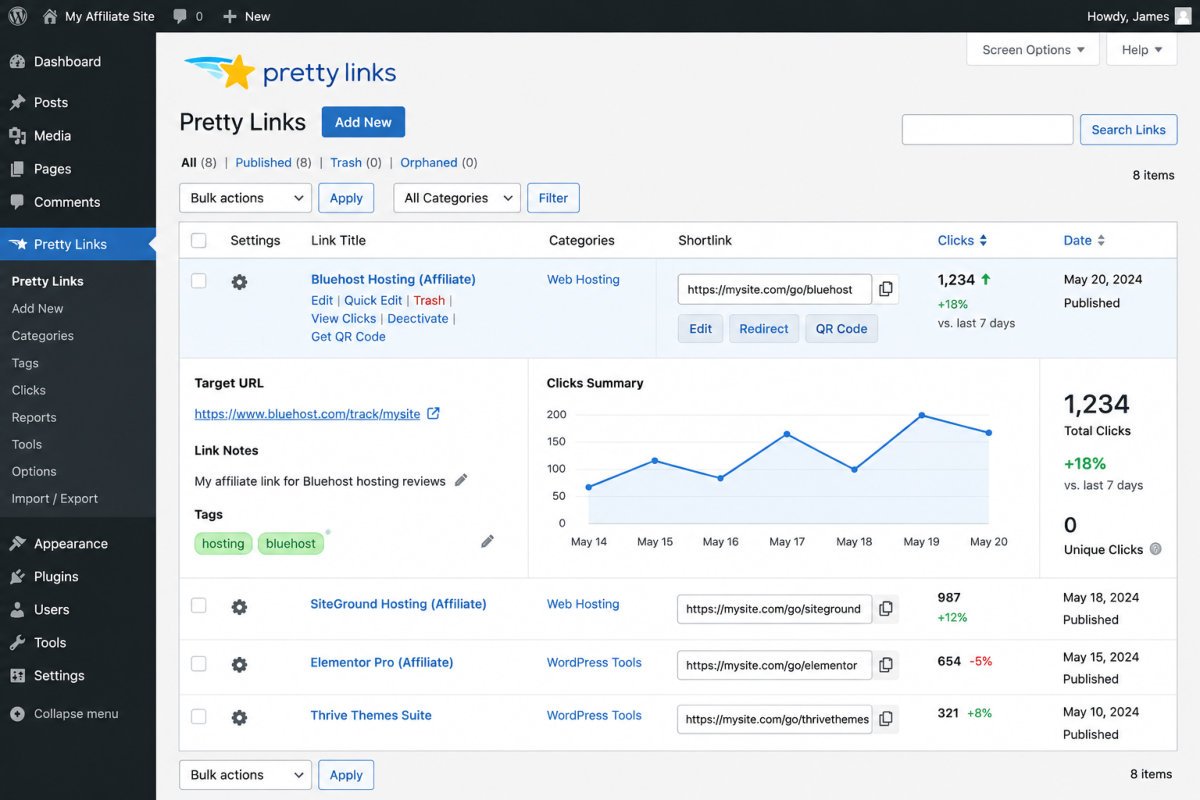
| Pretty Links / ThirstyAffiliates | Cleaner URLs, centralized link management, click tracking | Free tier available, paid upgrades optional |
A link management plugin lets you update a product’s destination URL in one place if it ever changes, rather than hunting through every post that mentions it, and gives you cleaner, more readable link text in the process.
Step 4: Disclose Properly, This Is Not Optional
The FTC requires clear, conspicuous disclosure of any financial relationship behind a recommendation, this applies to commissions, free products, and discount codes alike. A few concrete requirements:
- Place the disclosure near the affiliate link itself, ideally before a reader clicks it, not buried in a footer or a separate, hard-to-find page
- Use plain, clear language, something like: “This post contains affiliate links. If you make a purchase through one, I may earn a commission at no extra cost to you.”
- Don’t rely on a single general disclosure page alone, current FTC guidance expects disclosure at the actual point of recommendation, not just implied by a general site-wide notice
WebGomu Tip: Add your disclosure near the top of any post containing affiliate links, not just at the very bottom where it’s easy to miss. A short, honest sentence at the start actually builds more trust than hiding it, readers respect transparency far more than beginners tend to expect.
Enforcement around affiliate disclosure has genuinely increased in recent years. This guide covers the general principle accurately, but for anything specific to your situation, the FTC’s own guidance at ftc.gov is the authoritative source, and a legal professional is the right resource for anything beyond general practice.
Step 5: Place Links Where They Genuinely Help
The strongest-performing affiliate links appear naturally within genuinely useful content, a tool mentioned because it solves the exact problem the article is about, not a random list of unrelated products bolted onto the end. This mirrors WebGomu’s own Recommended Tools sections throughout every article, specific, contextual, and tied directly to what the reader actually needs.
Troubleshooting
My affiliate application was rejected
Check whether your site has enough genuine, relevant content yet, and confirm your Privacy Policy page is live and visible. Many programs simply want to see an established, legitimate site before approving.
My links aren’t tracking correctly
Confirm you’re using your unique affiliate link, not a generic product URL, and check whether a caching plugin might be serving a stale, cached version of a page after you’ve updated a link.
I’m not sure my disclosure is sufficient
As a general practice, a short, plain-language statement placed near the top of any post with affiliate links, not just in a footer, is the widely recommended approach. For anything specific to your situation, refer to the FTC’s own guidance directly.
Common Mistakes
- Promoting products purely for commission, without genuinely believing they fit, readers notice, and it erodes trust.
- Hiding disclosure in a footer or separate page instead of placing it near the actual link.
- Pasting raw, unmanaged URLs everywhere instead of using a link management plugin as your list grows.
- Applying to affiliate programs before having genuine, relevant content published.
Recommended Tools
- Pretty Links or ThirstyAffiliates — for cleaner, centrally managed affiliate links as your site grows
- Your Privacy Policy page — genuinely required by most affiliate programs during application, not just good practice
Key Takeaways
- Choose programs and products you’d genuinely recommend regardless of commission.
- A link management plugin becomes worthwhile once you’re managing more than a handful of affiliate links.
- Disclosure must be clear, near the link itself, and in plain language, this is a legal requirement, not optional.
- The strongest links appear naturally within genuinely useful, relevant content.
Frequently Asked Questions
Do I need a large audience to make money with affiliate marketing?
No. Unlike display ads, affiliate marketing can work well with a smaller, genuinely engaged audience, since it relies on trust and relevance rather than sheer traffic volume.
Where should I put my affiliate disclosure?
Near the top of any post containing affiliate links, in plain language, not buried in a footer or a separate page alone.
Do I need a plugin to manage affiliate links?
Not strictly, raw URLs work for a handful of links. A link management plugin becomes genuinely useful once you’re managing many links across many posts.
Can I promote a product I’ve never personally used?
It’s possible, but genuine, firsthand recommendations tend to perform better and protect your credibility more than promoting something purely for its commission rate.
Is affiliate disclosure legally required, or just good practice?
It’s a legal requirement under FTC guidelines in the United States, not merely a courtesy. For specifics relevant to your situation, refer to the FTC’s own guidance or a legal professional.
Resources Links
Author:

Christoper Enolpe
Founder of WebGomu • WordPress Freelancer with 10+ Years of Experience
Christoper is the founder of WebGomu and a WordPress freelancer with over 10 years of hands-on experience building, optimizing, and maintaining WordPress websites. He writes practical, beginner-friendly guides based on real-world experience, covering WordPress, SEO, website performance, and AI tools to help readers build better websites with confidence.
Learn more: https://webgomu.com/about/
Get one WordPress tip every week
Start Here

The Ultimate Beginner’s Guide to WordPress (2026): Build Your First Website Without Coding
Popular Guides
Our Partner

More from the blog
How to Sell Online Courses with WordPress (2026)

Membership Sites on WordPress: How to Get Started (2026)