Membership Sites on WordPress: How to Get Started (2026)


A WordPress membership site requires a dedicated plugin, WordPress has no built-in concept of paid members or gated content on its own. Install a membership plugin like MemberPress, Paid Memberships Pro, or Restrict Content Pro, connect Stripe or PayPal for payments, create your membership tiers, and choose which content is gated behind each one. Membership income is recurring, which makes it genuinely lucrative, but it requires ongoing content creation to keep paying members subscribed.
Before You Start
Make sure you have the following in place first:
- An established audience already engaging with your free content, membership sites convert existing trust, they don’t create it from nothing
- A clear idea of what exclusive value paying members would actually get
- A Stripe or PayPal account for accepting recurring payments
Of all the monetization methods covered in our complete monetization guide, membership sites are the one with the highest ongoing commitment, but also the most durable revenue, recurring subscriptions rather than one-time sales. This guide walks through choosing the right plugin and setting up your first membership tier.
What You’ll Learn
- Why WordPress needs a dedicated plugin for membership functionality
- How the three leading membership plugins actually compare
- How to set up your first membership tier and gate content
- What ongoing commitment a membership site genuinely requires
Why You Need a Dedicated Plugin
WordPress includes basic password-protected pages, but this isn’t scalable or practical for real membership management, it can’t handle recurring billing, individual member accounts, or content gated by membership tier. A genuine membership plugin handles registration, subscription billing, failed payment recovery, and content restriction, all in one place.
Comparing the Three Leading Plugins
| Plugin | Best For | Typical Price |
|---|---|---|
| MemberPress | Fastest launch, built-in course builder, non-technical site owners | Around $199.50/year intro, renews around $399/year |
| Paid Memberships Pro | Starting free, deep customization, technical users | Free core plugin, paid tier around $399/year for advanced features |
| Restrict Content Pro | Straightforward content gating without extra bloat | Roughly $99-$249/year |
MemberPress is the most beginner-friendly, ideal if you want the fastest path to launch and appreciate having a course builder included. Just like with hosting, check the renewal price before committing, MemberPress specifically renews at roughly double its introductory rate. Paid Memberships Pro is worth considering if you want to start without upfront cost. Restrict Content Pro suits a simpler need: gated content without courses or extra features you won’t use.
WebGomu Tip: If your membership idea is genuinely simple, gated blog posts or downloads, without courses or complex tiers, don’t default to the most feature-rich plugin. Restrict Content Pro’s lighter footprint may serve you better and cost less than a plugin built for far more complexity than you actually need.
Step 1: Choose and Install Your Plugin
- Based on the comparison above, decide which plugin fits your actual needs.
- For a premium plugin like MemberPress, purchase and download it from the official site, then upload it under Plugins → Add New Plugin → Upload Plugin.
- For a plugin with a free tier like Restrict Content Pro, search and install directly from Plugins → Add New Plugin.
- Activate your license if using a premium plugin.
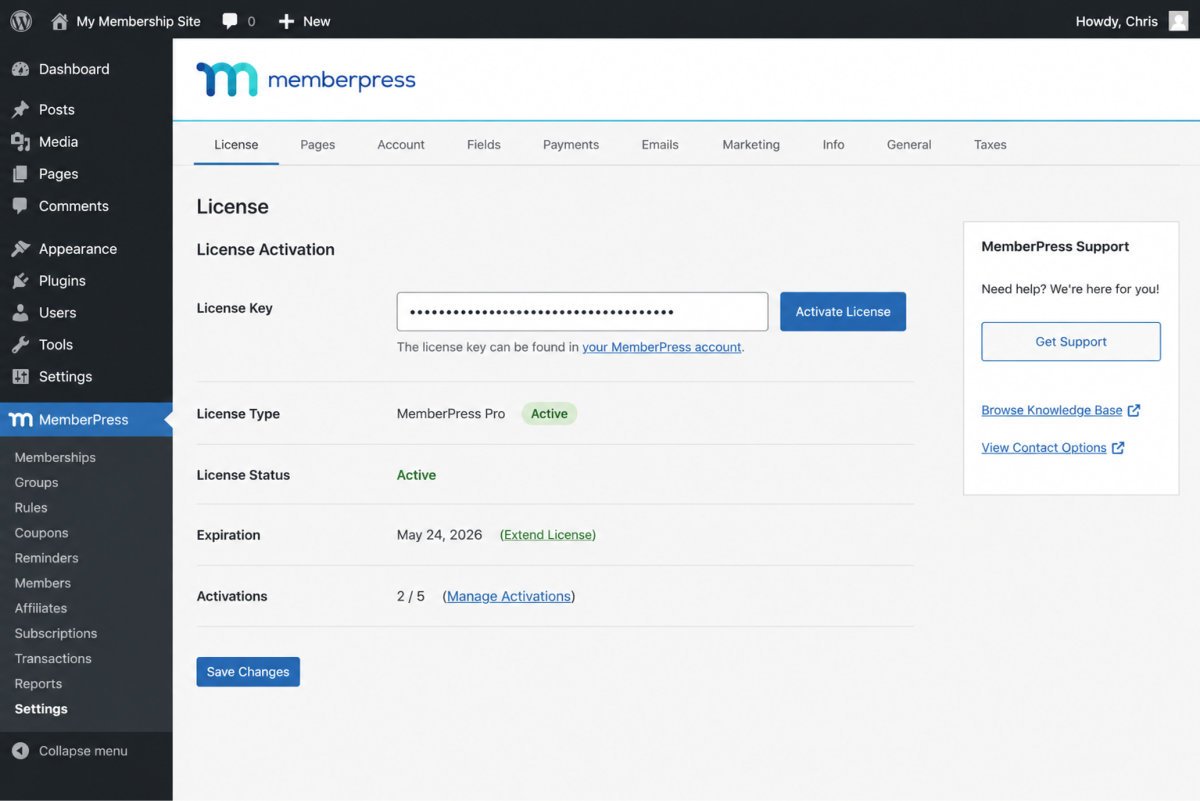
Step 2: Connect Payment Processing
Connect Stripe or PayPal through your plugin’s settings. Stripe is generally considered the cleaner integration, handling subscription billing, failed payment retries, and card updates without needing custom code.
Step 3: Create Your Membership Tiers
- In your plugin’s Memberships section, create your first tier, the specific plan members will purchase.
- Set the price and billing frequency (monthly, annual, or one-time).
- Write a clear description of exactly what this tier includes.
Step 4: Gate Your Content
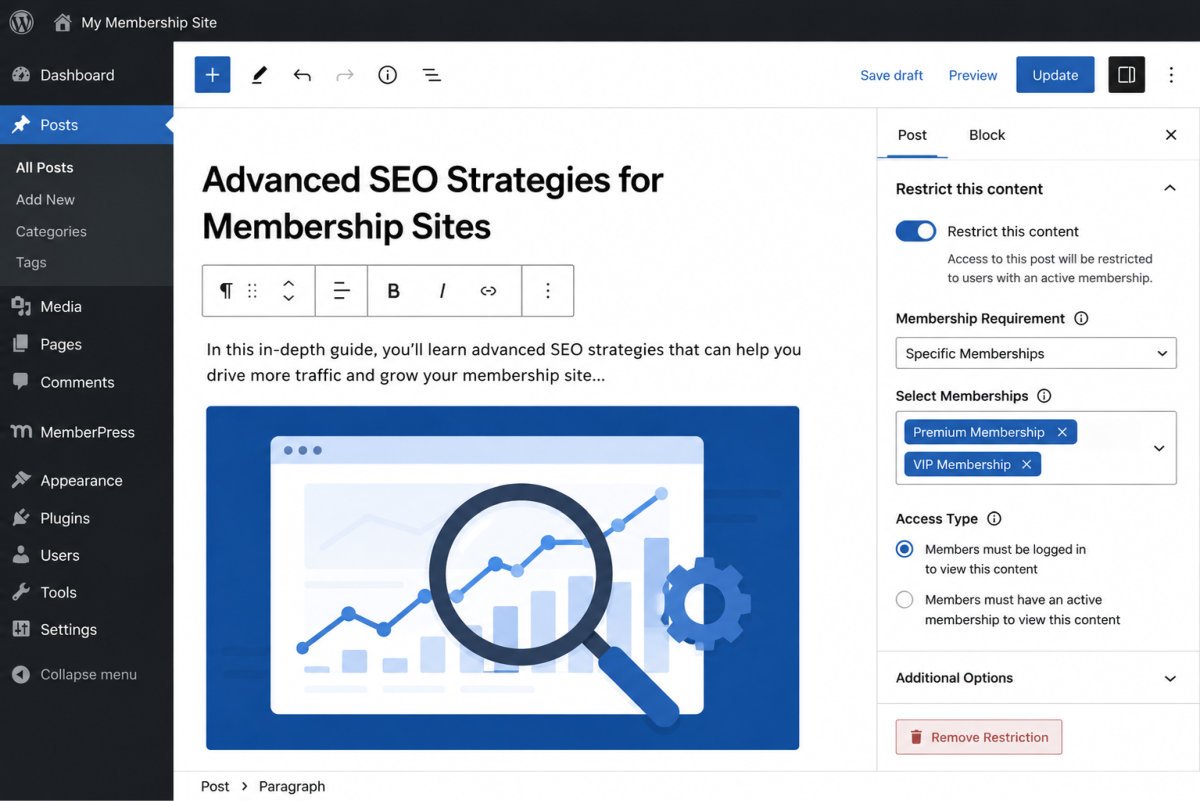
Assign restriction rules to specific posts, pages, or downloads, choosing which membership tier can access each. Most plugins also support drip content, releasing material on a schedule after signup rather than all at once, useful for courses or structured programs rather than dumping everything immediately.
The Ongoing Commitment, Be Honest With Yourself
Membership income is recurring, but so is the work behind it. Paying members expect continued value, which means genuinely ongoing content creation, not a one-time setup you can walk away from. Before committing to this model, be honest about whether you can sustain that pace long-term, this is the biggest reason membership sites underperform, not the technology itself.
Troubleshooting
My content isn’t actually being restricted
Confirm the restriction rule is correctly assigned to the specific post or page, and that you’re testing with an account that genuinely isn’t a member, admin accounts often bypass restrictions by default.
Payments aren’t processing correctly
Double-check your Stripe or PayPal connection is fully authenticated in your plugin’s settings, and confirm you’re not in test/sandbox mode if you intend to accept real payments.
I’m not sure which plugin fits my situation
If you want the fastest launch and appreciate built-in courses, MemberPress. If you want to start free and customize deeply, Paid Memberships Pro. If your needs are simple content gating only, Restrict Content Pro.
Common Mistakes
- Choosing the most feature-rich, expensive plugin for a genuinely simple gating need.
- Launching a membership tier without a clear, specific description of what members actually get.
- Underestimating the ongoing content commitment required to retain paying members.
- Not checking renewal pricing before committing, some plugins renew at meaningfully higher rates than their intro price.
Recommended Tools
- MemberPress — fastest launch for non-technical site owners, includes a course builder
- Paid Memberships Pro — strong option to start free with room to scale
- Restrict Content Pro — lightweight, straightforward content gating without extra bloat
Key Takeaways
- WordPress needs a dedicated plugin for real membership functionality, basic password protection isn’t sufficient.
- MemberPress, Paid Memberships Pro, and Restrict Content Pro each suit a different level of complexity and budget.
- Drip content works well for courses and structured programs.
- Membership income is recurring, but so is the ongoing work required to sustain it.
Frequently Asked Questions
Can I create a membership site with WordPress’s built-in features alone?
Not effectively. Basic password-protected pages aren’t scalable for real membership management, a dedicated plugin is needed for billing, member accounts, and content gating.
Which membership plugin is best for beginners?
MemberPress is generally the most beginner-friendly, offering the fastest path to launch with a non-technical setup and a built-in course builder.
Do I need a large audience to start a membership site?
An established, engaged audience genuinely helps, since membership sites convert existing trust rather than building it from scratch. It’s typically not the ideal first monetization method for a brand-new site.
What is drip content?
A feature that releases content on a schedule after signup, rather than all at once, well-suited to courses or structured, sequential programs.
What’s the biggest challenge with running a membership site?
Sustaining ongoing content creation for paying members. Recurring revenue requires recurring value, this is a genuine, continuous commitment, not a one-time setup.
Resources Links
Author:

Christoper Enolpe
Founder of WebGomu • WordPress Freelancer with 10+ Years of Experience
Christoper is the founder of WebGomu and a WordPress freelancer with over 10 years of hands-on experience building, optimizing, and maintaining WordPress websites. He writes practical, beginner-friendly guides based on real-world experience, covering WordPress, SEO, website performance, and AI tools to help readers build better websites with confidence.
Learn more: https://webgomu.com/about/
Get one WordPress tip every week
Start Here

The Ultimate Beginner’s Guide to WordPress (2026): Build Your First Website Without Coding
Popular Guides
Our Partner

More from the blog
How to Sell Online Courses with WordPress (2026)

How to Sell Digital Products on WordPress Without WooCommerce