How to Optimize WordPress for AI Search (AEO/GEO Guide 2026)

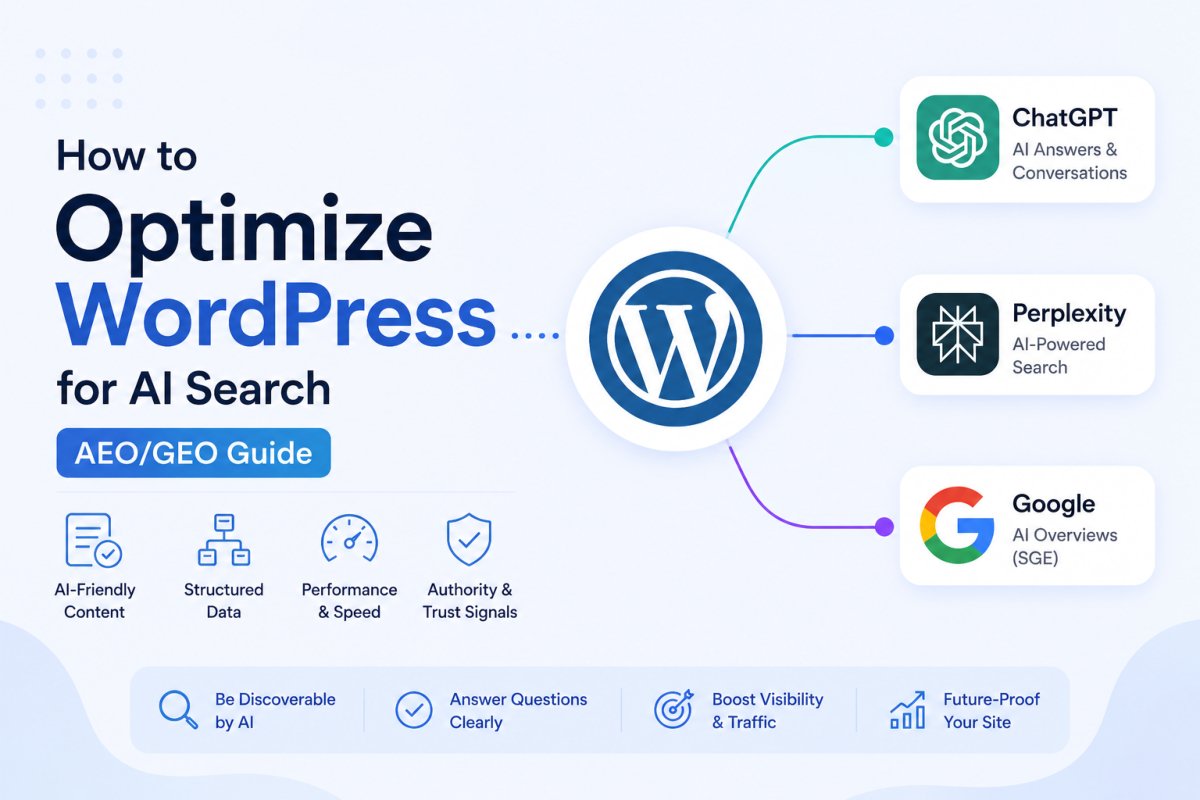
To optimize WordPress for AI search, allow AI crawlers in your robots.txt, structure content answer-first with clear headings and self-contained sections, add FAQ and Article schema, build genuinely connected topical clusters through internal linking, and strengthen real author and trust signals. This combines Answer Engine Optimization (getting cited as a direct answer) and Generative Engine Optimization (appearing inside broader AI-generated summaries), and WordPress’s standard server-rendered HTML gives it a genuine structural advantage for this over heavily JavaScript-dependent site builders.
Before You Start
Make sure you have the following in place first:
- An SEO plugin already set up (see our Rank Math setup guide), it handles most of the schema and sitemap work covered here
- Genuinely useful, published content to optimize, this guide improves discoverability, it doesn’t substitute for having something worth citing in the first place
For twenty years, WordPress optimization meant one thing: pleasing Google’s traditional search ranking. In 2026, a real and growing share of your potential audience never touches a search results page at all, they ask ChatGPT, let Perplexity do the comparison shopping, or read whatever Google’s AI Overview summarizes. If your site isn’t structured for these systems specifically, you’re invisible to that entire audience, no matter how solid your classic SEO is.
What You’ll Learn
- The real difference between AEO and GEO, and why it barely matters practically
- How to open your site to AI crawlers correctly
- The content structure AI systems actually extract and cite
- Why WordPress’s default architecture is a genuine head start here
AEO vs. GEO: A Quick Clarification
Answer Engine Optimization (AEO) focuses on getting your content cited as a direct answer, think FAQs, concise definitions, structured snippets. Generative Engine Optimization (GEO) is broader, ensuring you’re referenced within AI-generated summaries across platforms like ChatGPT, Claude, Perplexity, and Google’s AI Overviews. In practice, the underlying signals both rely on, structured content, clear formatting, genuine authority, are nearly identical. You’re not choosing between two separate strategies, you’re building one foundation that serves both.
Step 1: Open Your Site to AI Crawlers
Check your robots.txt file specifically allows AI crawlers like GPTBot, ClaudeBot, and PerplexityBot access to your content, some default configurations block them without you realizing it. Pair this with an llms.txt file at your site’s root, a simple text file describing your site’s structure and content to AI systems directly.
Step 2: Structure Content Answer-First
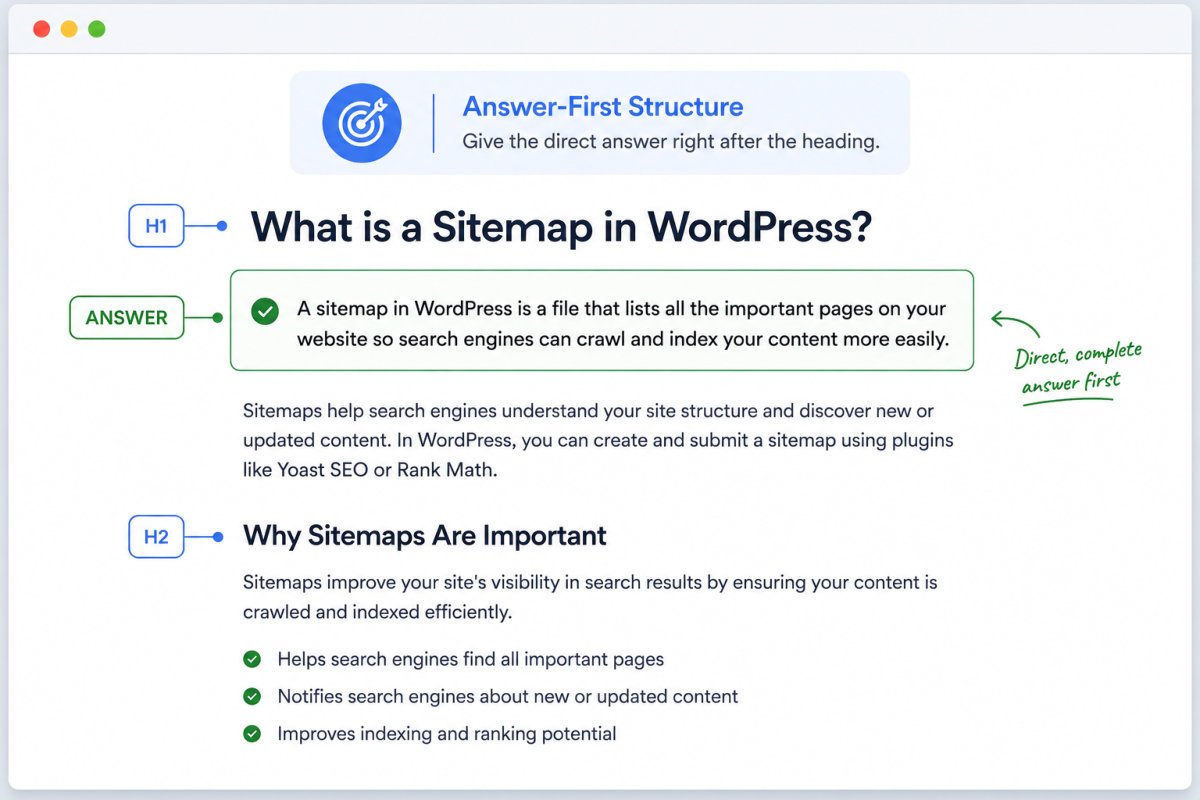
AI assistants don’t rank pages, they extract answers. Content that consistently gets cited shares a recognizable shape:
- One H1, with a logical H2/H3 hierarchy beneath it
- Each section opens with its conclusion, not a slow build-up to it
- Short, self-contained paragraphs, ones that make sense pulled out of context
- Lists and tables for anything enumerable, comparisons, steps, and options are exactly what AI systems extract most cleanly
One useful mental model: write every section so it could survive being lifted out and used as a standalone snippet or chatbot citation, without needing the surrounding paragraphs for context.
Step 3: Add Structured Schema
FAQ, Article, and Organization schema types give AI systems explicit, structured information about your content rather than making them infer it from prose. If your existing content only has FAQ schema, Article and Organization schema are worth adding as a next layer, they help establish exactly who’s publishing the content and reinforce genuine authority.
WebGomu Tip: Don’t treat AEO and GEO as separate content you write in addition to your normal articles. The atomic-answer-first structure covered here should be how you write everything by default, it’s not an extra optimization pass bolted on afterward.
Step 4: Build Genuine Topical Clusters
AI systems don’t just read a single page, they infer relationships across your entire site. A cluster, a connected group of articles around one subject, linked together through consistent internal linking and terminology, helps these systems understand your genuine depth on a topic, not just a single isolated post.
Step 5: Strengthen Real Authority Signals
Genuine author pages, a real About page, and visible trust signals all matter here. AI systems weigh authority alongside content structure, an anonymous, faceless site is a weaker citation candidate than one with a real, identifiable person or organization behind it.
Step 6: Keep Your Technical Foundation Solid
Fast load times, active HTTPS, a submitted sitemap, and clean crawlability all still matter, AI crawlers still need to actually reach and process your content efficiently. See our SEO checklist for the full technical foundation this builds on.
A Caution for Page Builders and Headless Setups
WordPress’s classic theme architecture is a genuine, often-overlooked advantage here: pages arrive as complete, server-rendered HTML by default. Be more careful if you’re running a heavily JavaScript-dependent page builder or a headless WordPress setup, if key content only appears after client-side rendering, many AI crawlers may see an effectively empty page. If you do run headless WordPress, server-side rendering becomes non-negotiable, not optional.
Common Mistakes
- Blocking AI crawlers in robots.txt by accident, then wondering why AI visibility never improves.
- Treating AEO/GEO as a separate content type instead of the default structure for everything you publish.
- Adding only FAQ schema while skipping Article and Organization schema, which reinforce genuine authority.
- Running a JavaScript-heavy builder or headless setup without confirming content is actually visible to crawlers via server-side rendering.
Recommended Tools
- Rank Math — handles schema, sitemaps, and llms.txt generation in one plugin, covered in our setup guide
- WordPress core blocks (Heading, List, Table, Quote) — sufficient for the answer-first structure covered here, no specialized plugin required
Several dedicated third-party “AEO/GEO plugins” have appeared on the market recently, promising automated optimization. Treat these with the same scrutiny you’d apply to any new plugin category, the fundamentals covered in this guide matter more than any single tool claiming to automate them.
Key Takeaways
- AEO and GEO rely on nearly identical underlying signals, build one strong foundation rather than treating them separately.
- Confirm AI crawlers aren’t accidentally blocked in your robots.txt.
- Structure content answer-first by default, not as an occasional optimization pass.
- WordPress’s standard server-rendered HTML is a genuine structural advantage, protect it if using a JS-heavy builder or headless setup.
Frequently Asked Questions
What’s the difference between AEO and GEO?
AEO focuses on getting content cited as a direct answer, like FAQs and definitions. GEO is broader, covering inclusion in AI-generated summaries across platforms. In practice, both rely on nearly identical content signals.
Do I need to block AI crawlers to protect my content?
Not if AI visibility is a goal. Blocking crawlers like GPTBot, ClaudeBot, or PerplexityBot prevents your content from being discovered and cited at all, the opposite of what most site owners actually want.
Does WordPress have a natural advantage for AI search optimization?
Yes, its classic theme architecture serves pages as complete, server-rendered HTML by default, which AI crawlers can process directly, unlike heavily JavaScript-dependent builders where content may not be visible until client-side rendering completes.
Is FAQ schema enough for AI search optimization?
It’s a strong starting point, but Article and Organization schema add further structured authority signals worth implementing alongside it, not instead of it.
Do I need a dedicated AEO or GEO plugin?
Not necessarily. A well-configured SEO plugin like Rank Math, combined with genuinely answer-first content structure, covers most of what dedicated AEO tools claim to automate.
Resources Links
Author:

Christoper Enolpe
Founder of WebGomu • WordPress Freelancer with 10+ Years of Experience
Christoper is the founder of WebGomu and a WordPress freelancer with over 10 years of hands-on experience building, optimizing, and maintaining WordPress websites. He writes practical, beginner-friendly guides based on real-world experience, covering WordPress, SEO, website performance, and AI tools to help readers build better websites with confidence.
Learn more: https://webgomu.com/about/
Get one WordPress tip every week
Start Here

The Ultimate Beginner’s Guide to WordPress (2026): Build Your First Website Without Coding
Popular Guides
Our Partner

More from the blog

AI Photo Editing Tools for WooCommerce Product Photos (2026)
Best WordPress SEO Plugins 2026: Compared & Ranked