WPForms vs Contact Form 7: Which Should You Choose in 2026?

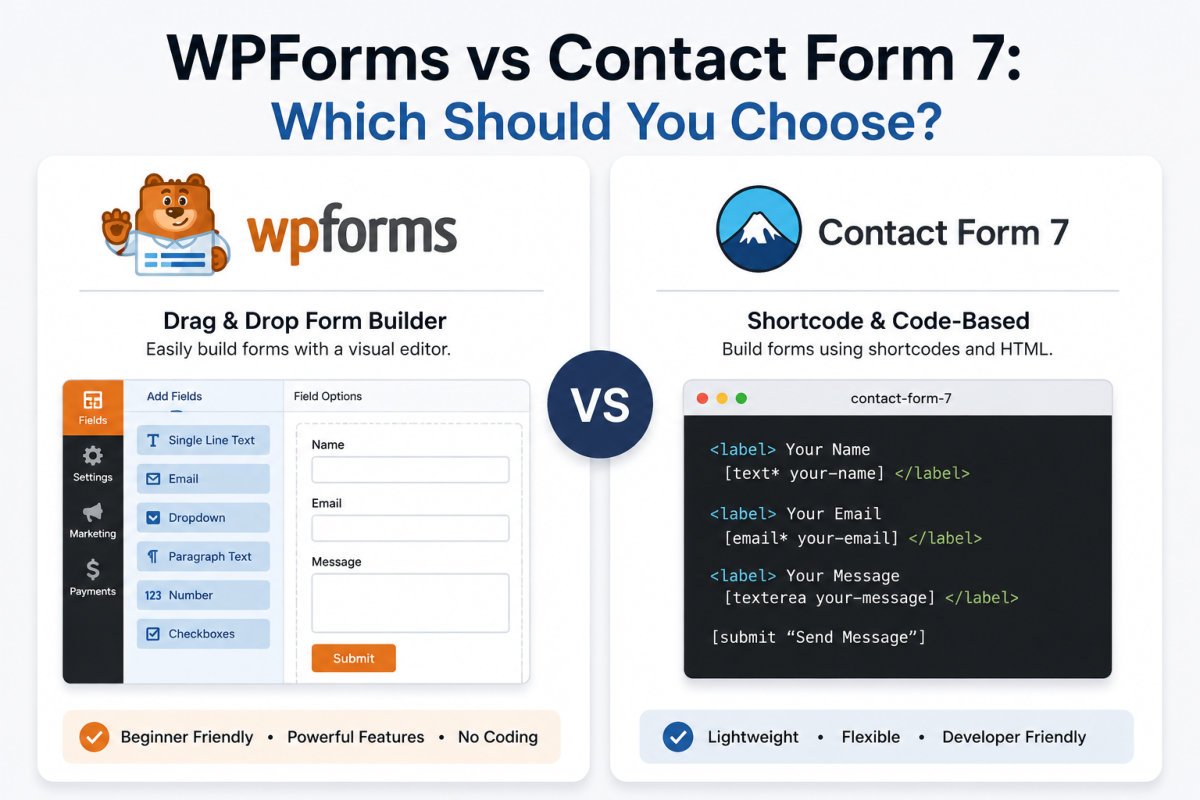
WPForms offers a genuinely capable free version (Lite) with a visual drag-and-drop builder, while Contact Form 7 is 100% free with no paid tiers at all, but requires more manual setup and third-party add-ons for features like conditional logic or custom styling. The bigger 2026 development: Contact Form 7’s own developer announced its current version is the final feature release, the plugin is now in maintenance mode, security patches only, no new features going forward. For most beginners starting fresh today, that shifts the decision meaningfully toward WPForms.
Before You Start
If you’re setting up your first contact form and haven’t chosen a plugin yet, see our contact form setup guide, which walks through WPForms specifically. This comparison is for readers deciding between the two, or currently using CF7 and wondering whether to switch.
WPForms and Contact Form 7 have been the two default answers to “which contact form plugin should I use” for years. But a major development in early 2026 changes that comparison in a way most older articles won’t reflect yet, worth knowing before you choose either one.
What You’ll Learn
- The significant 2026 change to Contact Form 7’s development status
- How the two plugins actually compare on features, styling, and ease of use
- The real pricing picture for WPForms, including the renewal trap
- How to migrate from CF7 to WPForms if you decide to switch
The Big 2026 Update You Need to Know
Contact Form 7’s developer announced at WordCamp Asia 2026 that the current version is the plugin’s final feature release. It has now entered maintenance mode: security patches and bug fixes will continue, but no new features, integrations, or modernization are planned. A successor project is reportedly in development but isn’t expected until 2028.
This doesn’t mean CF7 stops working, existing sites using it are fine, and security patches will continue. But it does mean anyone wanting AI form generation, native CRM integrations, conditional logic, or payment processing built in, features actively being added to competitors like WPForms, won’t find that development happening in CF7 going forward.
Comparing the Two Plugins
| Factor | WPForms | Contact Form 7 |
|---|---|---|
| Cost | Free (Lite), paid tiers from ~$49.50/yr intro | 100% free, no paid tiers |
| Builder | Visual, drag-and-drop | Code-based (shortcodes, manual field tags) |
| Styling | Built-in styling controls | Inherits theme styles; custom CSS needed for real control |
| Conditional logic | Included on paid tiers | Requires an unofficial third-party add-on |
| Development status (2026) | Actively developed, new features ongoing | Maintenance mode, security patches only |
Ease of Use
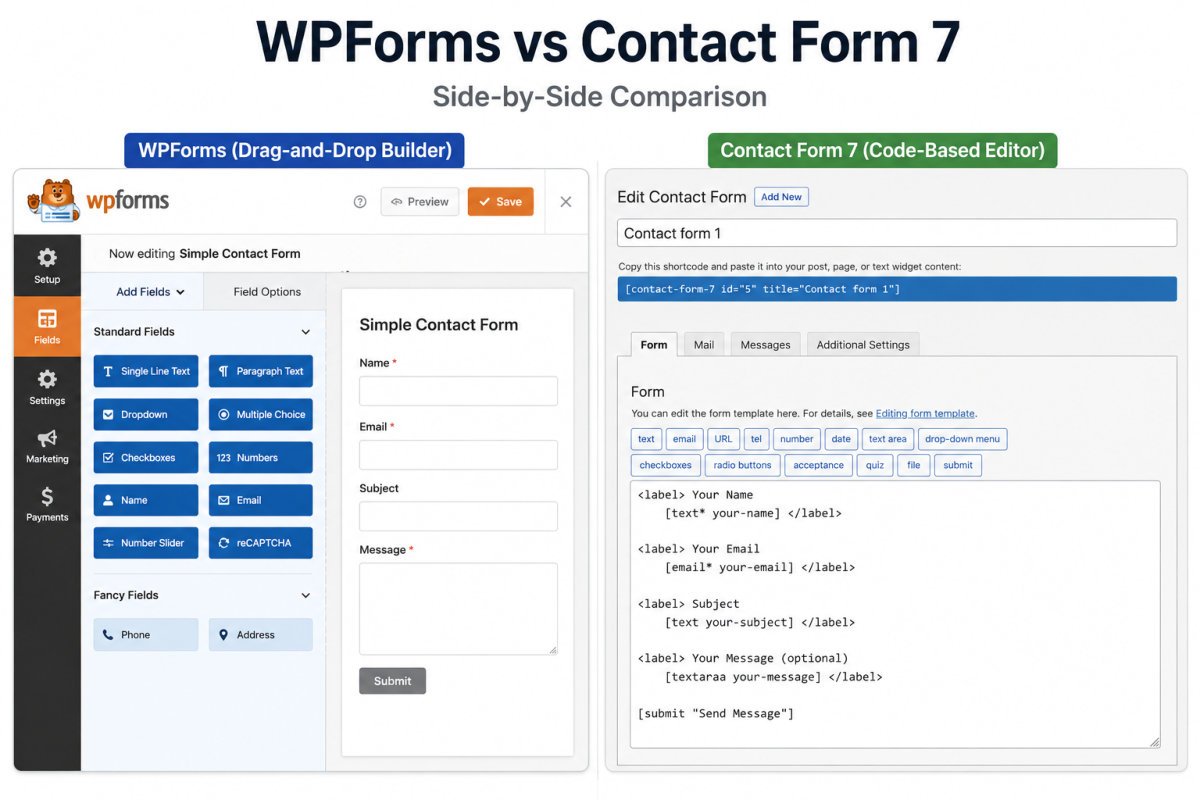
WPForms uses a visual, drag-and-drop builder, you see your form as you build it, no code required. Contact Form 7 works through shortcodes and manual tag syntax, functional, but with a real learning curve for anyone not comfortable editing form field code directly.
Features Out of the Box
Even WPForms Lite, the free version, includes a visual builder, basic spam protection, and simple payment options, genuinely more than CF7 offers without additional plugins. Contact Form 7’s core feature set is intentionally minimal by design, expanding it means installing separate extensions, many of which are community-maintained rather than officially supported.
Pricing, and the Renewal Trap
Contact Form 7 costs nothing, ever, a real, permanent advantage if budget is the deciding factor. WPForms Lite is also free, but its paid tiers follow a pattern worth watching closely: advertised prices are introductory, and renewals cost significantly more. As of 2026, WPForms Basic renews at roughly $99/year (from a $49.50 intro), Pro renews around $399/year (from $199.50), and Elite around $599/year (from $299.50).
WebGomu Tip: This is the exact same renewal-price pattern we flagged in our hosting guide. If you’re considering a paid WPForms tier, check the renewal price, not just the introductory one, before committing, the jump can be substantial.
Migrating from CF7 to WPForms
If CF7’s move to maintenance mode has you considering a switch, WPForms includes a built-in import tool that converts existing CF7 forms automatically, no manual rebuilding required. This is worth knowing if the maintenance-mode news changes your calculation for an existing site already running CF7.
Which One Should You Choose?
- Starting fresh today, no budget constraint: WPForms, the free Lite version alone outpaces CF7’s default feature set, and it’s actively developed.
- Starting fresh today, absolute minimal budget, comfortable with some manual setup: Contact Form 7 remains a genuinely free, permanent option, understanding it won’t gain new features going forward.
- Already using CF7 and happy with it: No urgent need to switch, maintenance mode means continued security support, just don’t expect new capabilities.
- Already using CF7 and wanting modern features: WPForms’ native import tool makes switching straightforward.
Common Mistakes
- Choosing based on outdated comparisons that don’t reflect CF7’s 2026 maintenance-mode status.
- Assuming WPForms’ advertised price is what you’ll pay long-term, without checking renewal pricing.
- Installing multiple unofficial CF7 extensions to replicate features WPForms includes natively, adding plugin bloat in the process.
- Panicking about CF7 being “abandoned”, it isn’t, security patches continue, existing forms keep working.
Recommended Tools
- WPForms Lite — the recommended starting point for most beginners setting up a contact form today, covered in our contact form guide
- Contact Form 7 — still a legitimate, permanently free choice if you’re comfortable with its more manual setup
Key Takeaways
- Contact Form 7 entered maintenance mode in 2026, security patches only, no new features going forward.
- WPForms Lite offers more built-in functionality for free than CF7’s default feature set.
- Check WPForms’ renewal pricing before committing to a paid tier, it’s substantially higher than the intro price.
- WPForms includes a native CF7 import tool if you decide to migrate.
Frequently Asked Questions
Is Contact Form 7 still safe to use in 2026?
Yes, it’s in maintenance mode, meaning security patches and bug fixes continue, but no new features are being added. Existing installations continue working normally.
Is WPForms Lite really free?
Yes, WPForms Lite is free and includes a visual drag-and-drop builder and basic spam protection, more built-in functionality than Contact Form 7’s default setup.
Can I migrate my existing Contact Form 7 forms to WPForms?
Yes, WPForms includes a native import tool that converts existing CF7 forms automatically, without manual rebuilding.
Why did Contact Form 7 stop adding new features?
Its developer announced the current version as the final feature release at WordCamp Asia 2026, shifting the plugin into maintenance mode. A successor project is reportedly planned but not expected until 2028.
Is WPForms or Contact Form 7 better for a beginner?
WPForms is generally easier for beginners due to its visual, drag-and-drop builder. Contact Form 7 requires more comfort with shortcodes and manual configuration.
Resources Links
Author:

Christoper Enolpe
Founder of WebGomu • WordPress Freelancer with 10+ Years of Experience
Christoper is the founder of WebGomu and a WordPress freelancer with over 10 years of hands-on experience building, optimizing, and maintaining WordPress websites. He writes practical, beginner-friendly guides based on real-world experience, covering WordPress, SEO, website performance, and AI tools to help readers build better websites with confidence.
Learn more: https://webgomu.com/about/
Get one WordPress tip every week
Start Here

The Ultimate Beginner’s Guide to WordPress (2026): Build Your First Website Without Coding
Popular Guides
Our Partner

More from the blog

WPCode Review 2026: The Safe Way to Add Custom Code

AI Photo Editing Tools for WooCommerce Product Photos (2026)