How to Automate Email Newsletters from Your Blog (2026)

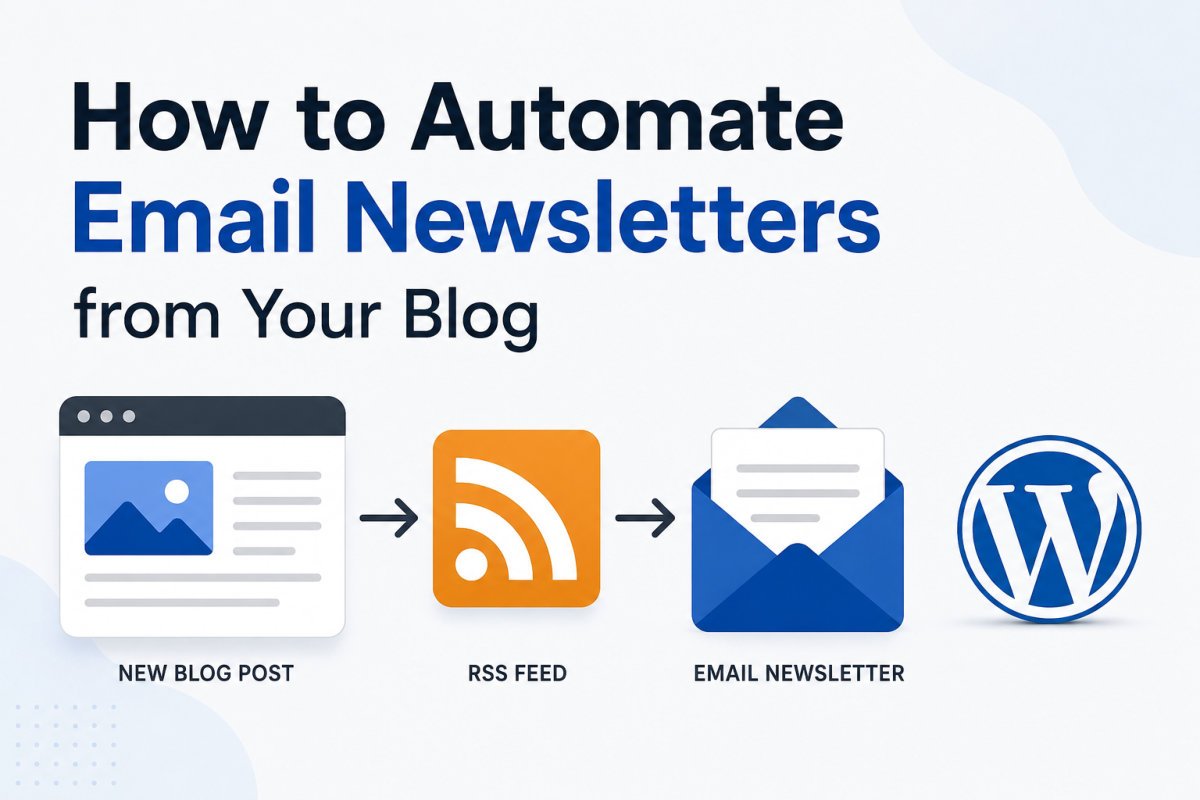
Every WordPress site automatically generates an RSS feed at yourdomain.com/feed. Most email service providers support RSS-to-email campaigns, which automatically pull new posts from that feed and send them to your subscribers on a set schedule, daily, weekly, or monthly, with no manual copying or sending required. This is the simplest way to keep subscribers updated automatically every time you publish.
Before You Start
Make sure you have the following in place first:
- An email list already set up (see our email list guide if you haven’t yet)
- A provider plan that supports RSS-to-email campaigns, check your specific plan’s features, this is sometimes an automation feature not included on the most limited free tiers
Manually emailing subscribers every time you publish a new post is exactly the kind of repetitive task worth automating. RSS-to-email does this by connecting your blog’s existing feed directly to your email provider, once set up, it runs entirely on its own.
What You’ll Learn
- How RSS-to-email actually works
- How to find and use your WordPress feed URL
- How to set up an automated RSS campaign in your email provider
- How to filter which content gets included
How RSS-to-Email Works
RSS (Really Simple Syndication) is essentially a live feed of your latest content. Every WordPress site generates one automatically. Your email provider periodically checks that feed, and whenever it detects new posts, it automatically formats them into an email and sends it to your list, on whatever schedule you’ve chosen.
Step 1: Find Your Feed URL
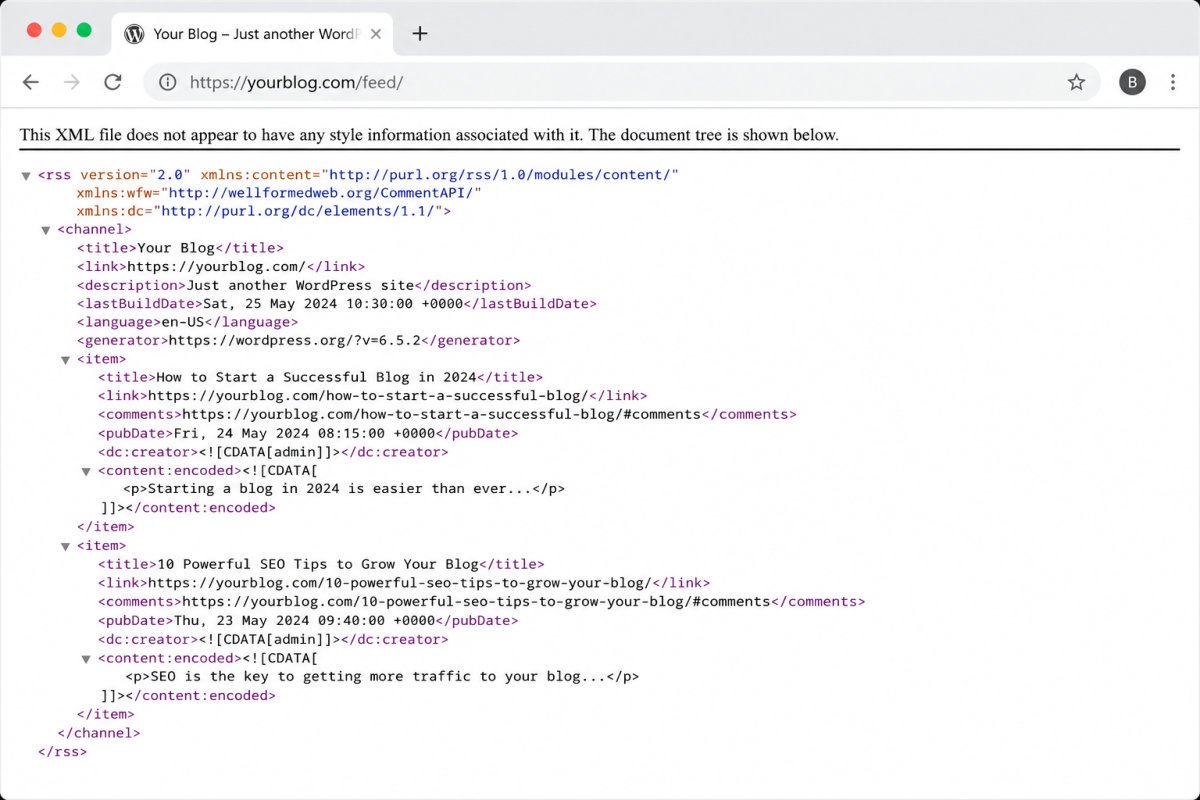
Simply add /feed to the end of your site’s homepage URL, for example, yourdomain.com/feed. This works for nearly any WordPress site by default, no setup required.
Step 2: Set Up an RSS Campaign
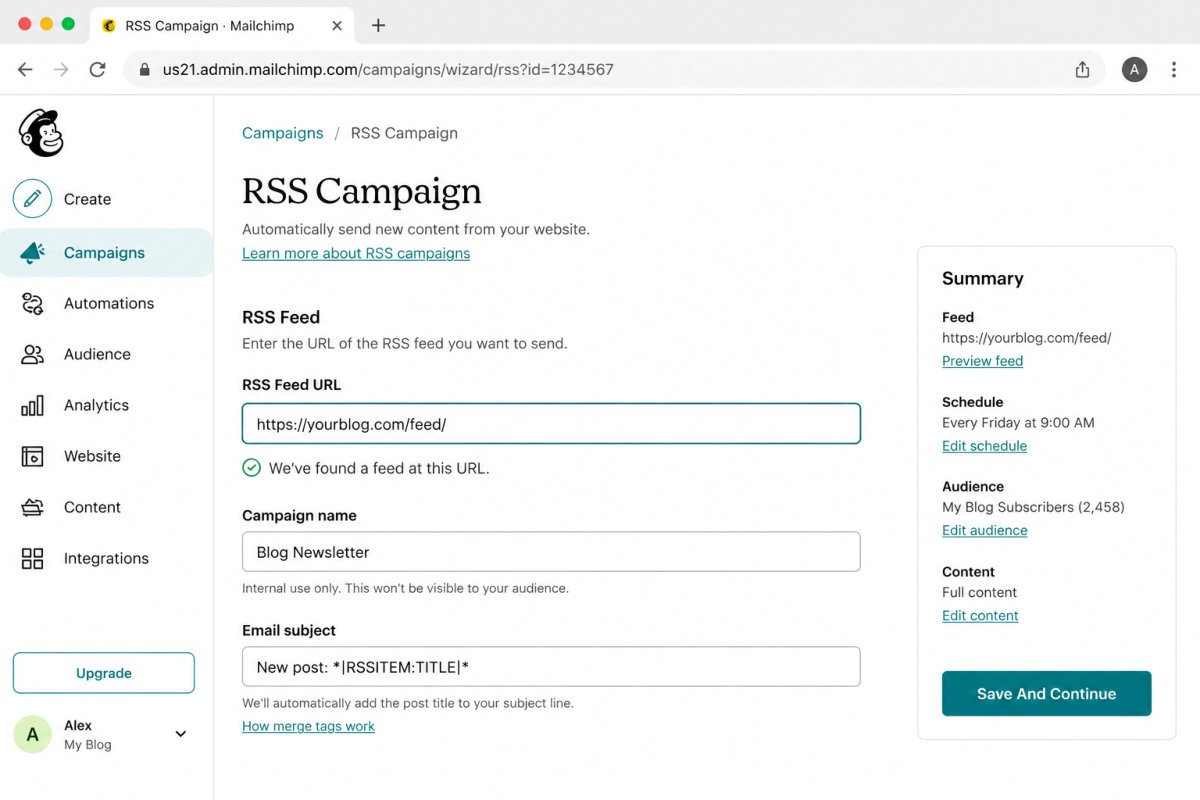
- In your email provider’s dashboard, look for an RSS Campaign or RSS-to-Email option.
- Paste in your feed URL from Step 1.
- Choose your sending frequency, weekly is a common sweet spot, frequent enough to stay relevant, not so frequent it overwhelms subscribers.
- Select which list or audience should receive it.
Step 3: Customize the Template
Adjust the layout, branding colors, and intro text so the automated email actually reflects your site’s voice. Decide whether to include full post content, a summary, or just headlines and links, shorter previews with a clear link back to the full article tend to work well for most blogs.
Step 4: Filter With Category or Tag-Specific Feeds
If you don’t want every single post included, WordPress supports feeds scoped to a specific category or tag, for example, yourdomain.com/category/security/feed, only including posts from that category. This is useful if your site covers multiple topics and you want a more targeted newsletter.
WebGomu Tip: RSS-to-email and the “Weekly WordPress Tip” approach we’ve covered separately aren’t competing strategies, they solve different problems. RSS-to-email guarantees consistency with zero ongoing effort. The Weekly Tip format adds personality and curation a fully automated feed can’t. Many sites genuinely benefit from running both, an automated new-post notification, plus an occasional hand-curated tip email.
Troubleshooting
My RSS campaign isn’t picking up new posts
Confirm your feed URL is correct by visiting it directly in a browser, you should see raw feed content. Also check whether your provider’s RSS check frequency matches your expectations, some check hourly, others daily.
Images aren’t appearing correctly in the email
Many providers offer an option to automatically resize RSS feed images to fit the template, worth enabling if images are appearing oversized or misaligned.
I only want certain posts included, not everything
Use a category or tag-specific feed URL instead of your site’s main feed, scoping the campaign to only the content type you want automatically included.
Common Mistakes
- Choosing a sending frequency that overwhelms subscribers, daily is rarely necessary for most blogs.
- Sending full, unedited post content when a short preview with a link back performs better.
- Assuming RSS-to-email replaces the need for any personal, curated communication with subscribers.
- Not testing the campaign once before fully trusting it to run unattended.
Recommended Tools
- Your existing email provider’s RSS campaign feature — no new tool needed if your provider already supports it
- Category or tag-specific WordPress feeds — built-in, no plugin required for basic filtering
Key Takeaways
- Every WordPress site has a built-in RSS feed at yourdomain.com/feed, no setup required.
- Most email providers support automatically converting that feed into scheduled newsletter emails.
- Category or tag-specific feeds let you filter which content gets included.
- RSS-to-email and a hand-curated newsletter approach work well together, not as competing strategies.
Frequently Asked Questions
Does every WordPress site have an RSS feed automatically?
Yes, WordPress generates one by default at yourdomain.com/feed, with no additional setup required.
How often should an RSS-to-email newsletter send?
Weekly is a common, effective default, frequent enough to stay relevant without overwhelming subscribers. Adjust based on how often you actually publish.
Can I include only specific categories of posts in my newsletter?
Yes, WordPress supports category and tag-specific feed URLs, letting you scope an RSS campaign to only the content type you want included.
Is RSS-to-email available on every email provider’s free plan?
Not always, some providers only include RSS campaigns as part of paid or automation-enabled tiers. Check your specific plan’s features before assuming it’s included.
Should I use RSS-to-email instead of a hand-curated newsletter?
Not necessarily instead of, many sites benefit from combining both, an automated feed for consistency, plus occasional hand-curated content for personality and deeper engagement.
Resources Links
Author:

Christoper Enolpe
Founder of WebGomu • WordPress Freelancer with 10+ Years of Experience
Christoper is the founder of WebGomu and a WordPress freelancer with over 10 years of hands-on experience building, optimizing, and maintaining WordPress websites. He writes practical, beginner-friendly guides based on real-world experience, covering WordPress, SEO, website performance, and AI tools to help readers build better websites with confidence.
Learn more: https://webgomu.com/about/
Get one WordPress tip every week
Start Here

The Ultimate Beginner’s Guide to WordPress (2026): Build Your First Website Without Coding
Popular Guides
Our Partner

More from the blog
Connecting WordPress to Zapier/Make: A Beginner’s Guide (2026)
How to Automate Social Media Posting from WordPress (2026)