Elementor vs Gutenberg: Which Page Builder Should You Use?

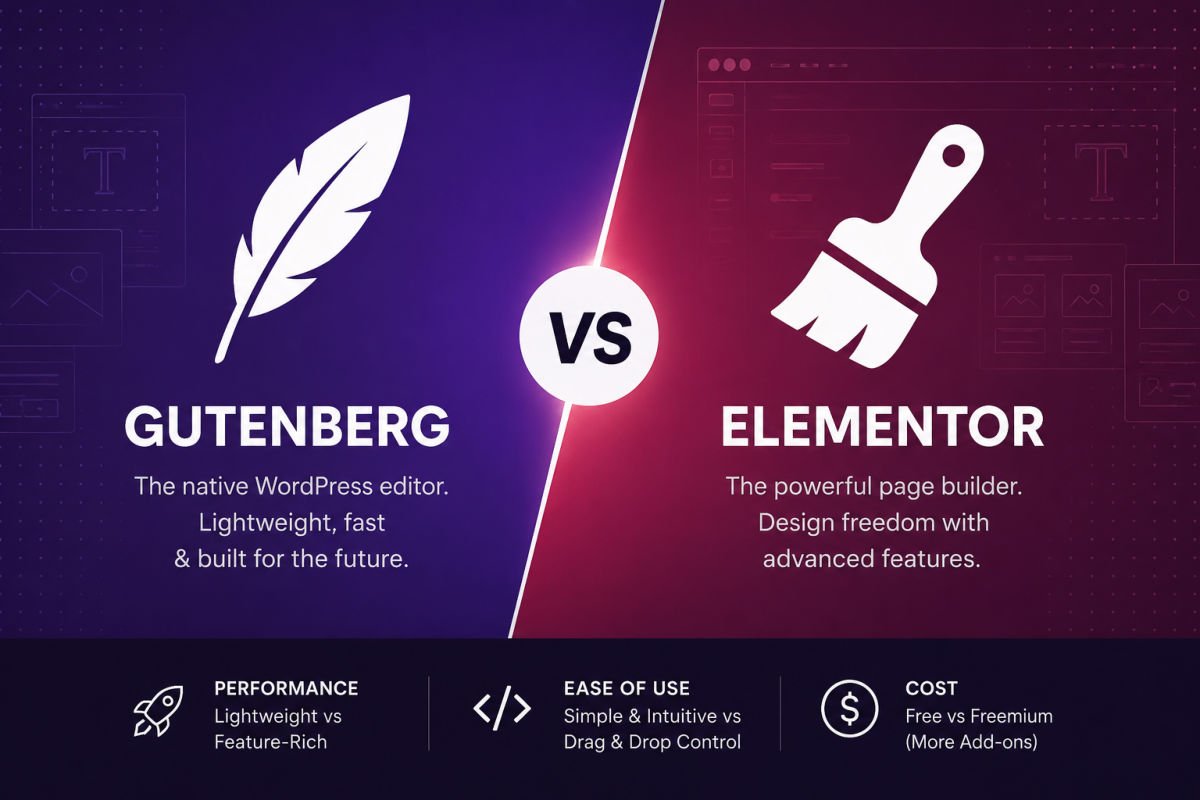
Gutenberg is WordPress’s free, built-in block editor — lightweight, fast-loading, and sufficient for most blogs and simple business sites. Elementor is a separate plugin offering more visual design freedom and pixel-level control, but it adds page weight and typically requires a paid Pro plan (roughly $59–$399/year depending on tier) to unlock its full feature set. Choose Gutenberg if speed and simplicity matter most; choose Elementor if you need advanced design control for landing pages or a highly custom look.
This is one of the most common “which one do I need” questions once a beginner gets past installation and starts actually building pages. Both tools are excellent at what they do — the confusion comes from not knowing which one actually fits your situation.
Here’s an honest, no-hype comparison to help you decide, including where a hybrid approach might make more sense than picking just one.
What You’ll Learn
- The core difference between Gutenberg and Elementor
- How they compare on speed, cost, and design flexibility
- Which one fits which type of website
- Why many sites actually use both, and how that works
The Core Difference
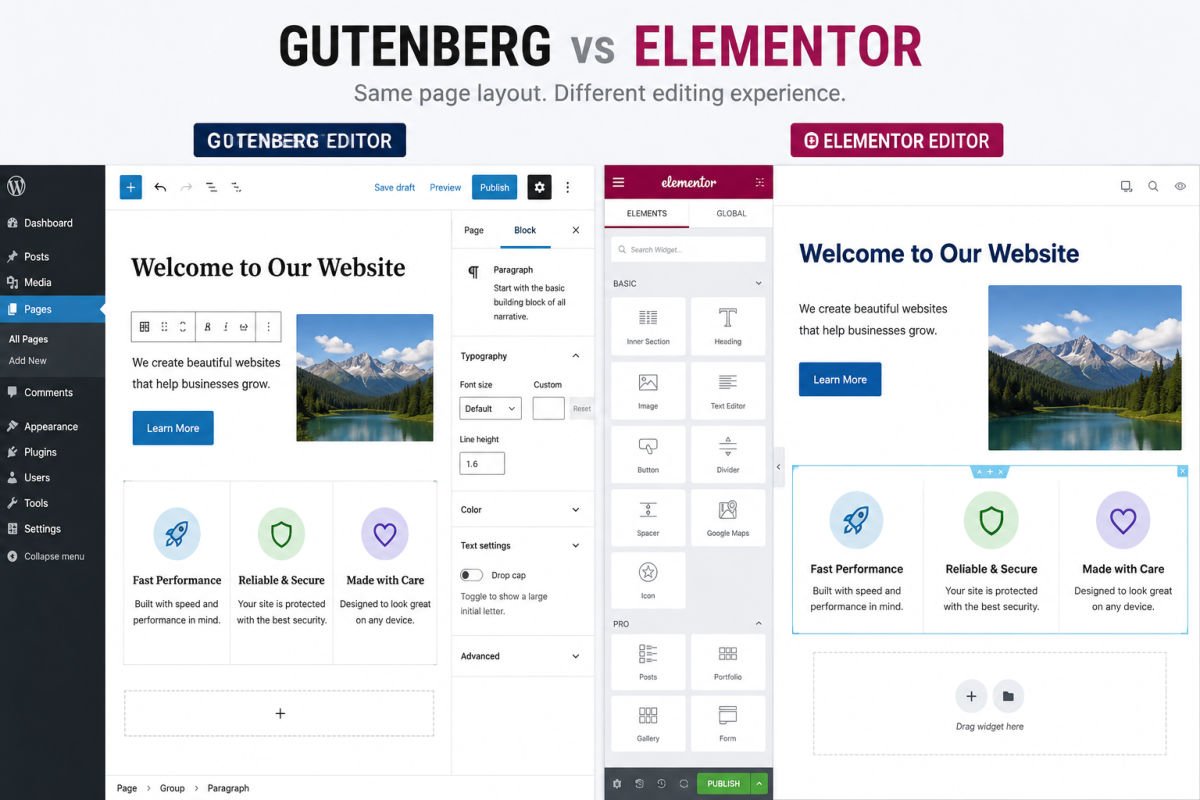
Gutenberg is WordPress’s native block editor, built directly into core with no plugin required. It’s designed around a content-first philosophy — write and structure content using blocks, styled mostly by your theme.
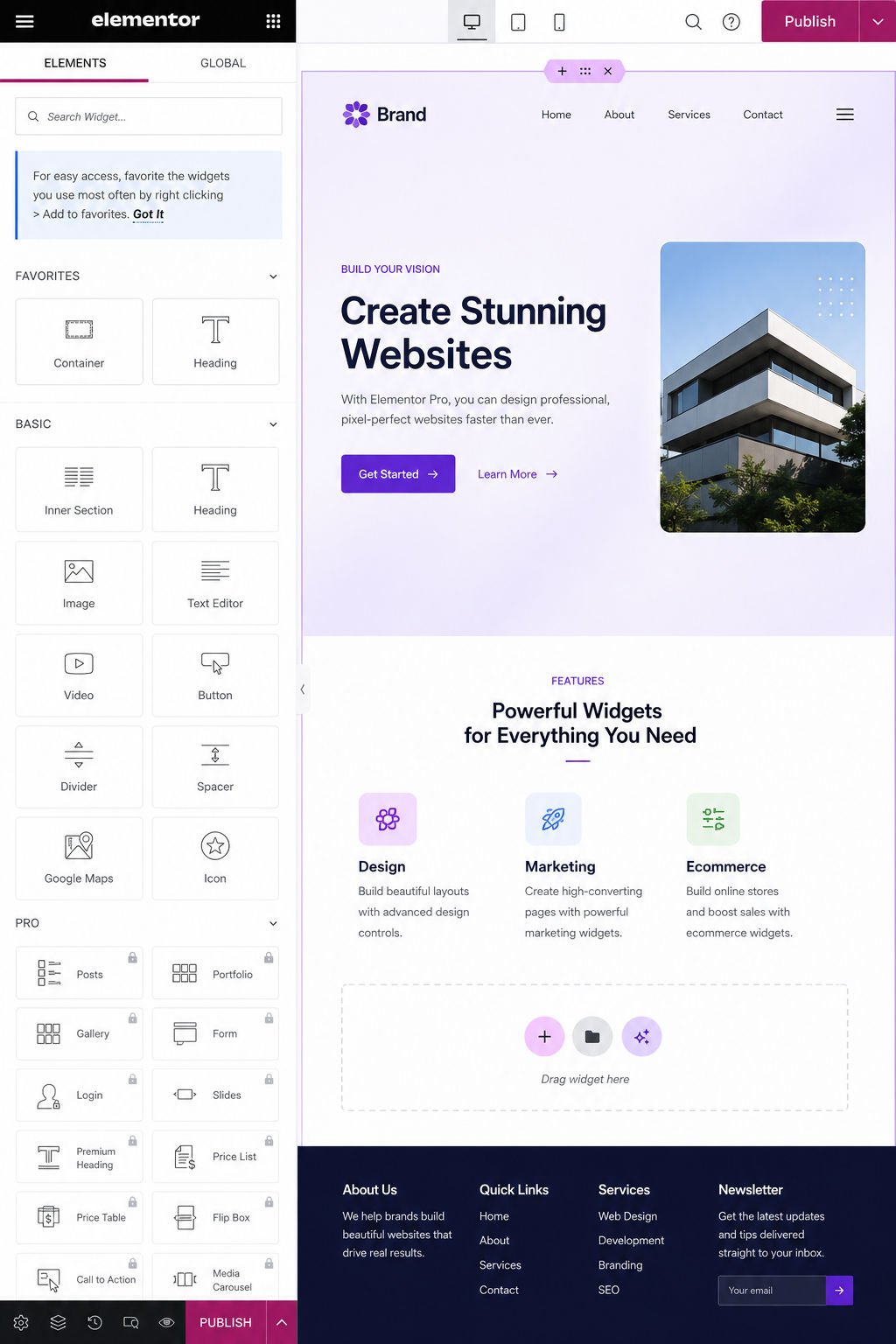
Elementor is a third-party plugin that adds a separate visual, drag-and-drop building experience on top of WordPress, with granular control over spacing, positioning, animations, and responsive behavior per device.
Speed & Performance
Because Gutenberg is part of WordPress core, it doesn’t add extra plugin overhead, and native blocks tend to output lean, minimal HTML. Elementor sits on top of WordPress as a plugin and loads its own additional assets and styling wrappers on every page it’s used on, which generally means somewhat heavier pages compared to an equivalent Gutenberg layout.
In practical terms: if page speed and Core Web Vitals are a top priority for you (they should be, for SEO), Gutenberg has a natural advantage out of the box. Elementor can still perform well with proper caching and optimization, but it starts from a heavier baseline.
Design Flexibility
This is where Elementor pulls ahead. Its per-device controls, wide widget library, animation options, and theme builder (in the Pro version) give you far more precision over exactly how something looks and behaves — without writing custom code.
Gutenberg has improved significantly, especially with Full Site Editing, but it remains more content-first by nature. It’s excellent for blogs and straightforward business sites, but highly custom, design-heavy landing pages are still easier to achieve in Elementor.
Cost Comparison
Gutenberg is completely free — it’s part of WordPress itself, with no upgrade tier.
Elementor offers a free version with a solid set of widgets and drag-and-drop basics, but most people outgrow it quickly. Elementor Pro, which unlocks the theme builder, WooCommerce builder, and the full widget library, typically starts around $59/year for a single site, scaling up for multi-site or agency use.
WebGomu Tip: If budget is a real constraint when you’re just starting out, Gutenberg lets you build a fully functional, professional-looking site at zero additional cost. You can always add Elementor later for a specific landing page if you need it.
Ease of Use for Beginners
Both are genuinely beginner-friendly, but in different ways. Elementor’s visual, what-you-see-is-what-you-get style often feels more intuitive on the very first click, since you’re dragging and dropping directly on the page. Gutenberg has a slightly different mental model (block-based, more structured), which some beginners find takes a little longer to click, but ultimately becomes just as intuitive with regular use.
Can You Use Both?
Yes, and many sites genuinely do. A common approach: use Gutenberg for regular blog posts and simple pages, and bring in Elementor specifically for a few design-heavy pages, like a custom landing page or homepage. This gives you speed where it matters most (your content-heavy pages) and design flexibility where you need it (your highest-impact pages).
Common Mistakes
- Installing Elementor for a simple blog that never actually needed advanced design control, adding unnecessary page weight.
- Assuming Gutenberg can’t look professional — with a good block theme and patterns, it absolutely can.
- Buying Elementor Pro before confirming you need it, rather than starting with the free version to test fit.
- Mixing too many page builders or builder plugins on one site, which can create conflicts and slow things down further.
Recommended Tools
- Gutenberg (built-in) — the right default choice for most blogs and straightforward business sites
- Elementor Free — worth testing before committing to Pro, to see if the workflow fits how you like to build
- Elementor Pro — reasonable investment specifically for design-heavy landing pages or full custom site builds
We’re not steering you toward one universally — the right choice genuinely depends on what you’re building, which is why we’ve laid out the trade-offs rather than declaring a single winner.
Key Takeaways
- Gutenberg is free, built-in, and generally faster out of the box.
- Elementor offers more design flexibility, at the cost of some page weight and typically a paid Pro plan.
- For blogs and simple sites, Gutenberg is usually enough. For design-heavy landing pages, Elementor often wins.
- Using both together — Gutenberg for content, Elementor for a few key pages — is a legitimate, common approach.
Frequently Asked Questions
Is Elementor better than Gutenberg?
Neither is universally “better” — they serve different needs. Elementor offers more design flexibility; Gutenberg offers better default performance and is free. The right choice depends on your specific site.
Does Elementor slow down my website?
Elementor pages tend to be heavier than equivalent Gutenberg pages due to added plugin assets, but proper caching and optimization can minimize the impact significantly.
Can I switch from Elementor to Gutenberg later?
Yes, but it typically requires manually rebuilding pages, since Elementor-built content isn’t automatically compatible with native Gutenberg blocks.
Do I need Elementor Pro, or is the free version enough?
The free version covers basic drag-and-drop building with a solid widget set. Pro is worth it if you need the theme builder, WooCommerce builder, or the full widget and template library.
Is Gutenberg good enough for a business website?
Yes, especially when paired with a well-designed block theme. Many professional business sites run entirely on Gutenberg without any additional page builder.
Resources Links
Author:

Christoper Enolpe
Founder of WebGomu • WordPress Freelancer with 10+ Years of Experience
Christoper is the founder of WebGomu and a WordPress freelancer with over 10 years of hands-on experience building, optimizing, and maintaining WordPress websites. He writes practical, beginner-friendly guides based on real-world experience, covering WordPress, SEO, website performance, and AI tools to help readers build better websites with confidence.
Learn more: https://webgomu.com/about/
Get one WordPress tip every week
Start Here

The Ultimate Beginner’s Guide to WordPress (2026): Build Your First Website Without Coding
Popular Guides
Our Partner

More from the blog

7 Best Free WordPress Themes for Personal Blogs (2026)

How to Create a Service Business Website on WordPress