Bluehost Review 2026: Honest Pros, Cons & Verdict

Before You Start
If you’re comparing hosts head to head, see our Bluehost vs SiteGround comparison, this review focuses specifically on Bluehost’s own strengths and limitations.
Bluehost is one of the most recommended hosts for WordPress beginners, including in our own hosting guide. But dig into independent reviews and you’ll find a genuinely wide spread of reported experiences, worth understanding honestly before you commit.
What You’ll Learn
- What genuinely stands out about Bluehost for beginners
- The specific limitations verified users flag, backups and uptime guarantees
- A notable discrepancy in how support quality gets reported, and why it matters
- Whether Bluehost’s 2026 infrastructure updates change the picture
What’s Genuinely Excellent
- Officially recommended by WordPress.org, a real, verifiable endorsement, not just a Bluehost marketing claim.
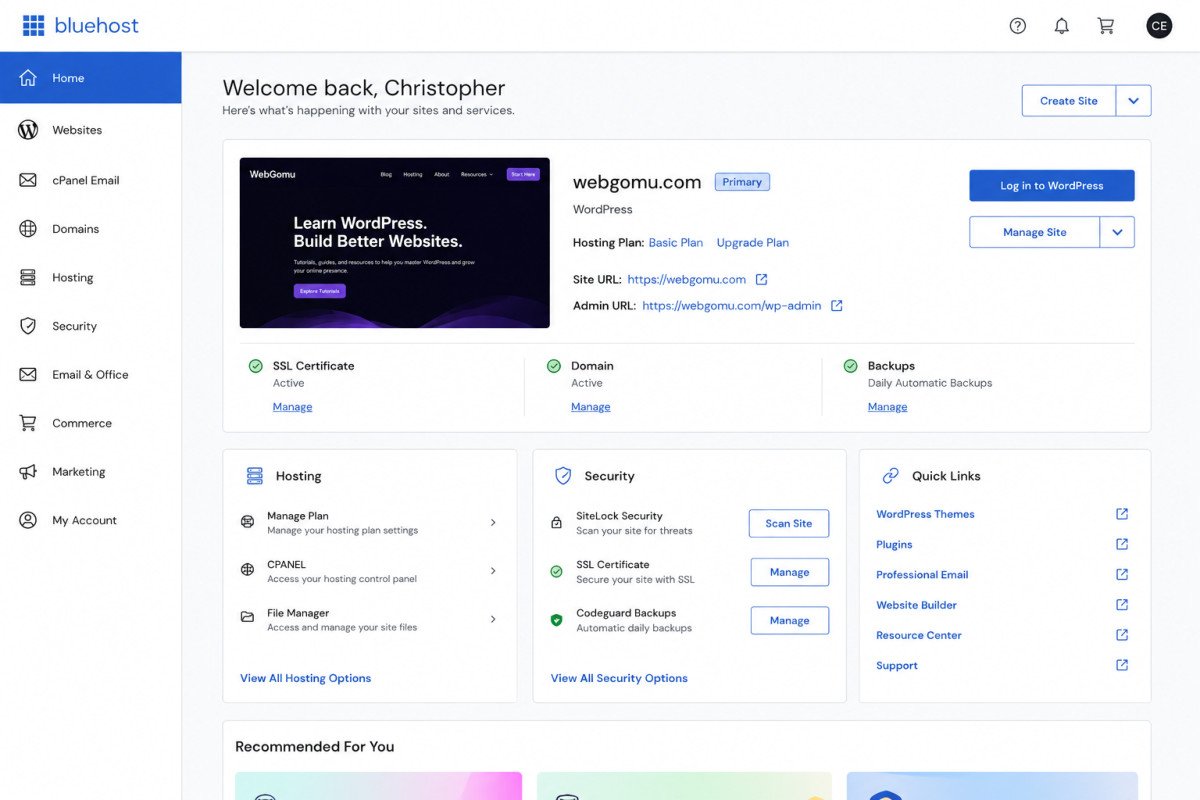
- Genuinely easy setup, guided onboarding, one-click WordPress installation, and an intuitive cPanel-based dashboard.
- 2026 infrastructure improvements. After migrating to Oracle Cloud, Bluehost now offers multiple data center locations across several continents, a real upgrade from its previous two-U.S.-location limit.
- Bluehost Cloud, built on WP Cloud, offers a noticeable Time to First Byte improvement for WordPress sites specifically, a genuine performance upgrade over standard shared hosting.
- 30-day money-back guarantee, no-questions-asked, a real safety net for beginners testing the waters.
What Real Users Flag as Frustrating
- Backup coverage is limited. Bluehost provides backups “as a courtesy,” typically just 3 restore points (daily, weekly, monthly), with no guarantee they’ll be available. Competitors commonly offer 20 or more restore points. Extra on-demand backup options require a separately purchased, reportedly pricey add-on.
- No uptime guarantee. Unlike several competing hosts, Bluehost doesn’t publish an uptime guarantee or SLA.
- Domain renewal complaints. At least one verified Capterra review specifically describes a domain being effectively held up during a transfer dispute for 60 days, and separately flags that domain renewal prices increase year over year, consistent with the renewal-price pattern we’ve flagged across hosting providers generally.
A Genuinely Important Discrepancy Worth Flagging
Bluehost’s own blog cites a 4.5 out of 5 Trustpilot rating. An independent third-party review aggregator reports Bluehost’s actual Trustpilot rating at 3.1 out of 5, notably lower than competitor SiteGround’s reported 4.7. That’s a significant gap for the same specific metric. Given one of these sources is Bluehost’s own marketing content, a genuine conflict of interest, we’d weight the independent figure more heavily, and recommend checking Trustpilot directly yourself at the time you’re evaluating, ratings and review volume shift over time.
A Pattern Worth Knowing: Long-Term Customer Sentiment
Community discussions (Reddit and similar forums) show a recurring pattern worth being aware of, though it’s community-reported rather than independently verified: long-term customers, some citing 10 or more years with Bluehost, describing service quality declining over time and eventually switching providers after accumulated frustrations, most commonly citing support quality, unexpected charges, and performance concerns. Treat this as a pattern worth watching for in your own experience, not a certainty, individual results genuinely vary.
WebGomu Tip: Given both the backup limitations and the reported support inconsistency, set up a proper backup plugin like UpdraftPlus (see our review) regardless of which host you choose. Don’t rely solely on any host’s default backup coverage, Bluehost’s included or otherwise.
Who Should Use Bluehost
Genuine beginners wanting the simplest possible WordPress setup experience, backed by an official WordPress.org recommendation and a real money-back guarantee to test it risk-free.
Who Might Want to Look Elsewhere
If daily backups and an uptime guarantee genuinely matter to you, or if the reported support inconsistency is a dealbreaker, it’s worth comparing directly against SiteGround, covered in our head-to-head comparison.
Common Mistakes
- Trusting a single rating source, especially one published by the company itself, without cross-checking independently.
- Assuming Bluehost’s default backups are sufficient without installing a dedicated backup plugin as a genuine safety net.
- Not checking domain renewal pricing specifically, separate from hosting renewal pricing.
- Overlooking the lack of an uptime guarantee if reliability is a business-critical concern.
Key Takeaways
- Bluehost remains genuinely beginner-friendly, with real 2026 infrastructure improvements following its Oracle Cloud migration.
- Backup coverage and uptime guarantees are real, specific limitations worth planning around.
- Reported customer satisfaction varies dramatically by source, Bluehost’s own cited rating is notably higher than independent figures.
- Pair any host, Bluehost included, with your own dedicated backup plugin rather than relying solely on default coverage.
Frequently Asked Questions
Is Bluehost still a good choice for beginners in 2026?
Yes, it remains genuinely easy to set up and is officially recommended by WordPress.org, though it’s worth understanding its specific limitations around backups and uptime guarantees first.
Does Bluehost include reliable backups?
Backups are provided as a courtesy, typically limited to 3 restore points, without a formal guarantee. A dedicated backup plugin is worth adding regardless of your host.
Why do Bluehost’s ratings vary so much between sources?
Bluehost’s own blog cites a notably higher Trustpilot rating than independent third-party aggregators report. Given the conflict of interest in a company reporting its own rating, checking Trustpilot directly is the more reliable approach.
Does Bluehost offer an uptime guarantee?
No, unlike some competing hosts, Bluehost does not publish a formal uptime guarantee or SLA.
What changed with Bluehost’s 2026 infrastructure update?
Following a migration to Oracle Cloud, Bluehost now offers multiple data center location choices across several continents, an improvement over its previous limitation of two U.S.-only locations.
Resources Links
- The Ultimate Beginner’s Guide to WordPress (2026)
- Bluehost vs SiteGround: Which Is Better for Your First Year?
- How to Choose the Best WordPress Hosting for Beginners
- UpdraftPlus Review 2026: Do You Even Need It?
Learn more directly from the source: Visit Bluehost’s official website for current pricing and full feature details.
Author:

Christoper Enolpe
Founder of WebGomu • WordPress Freelancer with 10+ Years of Experience
Christoper is the founder of WebGomu and a WordPress freelancer with over 10 years of hands-on experience building, optimizing, and maintaining WordPress websites. He writes practical, beginner-friendly guides based on real-world experience, covering WordPress, SEO, website performance, and AI tools to help readers build better websites with confidence.
Learn more: https://webgomu.com/about/
Get one WordPress tip every week
Start Here

The Ultimate Beginner’s Guide to WordPress (2026): Build Your First Website Without Coding
Popular Guides
Our Partner

More from the blog

WPCode Review 2026: The Safe Way to Add Custom Code

AI Photo Editing Tools for WooCommerce Product Photos (2026)