Core Web Vitals Mastery: The Advanced 2026 Guide

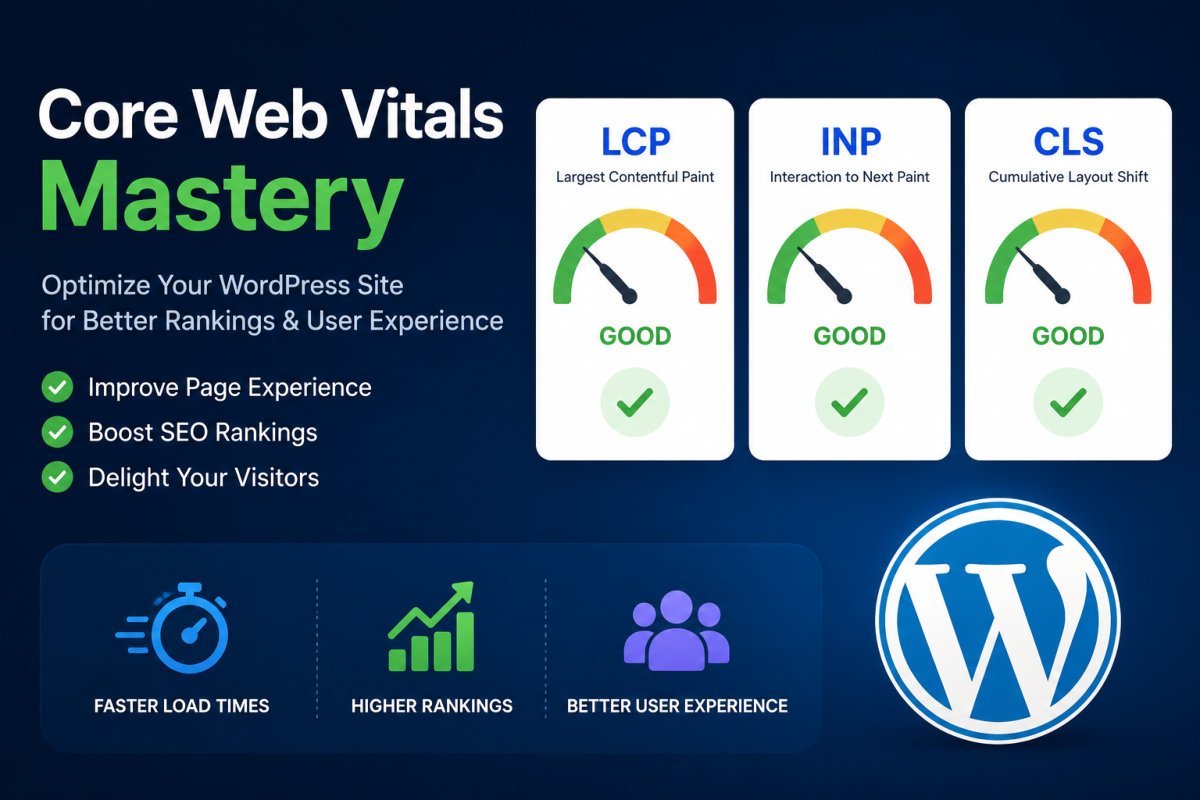
The three Core Web Vitals in 2026 are Largest Contentful Paint (LCP, under 2.5 seconds), Interaction to Next Paint (INP, under 200 milliseconds, which permanently replaced First Input Delay in March 2024), and Cumulative Layout Shift (CLS, under 0.1). Google measures these using real visitor data at the 75th percentile, not just a synthetic PageSpeed Insights score, meaning 75% of your actual visits need to pass each threshold. INP is currently the most commonly failed metric across the web, and most WordPress sites that previously passed with the old FID metric are now failing on INP without realizing it.
Before You Start
This guide assumes you’ve already covered the fundamentals in our beginner speed guide, hosting quality, basic caching, and image compression. This one goes further, into diagnosing and fixing the specific metric that’s actually failing, using real data rather than guesswork.
A lot of WordPress sites that “passed” speed tests a couple of years ago are quietly failing now, not because anything on the site changed, but because Google changed what it measures. Interaction to Next Paint replaced the old First Input Delay metric, and it measures something meaningfully harder to fake: how long a page actually takes to visually respond after a real interaction, not just the initial delay before it starts processing one.
What You’ll Learn
- What changed with INP, and why sites that used to pass are failing now
- Why PageSpeed Insights alone doesn’t tell the full story
- The correct diagnostic order for fixing all three metrics
- Advanced fixes for each metric specifically
The Three Metrics, as They Actually Work in 2026
- LCP (Largest Contentful Paint) — how long the largest visible element (usually your hero image or main heading) takes to render. Target: under 2.5 seconds.
- INP (Interaction to Next Paint) — measures the full cycle from a real interaction (a click, a tap) to the screen visually updating, including JavaScript execution time. Target: under 200 milliseconds.
- CLS (Cumulative Layout Shift) — how much visible content unexpectedly shifts during load. Target: under 0.1.
INP is the metric most sites currently fail. Unlike the old FID metric, which only measured the delay before a browser started processing a click, INP tracks the entire interaction through to the visual update, exposing sites with heavy plugins or slow JavaScript that used to score well under the old system.
Why PageSpeed Insights Alone Isn’t Enough
PageSpeed Insights gives you lab data, a single, simulated test run. Google’s actual ranking evaluation uses field data, real measurements collected from real visitors’ Chrome browsers, aggregated at the 75th percentile. A page can score well in a single lab test and still genuinely fail in the field if real visitors on slower connections or devices experience something different. Check the “Field Data” section specifically, not just the lab score, when diagnosing an issue.
The Correct Diagnostic Order
Fix these in sequence, not simultaneously:
- LCP first — it has the biggest impact on perceived speed, and other fixes are easier to evaluate once this is solid.
- INP second — once LCP is handled, tackle third-party scripts and blocking JavaScript.
- CLS last — image and font dimension fixes, generally the quickest to resolve once the first two are addressed.
If all three metrics are failing at once, the underlying cause is usually your hosting or your theme itself, not something a plugin alone can fully fix. See our hosting guide if you suspect this applies to you.
Advanced LCP Fixes
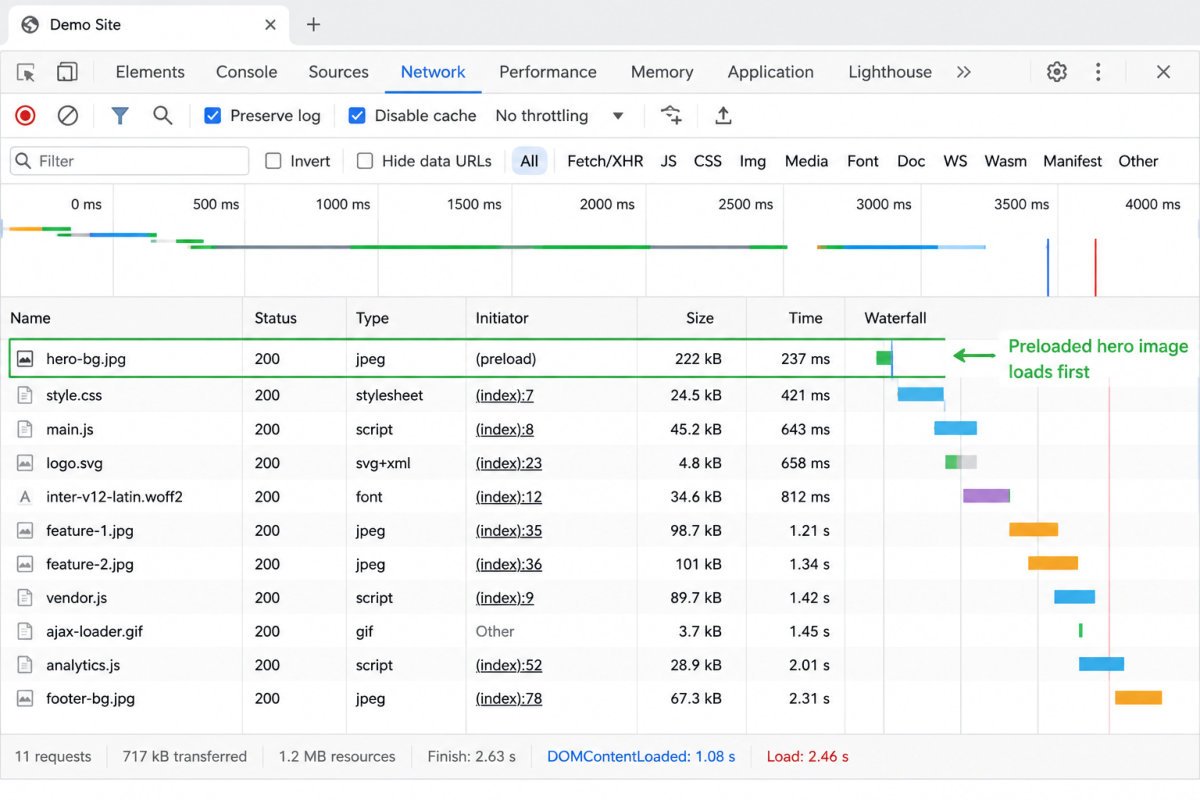
- Preload your hero image using a
<link rel="preload">tag, telling the browser to prioritize it immediately - Inline critical CSS so the browser doesn’t wait on an external stylesheet to render above-the-fold content
- Use modern image formats (WebP or AVIF) with responsive
srcsetattributes - Never lazy-load your LCP image specifically, lazy loading is for below-the-fold images; applying it to your hero image directly delays the metric you’re trying to improve
Advanced INP Fixes
- Audit third-party scripts, chat widgets, analytics tags, and embeds are common culprits for blocking the main thread
- Break up long JavaScript tasks through code splitting, loading only what’s necessary for the initial interaction
- Be cautious with heavy page builders, tools like Elementor can add meaningful CSS and JavaScript overhead that directly affects INP, worth testing before and after if you’re using one
WebGomu Tip: Test any major performance change on a staging site first (see our staging guide), then compare real PageSpeed Insights field data before and after, not just the lab score. Advanced fixes like critical CSS inlining can occasionally break visual layout if implemented carelessly, worth catching on staging, not your live site.
Advanced CLS Fixes
- Set explicit width and height on every image, video, and iframe, this reserves the correct space before the element actually loads
- Use font-display: swap, and reserve space for web fonts to prevent text reflow once they finish loading
- Reserve space for dynamic content like ads or embeds that inject themselves after initial page load
Advanced WordPress Performance Tools
Beyond the basic caching plugin covered in our beginner guide, tools like WP Rocket, LiteSpeed Cache, FlyingPress, and Perfmatters offer more granular control, script deferral, critical CSS generation, and database optimization in one place. Several are paid, worth it once you’ve confirmed basic caching alone isn’t closing the gap on a specific metric.
When the Problem Is Bigger Than a Plugin
If LCP, INP, and CLS are all failing simultaneously despite genuine optimization effort, the root cause is often the theme or hosting infrastructure itself, not something any plugin can fully resolve. A heavy, page-builder-dependent theme or underpowered shared hosting sets a performance ceiling that caching and script deferral alone can’t overcome. In that case, a theme change or hosting upgrade, not another plugin, is the honest next step.
Common Mistakes
- Optimizing based only on PageSpeed Insights’ lab score, ignoring the real-world field data that actually determines ranking impact.
- Lazy-loading the hero image itself, which directly delays LCP instead of improving it.
- Trying to fix all three metrics simultaneously instead of following the LCP, then INP, then CLS sequence.
- Assuming a caching plugin alone can overcome a fundamentally heavy theme or underpowered hosting plan.
Recommended Tools
- Google PageSpeed Insights — check the Field Data section specifically, not just the lab score
- WP Rocket or LiteSpeed Cache — for more advanced caching and script control beyond basic setups
- Perfmatters — useful for granular script and asset control on a per-page basis
Key Takeaways
- INP permanently replaced FID in March 2024 and is currently the most commonly failed Core Web Vital.
- Google’s real ranking evaluation uses field data at the 75th percentile, not a single lab test score.
- Fix LCP first, then INP, then CLS, in that order, not all at once.
- If all three metrics fail together, the root cause is usually hosting or theme, not something a plugin alone fixes.
Frequently Asked Questions
What replaced First Input Delay (FID)?
Interaction to Next Paint (INP) permanently replaced FID as the official responsiveness metric in March 2024. It measures the full interaction cycle, not just the initial delay.
Why did my site’s Core Web Vitals suddenly get worse?
If nothing on the site changed, this is likely the shift from FID to INP. Sites with heavy JavaScript or plugin overhead that scored well under FID are now commonly failing under the stricter INP measurement.
Is PageSpeed Insights enough to diagnose Core Web Vitals issues?
Not on its own. It provides lab data from a single simulated test. Real ranking evaluation uses field data collected from actual visitors, check the Field Data section specifically for an accurate picture.
Which Core Web Vital should I fix first?
LCP, it has the biggest impact on perceived speed and is generally the easiest to diagnose and fix first, followed by INP, then CLS.
Should I lazy-load my hero image to improve speed?
No. Lazy loading should apply to below-the-fold images only. Applying it to your LCP image specifically delays the exact metric you’re trying to improve.
Resources Links
Author:

Christoper Enolpe
Founder of WebGomu • WordPress Freelancer with 10+ Years of Experience
Christoper is the founder of WebGomu and a WordPress freelancer with over 10 years of hands-on experience building, optimizing, and maintaining WordPress websites. He writes practical, beginner-friendly guides based on real-world experience, covering WordPress, SEO, website performance, and AI tools to help readers build better websites with confidence.
Learn more: https://webgomu.com/about/
Get one WordPress tip every week
Start Here

The Ultimate Beginner’s Guide to WordPress (2026): Build Your First Website Without Coding
Popular Guides
Our Partner

More from the blog
The Ultimate WordPress Speed Optimization Guide (2026)

The Ultimate WordPress Security Guide (2026)