Solid Security Review 2026: What It Doesn’t Do

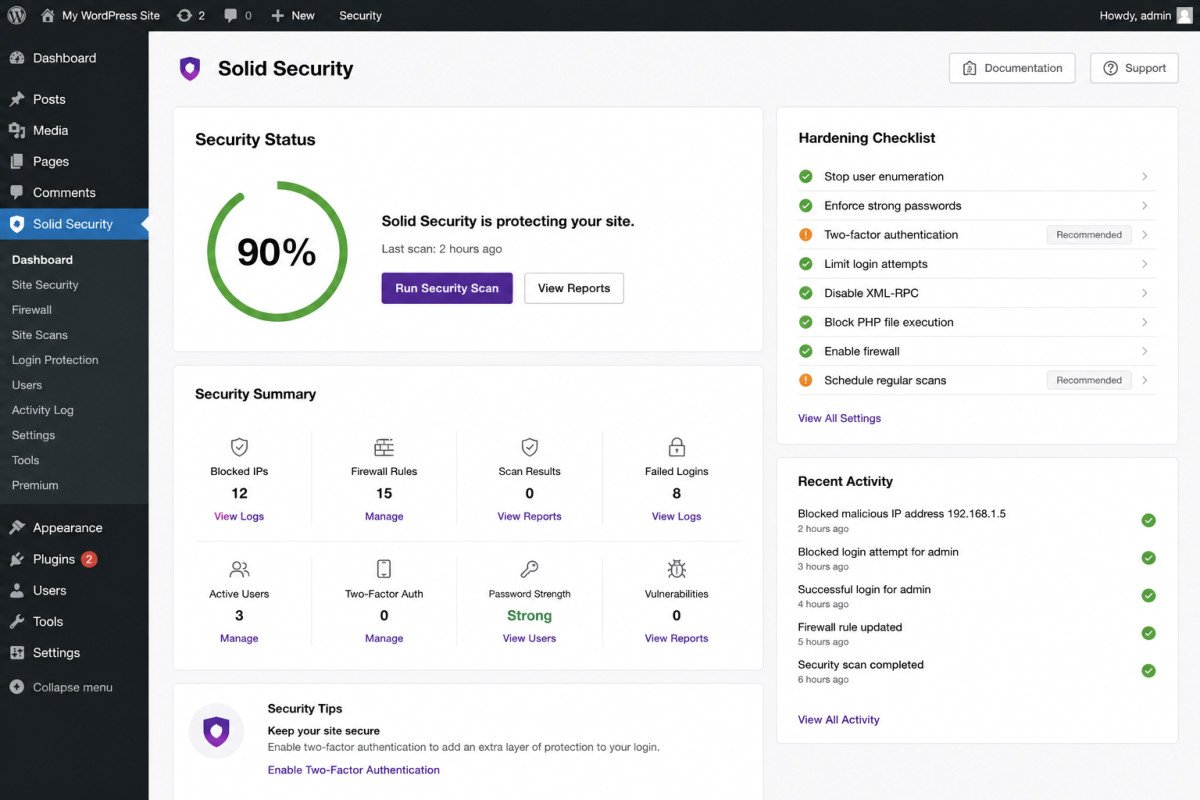
Solid Security, formerly iThemes Security, is a genuinely strong hardening plugin with over 1 million active installations, brute force protection, multiple 2FA methods including passkeys, and file change detection, all in a beginner-friendly package. Here’s the single most important thing to understand before installing it: neither the free nor the Pro version includes a traditional malware scanner or Web Application Firewall. It doesn’t scan file contents for backdoors or match files against known malicious signatures. If you want that specific coverage, you’ll need to pair it with a separate tool.
Before You Start
See our security basics guide for the broader picture of what a complete WordPress security setup needs, this review assumes you’re deciding specifically whether Solid Security fits your situation.
Solid Security shows up constantly in security plugin roundups, including our own, and its hardening feature set genuinely earns that spot. But it’s also one of the most commonly misunderstood security plugins, several reviewers explicitly note that people install it expecting the same coverage as a full security suite, without realizing what’s actually missing.
What You’ll Learn
- What genuinely stands out about Solid Security’s hardening approach
- The critical gap most comparison lists don’t explain clearly
- What changed with the rebrand from iThemes Security
- How to pair it correctly with a tool that covers what it doesn’t
What’s Genuinely Excellent
- Strong core hardening, even on the free tier. Local brute force protection, file change detection, and basic two-factor authentication meaningfully raise the bar against common attacks.
- Advanced 2FA options on Pro, including passkeys, a genuinely modern authentication method few competitors offer at this price point.
- Patchstack virtual patching integration (Pro). This is a real, differentiated strength: it can protect against known plugin vulnerabilities even before the plugin developer releases an official fix, and it’s included at a lower price than subscribing to Patchstack directly.
- Security headers and session-hijack detection (Pro), specific technical protections several reviewers note it handles better than competitors in this price range.
- Massive install base, over 1 million active sites, a genuine trust signal and a large community for support and documentation.
The Single Most Important Thing to Know
This deserves its own section, not a buried bullet point: Solid Security does not include a traditional malware scanner or Web Application Firewall, in either the free or Pro version. It doesn’t scan file contents for backdoors, doesn’t match files against known malicious signatures, and doesn’t inspect outbound traffic for signs of compromise. Multiple independent reviewers describe this as the single most important thing to understand before choosing it. If you’re comparing it against Wordfence or Sucuri expecting equivalent scanning and firewall coverage, that expectation is genuinely mismatched, Solid Security is a hardening tool, not a detection or blocking tool.
WebGomu Tip: Solid Security pairs well with a dedicated scanner rather than replacing one. Running Solid Security’s hardening alongside Wordfence’s free firewall and scanner (see our Wordfence review) gives you genuinely complementary coverage, hardening plus detection, rather than overlapping features from two different tools.
A Note on the Rebrand
iThemes Security was renamed Solid Security in April 2023, as part of a broader move under the StellarWP umbrella, now managed by the Liquid Web team. The underlying codebase and WordPress.org plugin slug (still better-wp-security) carried forward unchanged, so if you’ve used iThemes Security in the past, you’re using the same evolving plugin under a new name. Worth knowing: pricing also changed with the rebrand, the plugin previously offered unlimited-site coverage at a flat rate, current Pro pricing is per-site instead. At least one documented case describes a legacy customer experiencing a login lockout during the transition without adequate advance notice, worth being cautious and backing up your site before any major plugin update, a general best practice this specific incident reinforces.
Pricing: Free (Basic) vs. Pro
| Tier | Price | Best For |
|---|---|---|
| Free (Basic) | $0 | Personal blogs and small sites wanting core hardening |
| Pro | ~$99/year per site | Sites wanting Patchstack virtual patching, advanced 2FA, and session security |
Who Should Use Solid Security
Beginners on shared hosting wanting a clear, guided hardening checklist, paired with a separate scanning tool for complete coverage. It’s also a strong fit for sites with many plugins specifically wanting Patchstack’s virtual patching protection at a lower price than buying it standalone.
Who Might Want to Look Elsewhere
If you want a single plugin covering both hardening and active malware scanning, Wordfence is the more direct fit, it includes both in its free tier. See our dedicated Wordfence review for the full picture.
Common Mistakes
- Installing Solid Security expecting it to also scan for malware or block attacks via a firewall, it doesn’t do either.
- Assuming Pro pricing still reflects the old unlimited-site model from the iThemes Security era, it’s now priced per site.
- Skipping a backup before a major update, especially relevant given at least one documented rebrand-related lockout incident.
- Running it as your only security tool when a dedicated scanner would close a real coverage gap.
Key Takeaways
- Solid Security is a genuinely strong hardening tool, not a scanning or firewall tool, in either tier.
- Patchstack virtual patching (Pro) is a real, differentiated strength for sites with many plugins.
- The plugin is the same evolving codebase as iThemes Security, renamed in 2023 with a shift to per-site pricing.
- Pair it with a dedicated scanner like Wordfence for genuinely complete coverage.
Frequently Asked Questions
Does Solid Security include malware scanning?
No, this is the most important thing to understand about the plugin. Neither the free nor Pro version scans file contents for backdoors or matches files against known malicious signatures.
Is Solid Security the same as iThemes Security?
Yes, it was renamed in April 2023 as part of a rebrand under the StellarWP umbrella. The underlying codebase and plugin slug carried forward unchanged.
Does Solid Security include a firewall?
No, it doesn’t include a traditional Web Application Firewall in either tier. It focuses on hardening, brute force protection, 2FA, file change detection, not active traffic filtering.
Is Solid Security Pro worth $99 a year?
For sites wanting Patchstack’s virtual patching against known plugin vulnerabilities, advanced 2FA methods like passkeys, and session-hijack detection, yes. For sites needing a scanner or firewall, that value depends on pairing it with a separate tool.
What should I pair Solid Security with for complete protection?
A dedicated scanner and firewall, such as Wordfence’s free tier, complements Solid Security’s hardening focus without functional overlap.
Resources Links
- The Ultimate Beginner’s Guide to WordPress (2026)
- 5 Best Free WordPress Security Plugins
- Wordfence Review 2026: Is the Free Version Enough?
- WordPress Security Basics: How to Protect Your Site
Learn more directly from the source: Visit Solid Security’s official website for current pricing and full feature details.
Author:

Christoper Enolpe
Founder of WebGomu • WordPress Freelancer with 10+ Years of Experience
Christoper is the founder of WebGomu and a WordPress freelancer with over 10 years of hands-on experience building, optimizing, and maintaining WordPress websites. He writes practical, beginner-friendly guides based on real-world experience, covering WordPress, SEO, website performance, and AI tools to help readers build better websites with confidence.
Learn more: https://webgomu.com/about/
Get one WordPress tip every week
Start Here

The Ultimate Beginner’s Guide to WordPress (2026): Build Your First Website Without Coding
Popular Guides
Our Partner

More from the blog

WPCode Review 2026: The Safe Way to Add Custom Code

AI Photo Editing Tools for WooCommerce Product Photos (2026)