Managing Multiple WordPress Client Sites: A Freelancer’s Guide (2026)

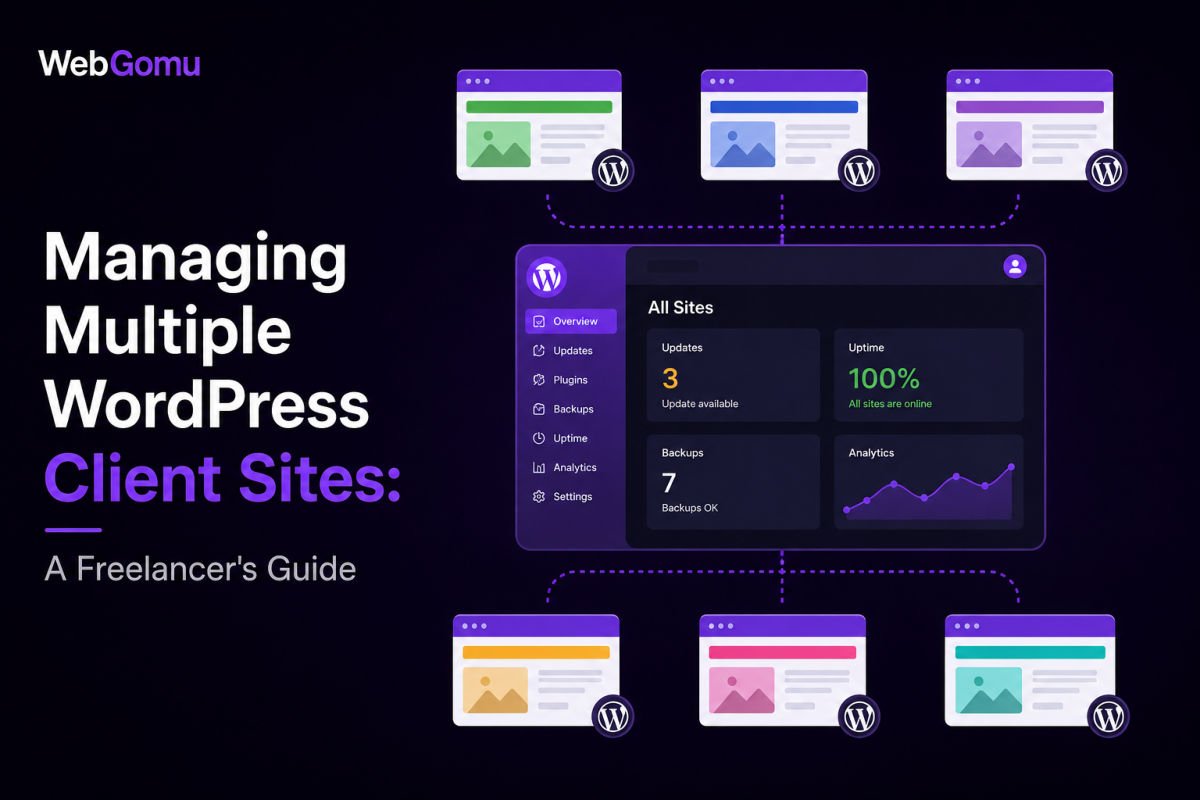
Once you’re managing more than a handful of WordPress client sites, logging into each one individually to run updates and check backups stops being sustainable. Tools like MainWP (self-hosted, privacy-focused) and ManageWP (cloud-based, easiest free starting point) let you centralize updates, backups, security monitoring, and client reporting from a single dashboard. Choosing between them mainly comes down to whether you prioritize full control and privacy, or the fastest, simplest setup.
Before You Start
Make sure you have the following in place first:
- At least a few client sites you’re currently managing separately, this becomes worthwhile once manual, per-site logins start eating real time
- Admin access to each client site you plan to connect
If you’re logging into five separate WordPress dashboards to check for updates, run backups, and monitor security, that’s hours a week that could go toward billable client work instead. A centralized management dashboard exists specifically to eliminate that repetition.
What You’ll Learn
- When a management dashboard genuinely becomes worth setting up
- How self-hosted and cloud-based tools compare
- How to set up a basic centralized dashboard
- How to send professional, branded reports to clients
When This Becomes Worth Setting Up
There’s no strict rule, but many freelancers find the tipping point somewhere around five or more actively managed sites, below that, manual management is often still manageable. Past that point, a centralized dashboard typically saves meaningful time almost immediately.
Self-Hosted vs. Cloud-Hosted: The Core Decision
| Tool | Model | Best For |
|---|---|---|
| MainWP | Self-hosted, open-source | Freelancers prioritizing privacy and full control, comfortable with a bit more initial setup |
| ManageWP | Cloud-hosted (SaaS) | The easiest, fastest free starting point |
| WP Umbrella | Cloud-hosted (SaaS) | Freelancers wanting strong white-label client reporting |
MainWP runs on your own WordPress installation, giving you full data control, genuinely appealing if privacy is a real priority for you or your clients. ManageWP is entirely cloud-based and generally the fastest to get started with, its free tier covers basic updates, with paid add-ons for backups, security, and reporting as needed.
Step 1: Choose and Install Your Dashboard
For MainWP specifically:
- Install the MainWP Dashboard plugin on a WordPress site you control, this becomes your central hub, not a client site.
- Install the lightweight MainWP Child plugin on each client site you want to manage.
- Connect each child site to your dashboard using the credentials it generates.
For ManageWP, the setup is even simpler, sign up for a free account, then add each site directly through the cloud dashboard using its admin login.
Step 2: Centralize Your Core Tasks
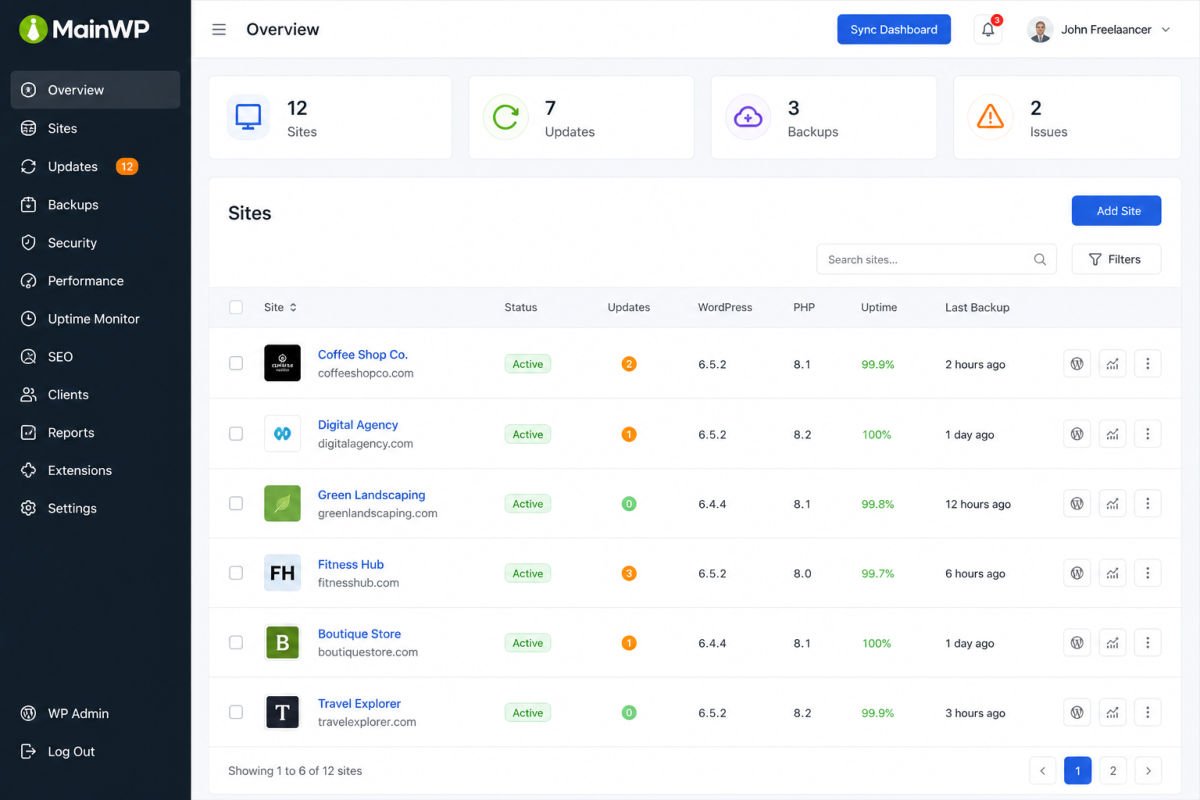
- Updates — apply plugin, theme, and core updates across all connected sites from one screen
- Backups — schedule and monitor backups for every site without checking each one individually
- Security monitoring — get consolidated alerts for downtime or vulnerabilities across your whole portfolio
- Uptime monitoring — know immediately if a client site goes down, often before the client notices
WebGomu Tip: Start with the free tier of whichever tool you choose before committing to paid add-ons across your entire client list. Get comfortable with the core workflow first, then add specific paid features (like enhanced backups or white-label reporting) only for the sites that genuinely need them.
Step 3: Professional Client Reporting
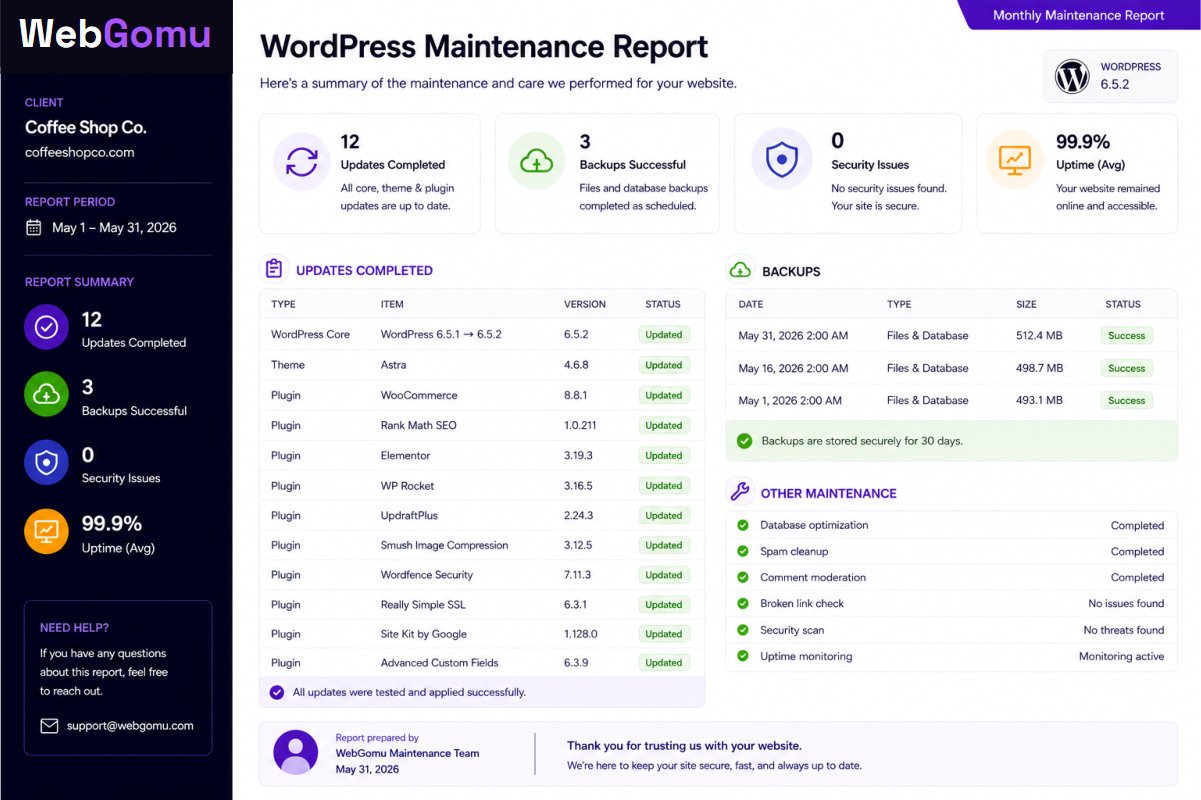
Most management tools include branded, professional reporting, clean PDF summaries showing exactly what maintenance work was completed, sent automatically on a schedule. This is a genuine value-add for client relationships, it makes ongoing maintenance work visible and tangible, rather than invisible background effort clients simply take for granted.
Multisite vs. Separate Managed Installations
It’s worth being clear about the distinction: this approach, separate WordPress installations centrally managed through a dashboard, is different from WordPress Multisite, which we cover in a separate guide. For genuinely unrelated client sites needing independent plugins, themes, and hosting environments, separate managed installations are almost always the better fit.
Troubleshooting
A client site won’t connect to my dashboard
Confirm the connecting plugin (like MainWP Child) is installed and activated on the client site, and that you’ve entered the correct site URL and connection credentials generated during setup.
Updates are failing on one specific site within my dashboard
This is often a hosting resource limitation on that specific site rather than a dashboard issue. Try applying that update directly on the individual site to isolate whether it’s a broader compatibility problem.
A client wants to see proof of the maintenance work I’m doing
Set up scheduled, automated client reports through your management tool, this addresses the concern proactively rather than requiring a manual explanation each time.
Common Mistakes
- Waiting too long to centralize management, continuing manual per-site logins well past the point it’s genuinely costing real time.
- Committing to paid add-ons across every client site before confirming the core workflow actually fits your process.
- Never sending clients visible reports, leaving valuable maintenance work invisible to the people paying for it.
- Confusing this approach with WordPress Multisite, they solve different problems for different situations.
Recommended Tools
- MainWP — strong choice for privacy-focused freelancers comfortable with self-hosting the dashboard
- ManageWP — the simplest, fastest free starting point for centralized management
Key Takeaways
- Around five or more actively managed sites is a common tipping point for centralizing management.
- MainWP suits privacy-focused, self-hosted preferences; ManageWP suits the fastest, simplest cloud setup.
- Centralize updates, backups, and security monitoring first, then add specialized features as needed.
- Branded client reporting makes ongoing maintenance work visible and valued, not just assumed.
Frequently Asked Questions
How many client sites should I have before using a management dashboard?
There’s no strict rule, but around five or more actively managed sites is a common point where manual, per-site management starts costing meaningful time.
Is MainWP or ManageWP better for freelancers?
MainWP suits freelancers prioritizing privacy and full control through self-hosting. ManageWP is generally faster and simpler to get started with as a cloud-based option.
Are these tools free to use?
Both offer free core functionality, MainWP’s core plugin is free and open-source, while ManageWP’s free tier covers basic updates, with paid add-ons available for backups, security, and reporting.
Is this the same as WordPress Multisite?
No, this approach keeps client sites as fully separate installations, centrally managed through a dashboard. Multisite shares core files and a database across sites, better suited to closely related sites under one organization, not independent client work.
Can I send clients reports showing what maintenance work I’ve done?
Yes, most management tools include automated, branded reporting features specifically for this purpose, making ongoing maintenance work visible to clients.
Resources Links
Author:

Christoper Enolpe
Founder of WebGomu • WordPress Freelancer with 10+ Years of Experience
Christoper is the founder of WebGomu and a WordPress freelancer with over 10 years of hands-on experience building, optimizing, and maintaining WordPress websites. He writes practical, beginner-friendly guides based on real-world experience, covering WordPress, SEO, website performance, and AI tools to help readers build better websites with confidence.
Learn more: https://webgomu.com/about/
Get one WordPress tip every week
Start Here

The Ultimate Beginner’s Guide to WordPress (2026): Build Your First Website Without Coding
Popular Guides
Our Partner

More from the blog
WordPress Maintenance Checklist: Monthly and Quarterly Tasks
How to Set Up a Staging Site in WordPress (2026)