WordPress Robots.txt: A Beginner’s Guide (2026)

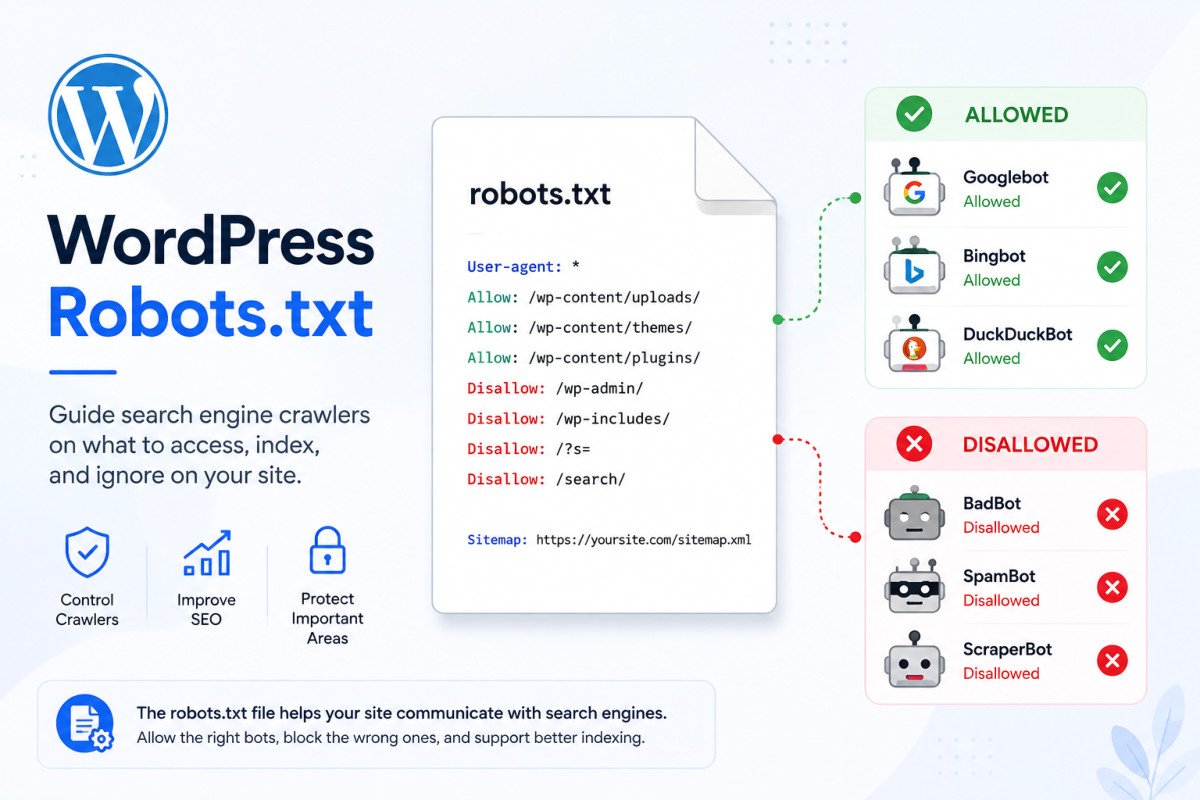
Robots.txt is a public text file at your site’s root (yourdomain.com/robots.txt) that tells crawlers which parts of your site to crawl and which to skip. On WordPress, the essentials are simple: disallow /wp-admin/, allow /wp-admin/admin-ajax.php, and include your sitemap link. In 2026, robots.txt has taken on a second, genuinely important role: it’s now your primary way of deciding which AI crawlers can read your content, and unlike traditional search engines, AI crawlers generally need to be explicitly allowed, not just left unblocked.
Before You Start
See our SEO checklist for the broader technical foundation this fits into, and our AI search optimization guide for the strategic side of what’s covered here technically.
Somewhere on your server sits a small text file that most site owners never touch after installation, and that’s exactly the problem. Cloudflare’s own bot analytics found AI crawlers now reach 39% of the top one million websites every month, but only 3% of those sites have made any deliberate decision about that traffic. The other 97% are operating blind, either quietly getting cited by ChatGPT and Perplexity, or quietly getting blocked by their own hosting setup without ever knowing it.
What You’ll Learn
- What robots.txt actually controls, and the real limits of what it can do
- The WordPress basics every site needs
- Why AI crawlers need explicit allow rules, unlike traditional search bots
- A silent, common way sites accidentally block AI crawlers without realizing it
What Robots.txt Actually Does (And Doesn’t Do)
Robots.txt controls crawling, whether a bot visits a URL at all. It does not control indexing, a page you’ve disallowed can still appear in search results if other pages link to it, that requires a noindex tag instead, a genuinely common point of confusion. It’s also not a security or enforcement tool, it’s a public file that only guides compliant bots. A bad actor can simply ignore it entirely, real protection against malicious scraping requires a firewall or CDN, not robots.txt alone.
The WordPress Basics
A clean starting template for most WordPress sites:
User-agent: *
Disallow: /wp-admin/
Allow: /wp-admin/admin-ajax.php
Sitemap: https://yourdomain.com/sitemap_index.xml
This blocks crawlers from your admin area while keeping the essential AJAX functionality accessible, and points crawlers directly to your sitemap. Most SEO plugins, including Rank Math, offer a robots.txt editor under their Tools section, so you rarely need to edit the raw file manually.
The 2026 Reality: AI Crawlers Need Explicit Rules
Here’s a genuinely important shift most older guides don’t reflect: Googlebot is permissive by default, if your robots.txt doesn’t mention it, it generally assumes it’s allowed. Major AI crawlers work the opposite way, if you don’t explicitly allow a specific AI crawler by name, some configurations treat that as an implicit block. A robots.txt file with only a generic wildcard rule and no AI-specific entries is ambiguous for AI crawlers in a way it simply isn’t for Google, and that ambiguity tends to resolve toward “blocked,” not “allowed.”
Training Bots vs. Citation Bots: A Distinction Worth Getting Right
Not every AI crawler serves the same purpose, and treating them all identically is a genuine mistake. GPTBot, for example, is OpenAI’s training crawler, it feeds future model training, with no direct connection to whether you get cited in a live answer. OAI-SearchBot and ChatGPT-User are separate, independent systems specifically responsible for citations and live browsing. You can block GPTBot entirely while keeping full citation visibility, they’re governed by completely separate rules. The same logic generally applies across providers: separate training crawlers from search and citation crawlers, and decide on each deliberately rather than treating “AI bots” as one single category.
A Silent, Common Failure Worth Checking
This genuinely catches site owners off guard: Cloudflare’s Bot Fight Mode is enabled by default on many plans, and it blocks automated traffic at the network layer, including legitimate AI crawlers like PerplexityBot and ClaudeBot, before the request ever reaches your actual robots.txt file or your server. Your robots.txt can be configured perfectly and still have zero effect if this setting is silently intercepting the traffic first. Check your Cloudflare dashboard directly if you use it, don’t assume your robots.txt file is the only layer in play.
WebGomu Tip: Treat your robots.txt file as a living document, not a set-and-forget one. New AI crawlers appear regularly, and your policy toward them, allow, block, or leave undecided, should be a deliberate choice you revisit periodically, not something you configured once years ago and forgot about.
Common Mistakes
- Using a global
Disallow: /for all crawlers, wiping out crawl access to your entire site by accident. - Blocking CSS or JavaScript files, which prevents crawlers from properly rendering your pages and can hurt rankings.
- Assuming a blocked page won’t appear in search results, robots.txt controls crawling, not indexing, use a noindex tag for actual removal.
- Treating all AI crawlers as one identical category instead of distinguishing training bots from citation and search bots.
- Never checking whether a CDN or firewall setting (like Cloudflare’s Bot Fight Mode) is silently blocking traffic before it reaches your actual robots.txt rules.
Recommended Tools
- Rank Math — includes a built-in robots.txt editor, see our setup guide
- A robots.txt tester — always validate changes before deploying them to a live site
Key Takeaways
- Robots.txt controls crawling, not indexing, and isn’t a security enforcement tool.
- AI crawlers generally need explicit allow rules, unlike traditional search bots that are permissive by default.
- Distinguish training crawlers from citation and search crawlers rather than treating “AI bots” as one category.
- Check whether your CDN or firewall is silently blocking AI crawlers before your robots.txt rules even apply.
Frequently Asked Questions
Does robots.txt remove a page from Google search results?
No, robots.txt only controls crawling. A blocked page can still appear in search results if other pages link to it, use a noindex tag for actual removal from search results.
Do I need to explicitly allow AI crawlers in robots.txt?
Generally yes. Unlike Googlebot, which is permissive by default, many AI crawlers are treated as implicitly blocked unless specifically, explicitly allowed by name.
Should I block all AI crawlers to protect my content?
Not necessarily. Blocking pure training crawlers is a reasonable choice for protecting content ownership, but blocking citation and search-specific crawlers as well removes your visibility in AI-powered search entirely, worth deciding on each category deliberately.
Can robots.txt stop malicious bots from scraping my site?
No, it’s a public file that only guides compliant bots. Malicious scrapers can simply ignore it, genuine protection requires a firewall or CDN, not robots.txt alone.
Why might my robots.txt rules not be working even though they look correct?
A CDN or firewall setting, Cloudflare’s Bot Fight Mode being a common example, can silently block traffic at the network layer before it ever reaches your server or your robots.txt rules, worth checking directly if crawler access seems inconsistent with your configuration.
Resources Links
Author:

Christoper Enolpe
Founder of WebGomu • WordPress Freelancer with 10+ Years of Experience
Christoper is the founder of WebGomu and a WordPress freelancer with over 10 years of hands-on experience building, optimizing, and maintaining WordPress websites. He writes practical, beginner-friendly guides based on real-world experience, covering WordPress, SEO, website performance, and AI tools to help readers build better websites with confidence.
Learn more: https://webgomu.com/about/
Get one WordPress tip every week
Start Here

The Ultimate Beginner’s Guide to WordPress (2026): Build Your First Website Without Coding
Popular Guides
Our Partner

More from the blog
Best WordPress SEO Plugins 2026: Compared & Ranked
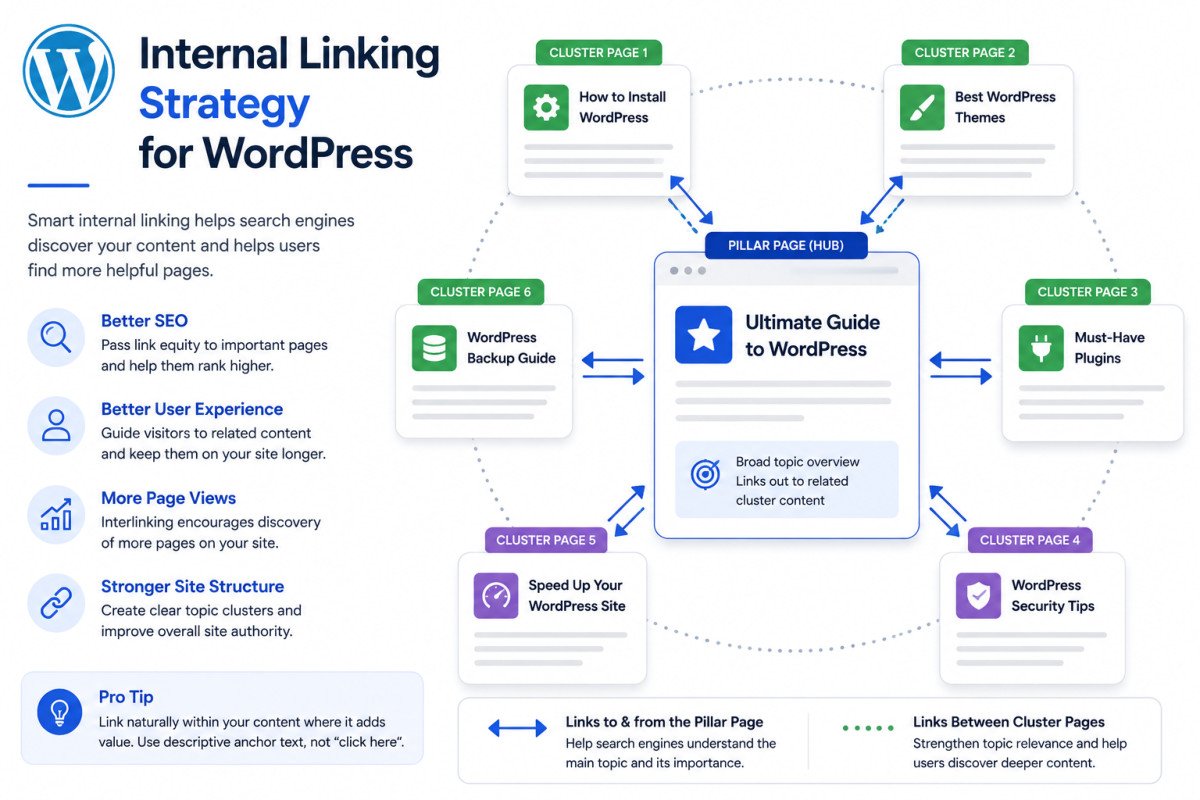
Internal Linking Strategy for WordPress (2026 Guide)