A Beginner’s Guide to Keyword Research for Bloggers (2026)


Keyword research means finding the exact words and phrases your target readers actually type into Google, then confirming there’s a realistic chance of ranking for them before you write. Start by brainstorming seed topics, expand them using free tools like Google Autocomplete and “People Also Ask,” then prioritize long-tail phrases with a genuine, matched search intent over broad, high-competition terms. This whole process is learnable in an afternoon using only free tools.
Before You Start
Make sure you have the following in place first:
- A clear sense of your blog’s overall niche or topic area
- A free Google account, needed for Google Keyword Planner and Search Console
- Realistic expectations: as a new blogger, you’re not competing directly with established authority sites for broad, high-volume terms yet
Writing a genuinely good article that nobody ever searches for is one of the most common, and most avoidable, mistakes new bloggers make. Keyword research fixes this by connecting what you write to what real people are actually typing into Google. It also protects you from the opposite mistake: chasing a huge, obvious keyword that’s already dominated by sites with years of authority behind them.
What You’ll Learn
- How to brainstorm and expand keyword ideas using only free tools
- The two opposite mistakes to avoid: too low volume, and too competitive
- How to match a keyword to the right search intent
- Why long-tail keywords are the smartest starting point for a new blog
Step 1: Brainstorm Seed Topics
Start broad. Write down 5-10 general topics your blog covers, or wants to cover. If WebGomu’s niche were the example, seed topics would be things like “WordPress hosting”, “WordPress plugins”, or “WordPress SEO”, broad categories, not yet specific keywords.
Step 2: Expand Ideas Using Free Tools
Take each seed topic and run it through a few free sources to see how real people phrase their actual searches:
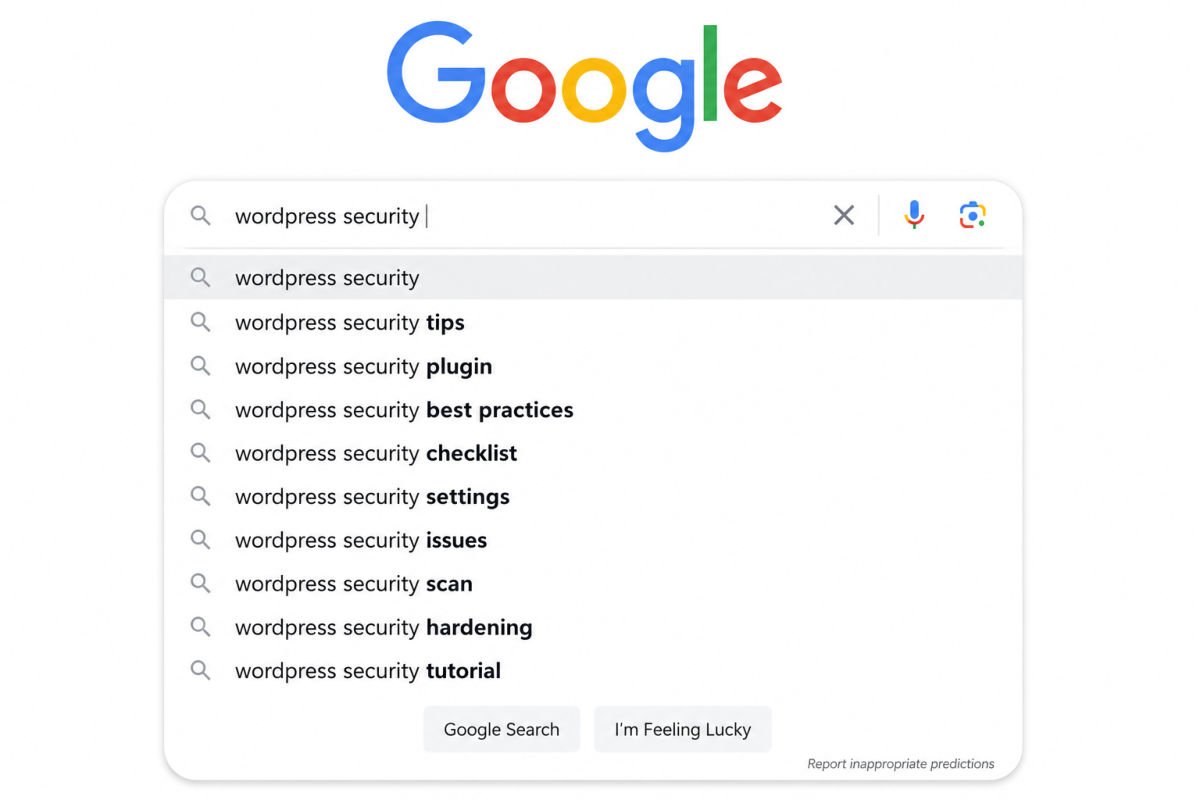
- Google Autocomplete — start typing your seed topic into Google’s search bar and note the suggestions that appear
- “People Also Ask” — the expandable question boxes on a live Google results page, a genuine goldmine of real reader questions
- Google Trends — useful for spotting whether interest in a topic is rising, steady, or fading
- Related searches — found at the very bottom of a Google results page, another source of real phrasing
Step 3: Check Search Volume and Competition
Once you have a list of candidate keywords, evaluate each on two criteria, and watch for the two mistakes that pull in opposite directions:
- Too low volume — a keyword almost nobody searches for won’t bring meaningful traffic, no matter how well you write about it.
- Too competitive — a keyword dominated by long-established, high-authority sites is extremely difficult for a new blog to rank for, regardless of content quality.
The sweet spot for a newer site is a keyword with genuine, steady search interest and a manageable difficulty score, often labeled “low competition” or a low numeric difficulty rating in most keyword tools.
Step 4: Match Search Intent
Before targeting any keyword, actually search it yourself and look at what’s already ranking. Are the top results tutorials, product pages, comparison posts, or something else? Your content needs to match that same intent, a beginner tutorial won’t rank well for a keyword where Google has already decided the intent is commercial or transactional.
WebGomu Tip: Don’t just look at whether a keyword’s difficulty score is low. Look at what’s actually ranking for it right now. A low score paired with ten in-depth, well-structured competitor articles is a different situation than a low score with thin, outdated content, the second is a genuine opportunity, the first probably isn’t.
Step 5: Prioritize Long-Tail Keywords First
Long-tail keywords, longer, more specific phrases like “how to fix a WordPress white screen” instead of just “WordPress errors”, are the smartest entry point for a newer blog. They carry lower competition, and the searcher’s intent is usually clearer and more specific, which tends to mean better engagement once they land on your content.
Free vs. Paid Keyword Research Tools
| Tool | Best For | Price |
|---|---|---|
| Google Keyword Planner | Official search volume data straight from Google | Free |
| Google Search Console | Real queries already bringing traffic to your own site | Free |
| Ubersuggest / Mangools KWFinder | Beginner-friendly difficulty scoring and keyword ideas | Paid, budget-friendly tiers available |
| Ahrefs / Semrush | Comprehensive, professional-grade research and competitor analysis | Paid, higher-tier pricing |
A free combination (Keyword Planner, Search Console, and manually checking Autocomplete and “People Also Ask”) is genuinely enough to get started well. Paid tools become worth considering once you’re publishing consistently and want faster, more detailed difficulty scoring.
Building a Keyword Map, Not Just a List
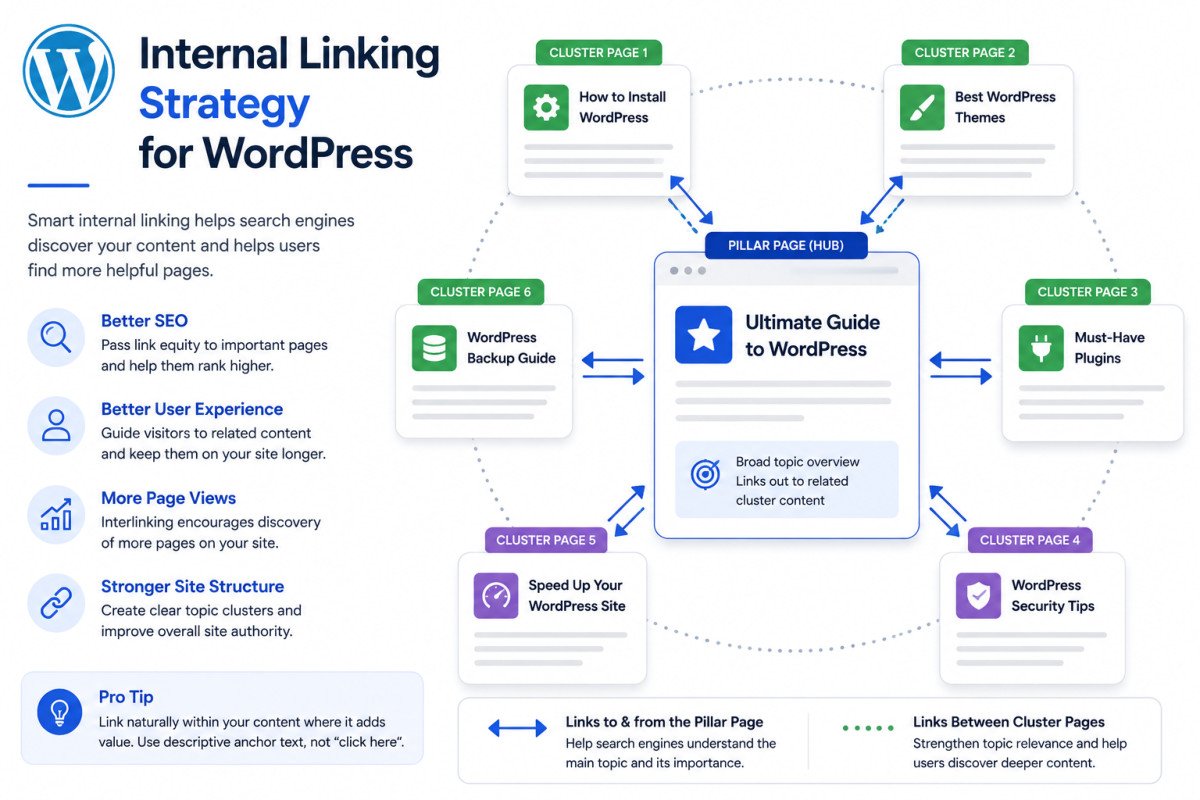
Rather than treating keywords as a random, disconnected list, group related ones into topic clusters, one central pillar topic, supported by several related sub-topics that link to and from it. This mirrors exactly the internal-linking strategy used throughout WebGomu’s own content, and it’s a genuinely more effective long-term strategy than publishing isolated posts with no topical relationship to each other.
Troubleshooting
All my keyword ideas show extremely high competition
Get more specific. Adding a qualifier (a use case, a specific tool name, a specific problem) usually turns a broad, saturated keyword into a more targeted, lower-competition long-tail version of the same topic.
My keyword has decent volume, but I’m not sure what content format to write
Search the keyword yourself and look closely at the top-ranking results, their format (list, tutorial, comparison, product page) is a direct signal of what Google considers the correct intent match.
I don’t have a paid tool, can I still do this properly?
Yes. Google Keyword Planner, Search Console, Autocomplete, and “People Also Ask” together cover the core process well. Paid tools add convenience and faster difficulty scoring, but they aren’t required to get started.
Common Mistakes
- Targeting a keyword purely because it has a large search volume, without checking realistic competition first.
- Ignoring search intent entirely and writing a format that doesn’t match what’s already ranking.
- Treating keyword research as a one-time task instead of an ongoing part of planning new content.
- Publishing isolated posts with no topical relationship to each other, instead of building a connected keyword map.
Recommended Tools
- Google Keyword Planner — free, official search volume data
- Google Search Console — free, shows real queries already reaching your own site (see our Search Console setup guide if you haven’t connected it yet)
- Ubersuggest or Mangools KWFinder — reasonable next step once you want beginner-friendly difficulty scoring at a manageable price
Key Takeaways
- Balance search volume against realistic competition, avoid both extremes.
- Always check what’s currently ranking to confirm your content format matches search intent.
- Long-tail keywords are the smartest starting point for a newer blog.
- Build a connected keyword map, not just an isolated list of one-off ideas.
Frequently Asked Questions
Do I need a paid tool to do keyword research?
No. A combination of free tools, Google Keyword Planner, Search Console, Autocomplete, and “People Also Ask,” is genuinely enough to get started well as a new blogger.
What’s a good keyword difficulty score for a new blog?
Many guides suggest starting with a difficulty score under roughly 30, and building topical authority over time before targeting more competitive terms.
Why shouldn’t I just target the highest search volume keyword I can find?
Extremely high-volume keywords are usually dominated by established, high-authority sites, making them very difficult for a new blog to rank for, regardless of content quality.
What is search intent, and why does it matter?
Search intent is the actual reason behind a search, informational, commercial, or transactional. Matching your content’s format to that intent (checked by seeing what already ranks) significantly affects your realistic chance of ranking.
How often should I do keyword research?
Treat it as an ongoing part of your content planning, not a one-time task, revisit it whenever you’re planning new content or a new cluster of related posts.
Resources Links
Author:

Christoper Enolpe
Founder of WebGomu • WordPress Freelancer with 10+ Years of Experience
Christoper is the founder of WebGomu and a WordPress freelancer with over 10 years of hands-on experience building, optimizing, and maintaining WordPress websites. He writes practical, beginner-friendly guides based on real-world experience, covering WordPress, SEO, website performance, and AI tools to help readers build better websites with confidence.
Learn more: https://webgomu.com/about/
Get one WordPress tip every week
Start Here

The Ultimate Beginner’s Guide to WordPress (2026): Build Your First Website Without Coding
Popular Guides
Our Partner

More from the blog

Best WordPress SEO Plugins 2026: Compared & Ranked
Internal Linking Strategy for WordPress (2026 Guide)