WordPress.org vs WordPress.com: What’s the Difference and Which Should You Choose?

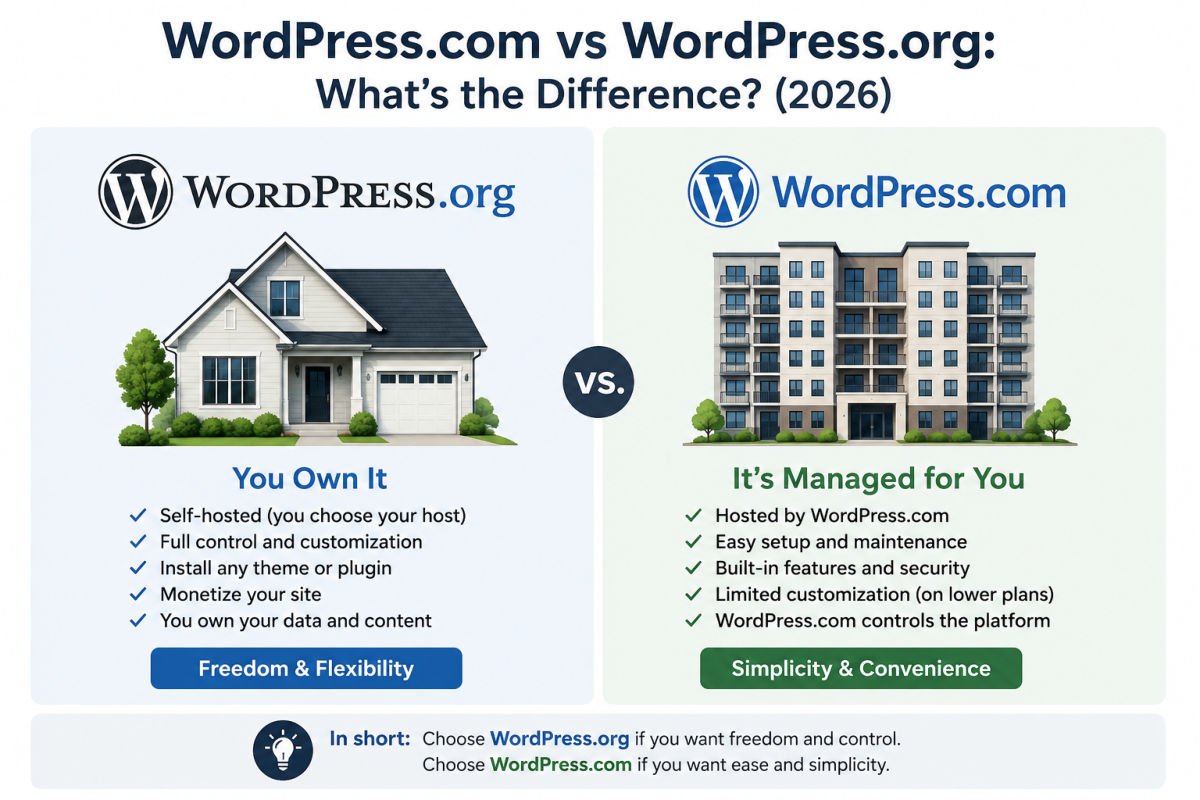
If you’ve just started researching WordPress, you’re probably wondering why there are two websites with almost the same name. It’s one of the most confusing parts of getting started, and it’s a mistake many beginners make before building their first website.
When we first learned WordPress, we assumed WordPress.org and WordPress.com were simply different versions of the same platform. We quickly discovered they serve different purposes. One gives you complete ownership and flexibility, while the other focuses on convenience with some built-in limitations.
Choosing the right platform from the beginning can save you time, money, and the hassle of migrating your website later. In this guide, we’ll explain the differences in plain English so you can confidently choose the option that’s right for your goals.
Quick Decision Framework
Choose WordPress.org if you:
- Want complete ownership of your website
- Plan to earn money through ads or affiliate marketing
- Need unlimited plugins and themes
- Want the best SEO flexibility
- Are building a business, portfolio, or online store
Choose WordPress.com if you:
- Only need a personal or hobby blog
- Want hosting included
- Prefer a managed platform
- Don’t mind upgrading later for advanced features
What You’ll Learn
- The biggest differences between WordPress.org and WordPress.com
- Which platform is cheaper in the long run
- Which one is better for SEO
- Which platform gives you full ownership
- Common beginner mistakes to avoid
- Which platform WebGomu recommends
WordPress.org vs WordPress.com: At a Glance
| Feature | WordPress.org | WordPress.com |
|---|---|---|
| Hosting Included | ❌ No | ✅ Yes |
| Software Cost | ✅ Free | Free plan available |
| Install Plugins | ✅ Unlimited | Business plan and above |
| Install Themes | ✅ Unlimited | Limited on lower plans |
| Custom Code | ✅ Yes | Higher plans only |
| Move to Another Host | ✅ Anytime | More Limited |
| SEO Freedom | ★★★★★ | ★★★☆☆ |
| Best For | Businesses & Professionals | Personal Blogs |
Common Beginner Confusion: Despite their similar names, WordPress.org and WordPress.com are not the same service. WordPress.org provides the open-source software, while WordPress.com is a commercial platform that uses that software while adding its own hosting, plans, and feature restrictions.
WordPress.org: The Self-Hosted Option
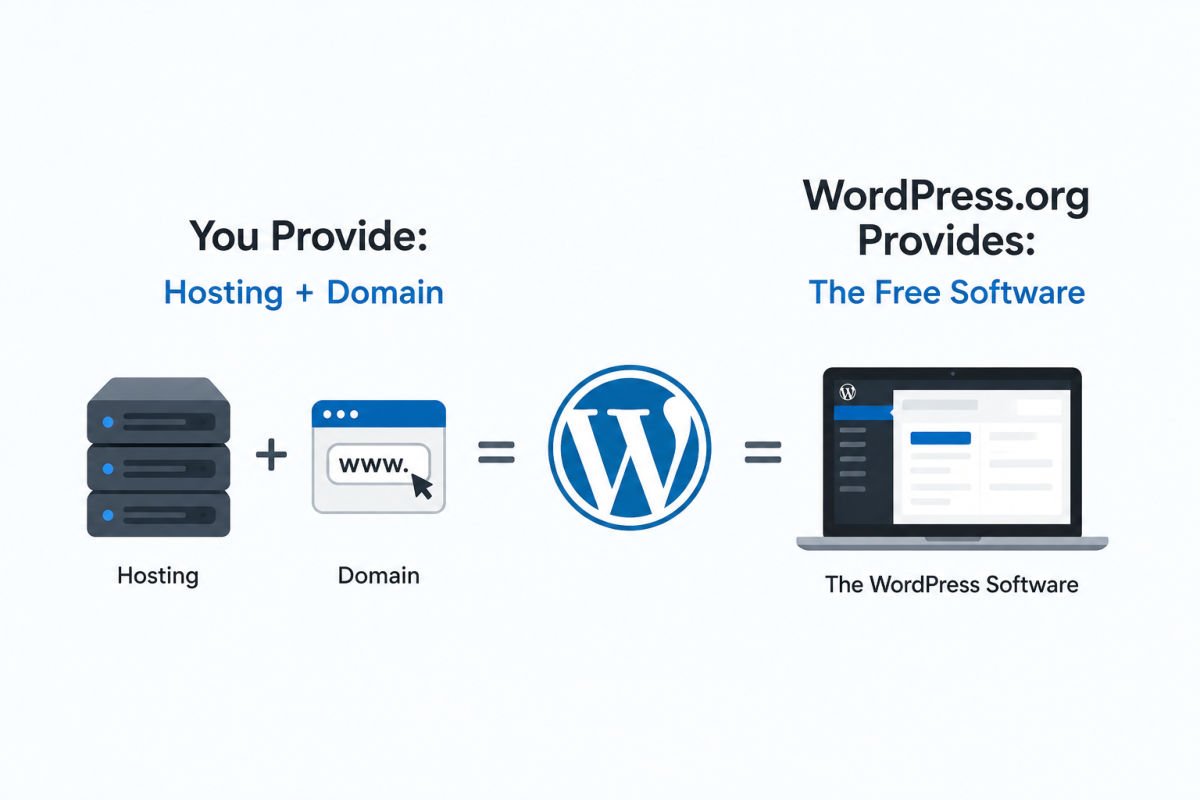
WordPress.org is the free, open-source software that powers millions of websites worldwide. Instead of creating your website on someone else’s platform, you download the software and install it on your own hosting account.
Think of it like buying a house. You’re responsible for maintenance, but you own everything and can renovate however you like.
What it costs
WordPress itself is completely free.
You’ll simply need:
- Web hosting
- A domain name (optional if you’re testing locally)
For most beginners, the first-year cost is usually well under $150.
What you get
- Complete ownership of your website
- Unlimited plugins and themes
- No restrictions on advertising or affiliate marketing
- Sell products using WooCommerce
- Move your website to another host whenever you want
- Access to every WordPress feature
The trade-off
You’ll manage updates, backups, and security yourself, although most quality hosting providers automate much of this today.
If you’re just getting started, check out our step-by-step WordPress installation guide.
WordPress.com: The Managed Platform
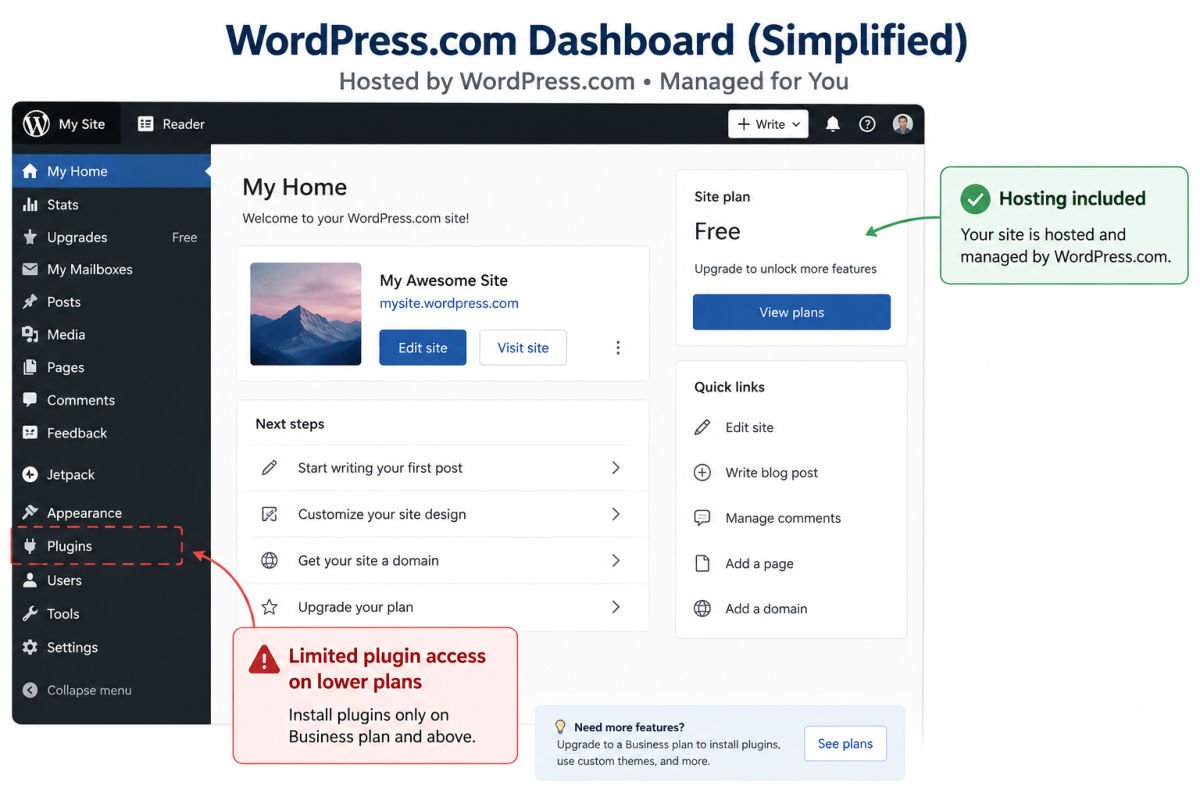
WordPress.com is a website-building platform owned by Automattic. Instead of finding your own hosting company, everything is managed for you.
Think of it like renting an apartment. Maintenance is included, but you’re limited in what you can customize.
What it costs
There is a free plan that includes:
- A WordPress.com subdomain
- WordPress.com branding
- Limited customization
Paid plans unlock:
- Custom domains
- Additional themes
- Plugin installation
- More storage and advanced features
What you get
- Hosting included
- Automatic updates
- Security managed for you
- Very little technical setup
The trade-off
Many advanced features require upgrading to higher-tier plans, including installing custom plugins and fully customizing your website.
WebGomu Tip: If you’re building a website that represents your business, portfolio, or personal brand, choose WordPress.org from the beginning. It avoids unnecessary migration later and gives you complete ownership of your website.
Which One Is Better for SEO?
Both platforms can rank well in Google.
However, WordPress.org gives you far more SEO flexibility because you can install plugins like Rank Math or Yoast SEO, optimize your site’s performance, add custom schema, and choose your own hosting provider.
If your goal is long-term organic traffic, WordPress.org gives you significantly more control over technical SEO.
Our Recommendation
At WebGomu, we recommend WordPress.org for almost every beginner.
Why?
Because most people eventually want to:
- Install plugins
- Improve SEO
- Customize their website
- Make money online
- Launch an online store
- Grow their website over time
Starting with WordPress.org avoids paying for features later or migrating your entire website once you outgrow the limitations of WordPress.com.
If you’re simply creating a personal journal or temporary hobby website, WordPress.com remains a perfectly reasonable choice.
Our Experience
When we first started building WordPress websites, we assumed WordPress.com was the “official” version everyone should use. After working with clients and building websites professionally, we realized nearly every business website we maintained used self-hosted WordPress.org because it offered far greater flexibility, plugin compatibility, and long-term scalability.
That’s why WebGomu recommends WordPress.org for anyone serious about growing a website.
Common Mistakes
- Signing up for WordPress.com expecting to install any plugin.
- Thinking WordPress.org is difficult when most hosting companies offer one-click installation.
- Building a business website on the free WordPress.com plan before discovering monetization restrictions.
- Choosing a platform without considering how difficult migration can be later.
- Thinking WordPress.org requires coding
- Assuming WordPress.com includes every plugin
- Believing free hosting means cheaper long-term
- Choosing based only on the free plan
Key Takeaways
- WordPress.org is free software that you install on your own hosting account.
- WordPress.com is a managed platform with free and paid plans.
- WordPress.org offers complete ownership, flexibility, and monetization.
- WordPress.com offers convenience but limits customization on lower plans.
- For businesses, portfolios, and long-term websites, WordPress.org is the better investment.
Frequently Asked Questions
Is WordPress.com free? There’s a free plan, but it includes WordPress.com branding, a subdomain instead of your own domain, and limited features. Removing these requires a paid plan.
Is WordPress.org really free? Yes, the software itself is free. You’ll still pay for hosting and, optionally, a domain name.
Can I move my site from WordPress.com to WordPress.org later? Yes, migration is possible and WordPress.com even offers import tools, but it takes extra setup work. It’s easier to choose correctly from the start.
Which one is better for a small business? WordPress.org, in almost all cases, because of its unrestricted monetization and full plugin access.
Which one is easier for a total beginner? WordPress.com has a slightly gentler initial setup, but WordPress.org’s one-click installers have closed most of that gap. See our WordPress installation guide to see just how simple it is.
Author:

Christoper Enolpe
Founder of WebGomu • WordPress Freelancer with 10+ Years of Experience
Christoper is the founder of WebGomu and a WordPress freelancer with over 10 years of hands-on experience building, optimizing, and maintaining WordPress websites. He writes practical, beginner-friendly guides based on real-world experience, covering WordPress, SEO, website performance, and AI tools to help readers build better websites with confidence.
Learn more: https://webgomu.com/about/
Get one WordPress tip every week
Start Here

The Ultimate Beginner’s Guide to WordPress (2026): Build Your First Website Without Coding
Popular Guides
Our Partner

More from the blog

WPCode Review 2026: The Safe Way to Add Custom Code
WordPress REST API Explained: A Beginner’s Guide (2026)