ShortPixel Review 2026: Is the Credit System Worth It?

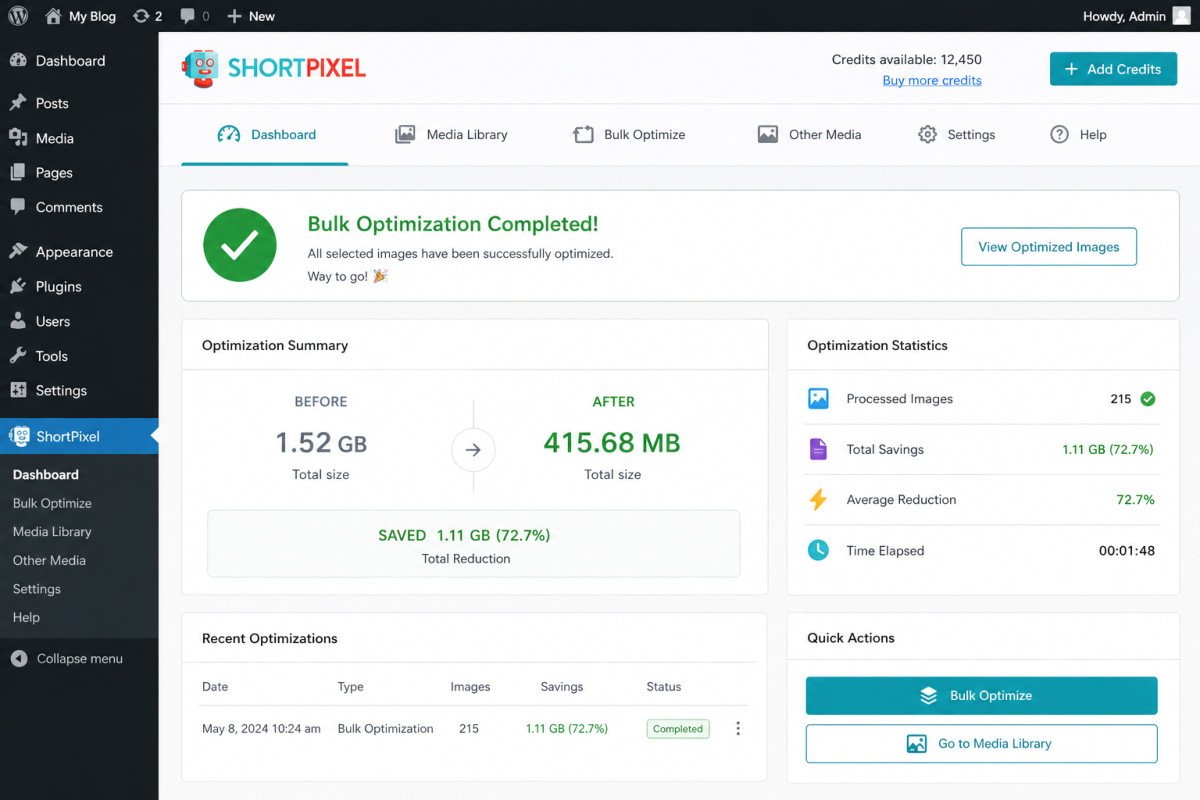
ShortPixel is a genuinely strong image compression service, its SmartCompress algorithm runs multiple optimization passes to shrink files without visible quality loss, and it supports both WebP and AVIF conversion. Verified reviews consistently praise its responsive support team, one Trustpilot reviewer specifically credited them with helping resolve a Cloudflare misconfiguration. The recurring complaint across multiple independent review platforms: its credit-based pricing system is genuinely confusing for many users, and a specific setting requires bundling CSS minification with image optimization whether you want that or not.
Before You Start
See our image optimization guide for the broader picture, resizing and format choice, this review focuses specifically on ShortPixel itself.
ShortPixel already earned a mention as the top performer across independent benchmarks in our general image optimization guide, worth a closer, dedicated look now, including the details that only show up once you’re actually configuring it, not just reading a feature list.
What You’ll Learn
- What genuinely stands out about ShortPixel’s compression and support
- A specific technical gotcha worth knowing before you enable certain settings
- Why ShortPixel’s ratings vary noticeably across review platforms
- How its pricing actually compares to alternatives
What’s Genuinely Excellent
- SmartCompress technology, running images through multiple optimization passes to find the smallest file size without visible quality loss, a genuine technical differentiator over simpler single-pass compressors.
- WebP and AVIF conversion, handled automatically as part of the standard optimization process.
- Consistently praised customer support. Multiple verified reviews specifically describe fast, hands-on help, including one Trustpilot reviewer who credited the team with helping diagnose a Cloudflare misconfiguration, genuinely above what most plugin support teams offer.
- A genuinely generous free tier, 100 images per month at no cost, useful for smaller sites without committing to a paid plan immediately.
- Works beyond WordPress specifically, a web interface for PHP sites, a command-line tool, and APIs for developers integrating optimization elsewhere.
A Specific Technical Gotcha Worth Knowing
This is genuinely easy to miss until you hit it directly: ShortPixel’s Adaptive Images feature requires enabling CSS minification if you want background images inside CSS blocks optimized too, the two settings are bundled together rather than offered as separate toggles. At least one detailed, verified reviewer flagged this specifically, along with a plugin-conflict warning that appeared during setup that made them uneasy. Worth testing on a staging site first if you’re not sure how this interacts with your specific theme’s CSS.
Why Ratings Vary Across Platforms
Worth being transparent about this rather than picking whichever number looks best: ShortPixel holds a 4.5/5 on G2, but only 3.6/5 on Trustpilot. Both are genuine, verified review sources, the gap likely reflects different user bases and expectations rather than one platform being “wrong.” Reading a handful of recent reviews on both before committing gives a more complete picture than trusting either number alone.
WebGomu Tip: If you’re on a lifetime deal or considering one, read recent reviews specifically, not just overall ratings. At least one verified lifetime-deal customer reported frustration with changes to credit recharge policies over time, worth checking current terms directly rather than assuming a lifetime purchase locks in today’s exact terms indefinitely.
Pricing: The Credit System, Honestly
ShortPixel uses a credit-based system rather than a flat unlimited plan at most tiers, and multiple independent reviewers describe this as genuinely more confusing than competitors’ simpler pricing. Its top “Unlimited” tier pricing is also less transparently comparable than competitors like Imagify, which publishes a clear per-image-volume price. If straightforward, predictable pricing matters more to you than squeezing out ShortPixel’s specific compression advantage, that opacity is worth weighing directly.
Who Should Use ShortPixel
Site owners and agencies who want genuinely best-in-class compression results and are willing to spend a few minutes understanding the credit system to get there. The strong, responsive support team is also a real advantage for anyone less comfortable troubleshooting image and CDN settings alone.
Who Might Want to Look Elsewhere
If straightforward, predictable pricing matters more than squeezing out the last percentage of compression, Imagify’s clearer per-volume pricing may be a better fit, see our image optimization guide for the broader comparison.
Common Mistakes
- Enabling Adaptive Images without realizing it bundles CSS minification, without a separate toggle.
- Judging ShortPixel by a single review platform’s rating rather than checking both G2 and Trustpilot for a fuller picture.
- Assuming lifetime deal terms are permanently fixed without checking current policy directly.
- Not testing image optimization settings on staging first, given the documented CSS interaction.
Key Takeaways
- ShortPixel’s SmartCompress technology is a genuine, verified differentiator in independent benchmarks.
- Its Adaptive Images feature bundles CSS minification with image optimization, worth testing before enabling on a live site.
- Ratings vary meaningfully between G2 (4.5/5) and Trustpilot (3.6/5), check both before deciding.
- The credit-based pricing system is a genuine, recurring point of confusion across independent reviews.
Frequently Asked Questions
Is ShortPixel’s free plan good enough for a small site?
For genuinely small sites, yes, the free tier includes 100 images per month at no cost, a reasonable starting point before committing to a paid plan.
Does ShortPixel’s Adaptive Images feature affect my site’s CSS?
Yes, enabling it requires also enabling CSS minification if you want background images inside CSS blocks optimized, the two settings are bundled rather than offered separately.
Why do ShortPixel’s ratings differ between review platforms?
It holds 4.5/5 on G2 but 3.6/5 on Trustpilot, both genuine, verified sources. The gap likely reflects different user bases rather than one platform being inaccurate, worth checking both before deciding.
Is ShortPixel’s pricing straightforward?
Not entirely, its credit-based system is described as genuinely confusing by multiple independent reviewers, and its top “Unlimited” tier pricing is less transparently comparable than some competitors.
Is ShortPixel’s customer support actually responsive?
Consistently, yes, across multiple verified reviews, including specific accounts of the team helping with staging site issues and Cloudflare misconfigurations.
Resources Links
- The Ultimate Beginner’s Guide to WordPress (2026)
- WordPress Image Optimization: The Complete Guide
- WebP vs AVIF: Which Should You Actually Use?
- The Ultimate WordPress Speed Optimization Guide
Learn more directly from the source: Visit ShortPixel’s official website for current pricing and full feature details.
Author:

Christoper Enolpe
Founder of WebGomu • WordPress Freelancer with 10+ Years of Experience
Christoper is the founder of WebGomu and a WordPress freelancer with over 10 years of hands-on experience building, optimizing, and maintaining WordPress websites. He writes practical, beginner-friendly guides based on real-world experience, covering WordPress, SEO, website performance, and AI tools to help readers build better websites with confidence.
Learn more: https://webgomu.com/about/
Get one WordPress tip every week
Start Here

The Ultimate Beginner’s Guide to WordPress (2026): Build Your First Website Without Coding
Popular Guides
Our Partner

More from the blog

WPCode Review 2026: The Safe Way to Add Custom Code

AI Photo Editing Tools for WooCommerce Product Photos (2026)